
Update billing
Manage everything to do with your Portant subscription from one place: change plans, update your payment method, edit your billing details, and download past invoices.
Open your billing settings
Your billing settings live at app.portant.co/settings/billing.
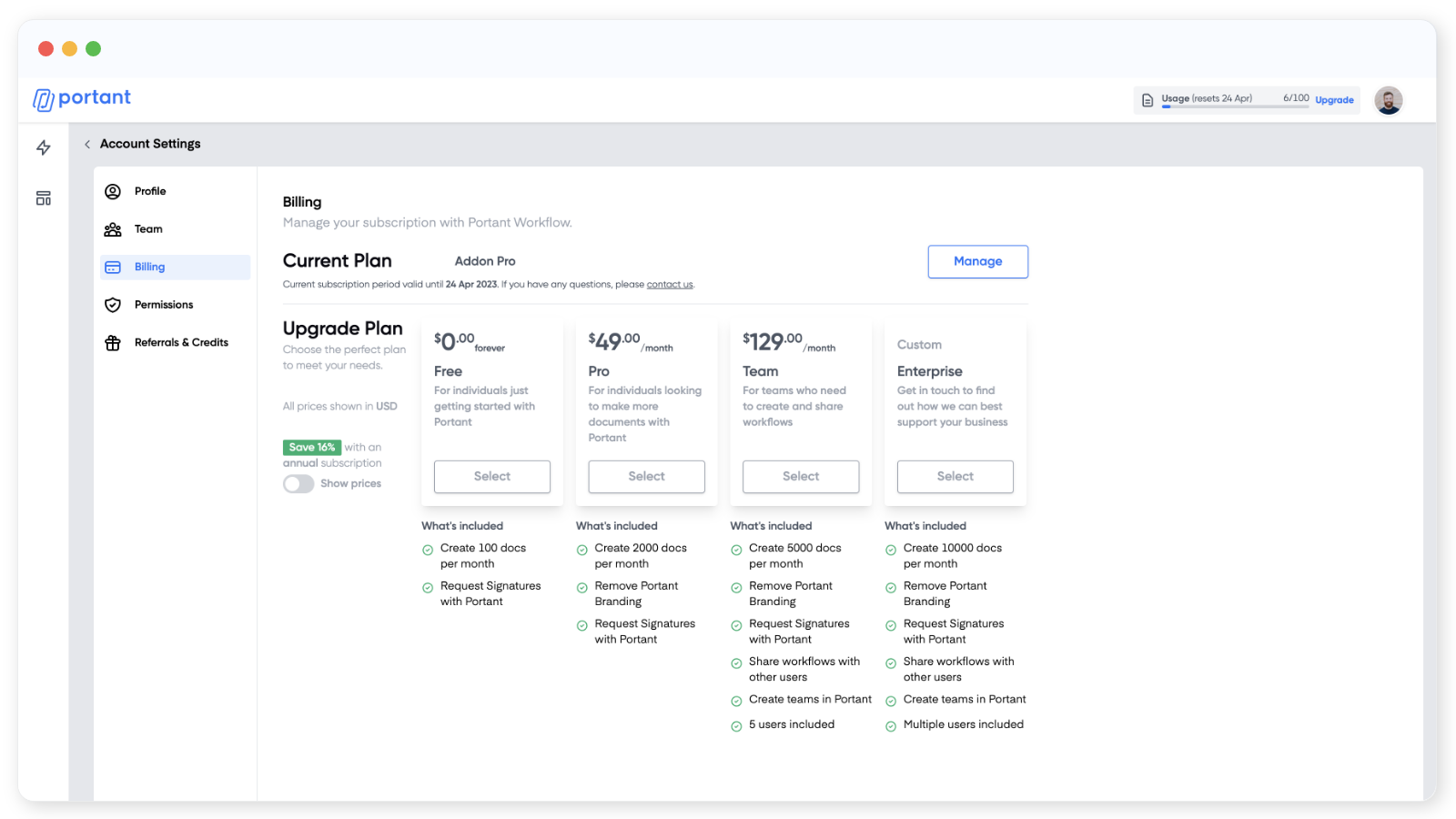
This page shows your current plan and the next renewal date. It's also where you upgrade.
If you're on a paid plan, you'll see a Manage button next to Current Plan. Clicking it opens the full billing portal in a new tab.
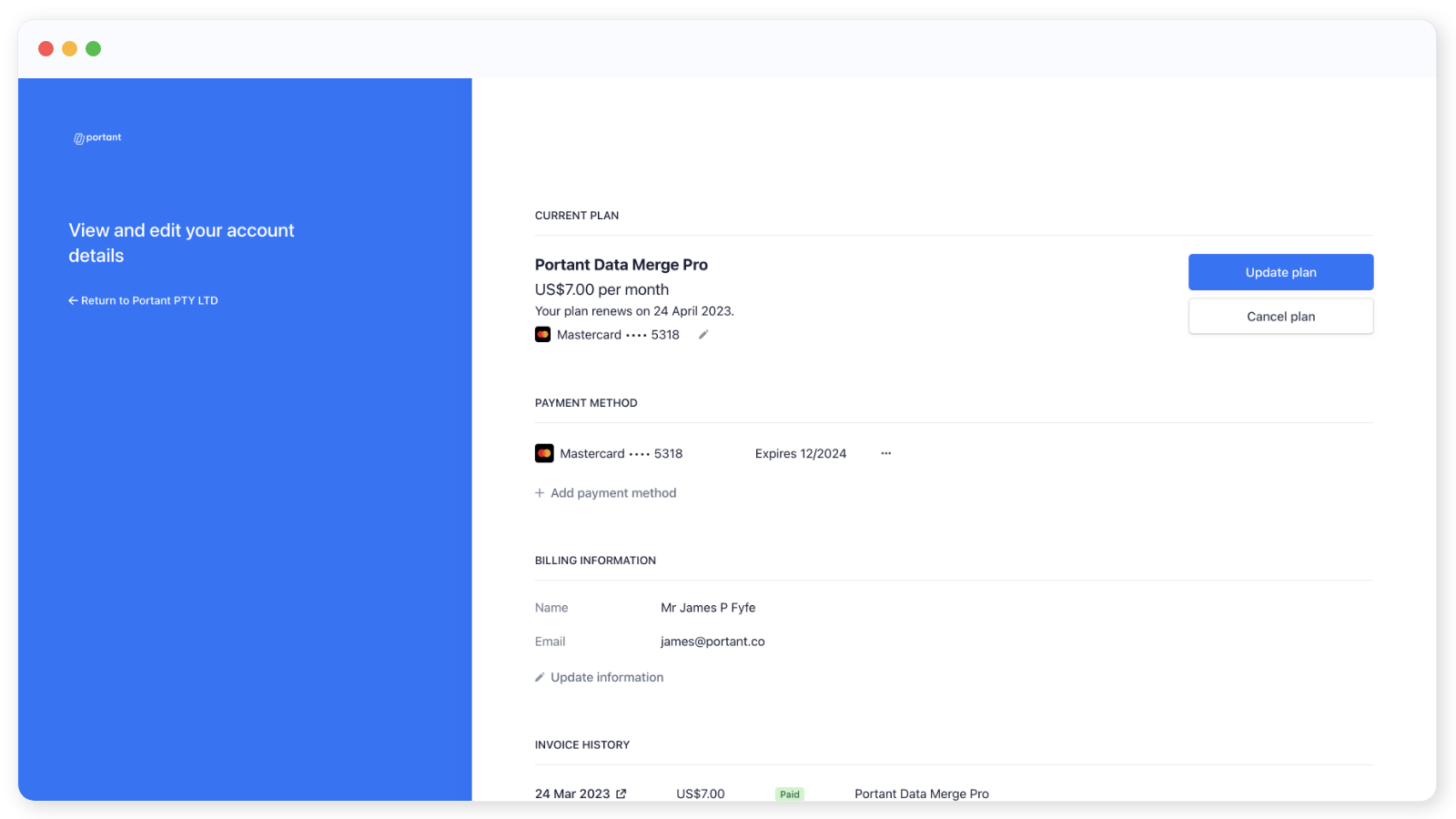
From here you can change plan, update your card, change the email address invoices are sent to, edit billing details (including tax info), and view your invoice history with PDF downloads.
Update your plan
In the Current Plan section, click Update plan and pick the new plan. The new plan starts straight away, and we credit you for the time left in your current billing cycle.
Update your payment method
In the Payment method section, click Add payment method and enter the new card details. You need to add the new method first, then set it as the default, and finally remove the old one.
Update your invoice email address
In the Billing information section, click Update information and change the email address.
All future invoices will be sent to this address.
Update your billing details
Same place: Billing information > Update information. This is where to add or edit tax information that needs to appear on your invoices.
Cancel your subscription
In the Current Plan section, click Cancel plan and confirm. You'll keep access to your paid plan until the end of the current billing period.
View and download invoices
Scroll down to the Billing history section. Click the date of an invoice to open it in a new tab, where you can view the details or download a PDF.