
Edit tag names
Source field names can be long, technical, or just hard to format around. Editing the tag name in Portant changes how the tag looks in your document, without changing anything in the source.
Edit a tag name
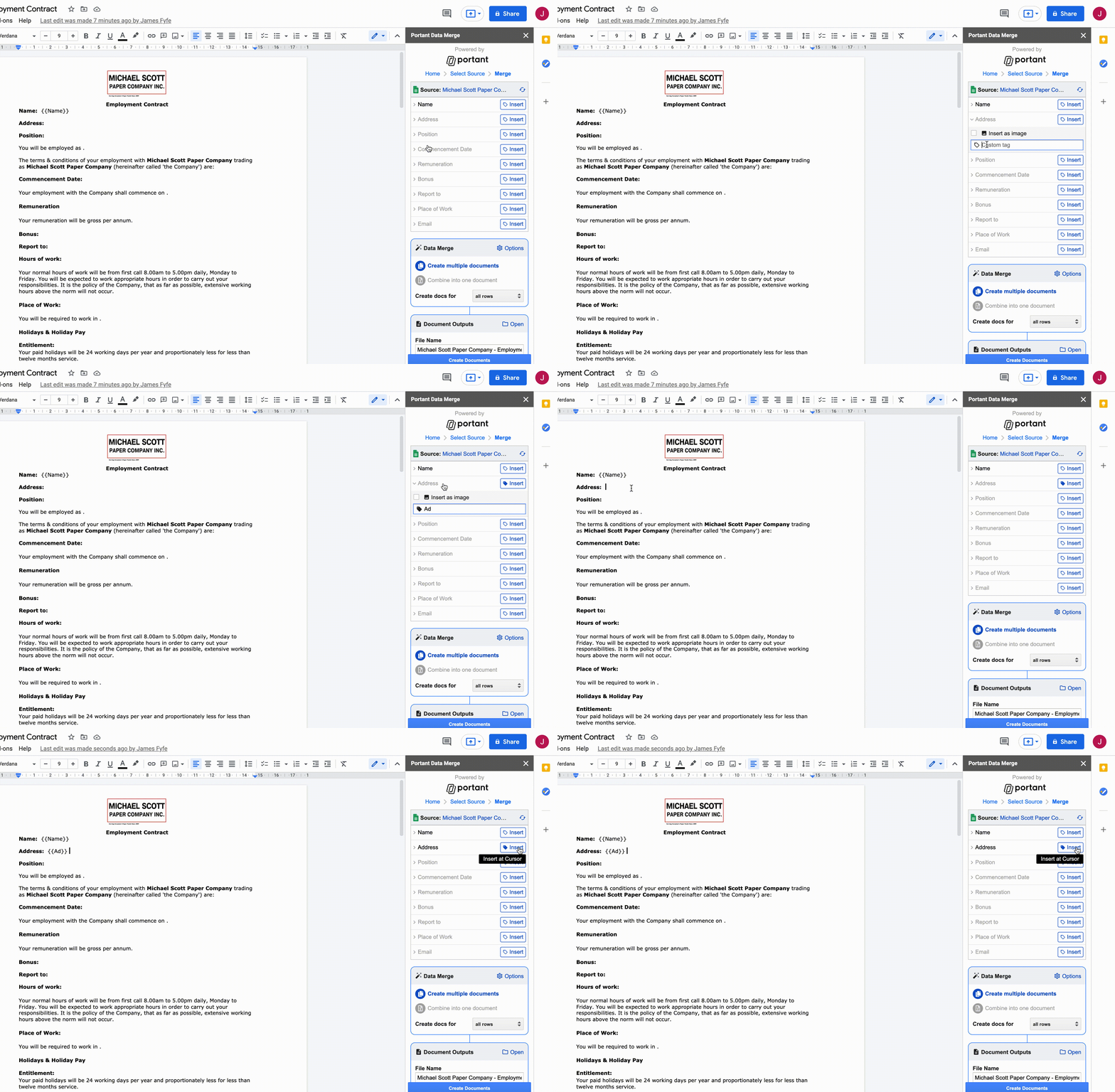
- Click the source row to open its options.
- Type the new tag name into the text box.
- Press enter or click the row again. The tag icon turns solid blue when the name is saved.
Note: Tag names need to be unique across the source. You can't reuse a name that already belongs to another row or tag.