
Quote template
Consulting Quote Template
Copy our consulting quote template and automate your consulting business invoice process with ease. Customize consultant quotations, streamline services, and manage clients more efficiently with our fully customizable solution.
Trusted by teams at










Consulting Quote Template
You can create consulting quotes automatically from Google Sheets in a few easy steps. It is simple to use Portant as a free quote template in Google Sheets which contains all kinds of different elements including your company logo, unique quote numbers, payment terms, available online payment methods, and contact information. After you've opened Portant Workflow, select your Google Sheet, then connect a Google Docs quote template, customize your blank quote template with column tags, attach it to an email, and finally click 'Start automation', and voila!, you’ve automated your quotes from Google Sheets!
We know how painful and monotonous it can be to copy and paste data into quote templates, double check all the information is correct, save it as a pdf, and then send the quote to your customers. That’s why we’ve come to the rescue to help with your consulting business.
With Portant, you can connect a Google Sheet to a professional consulting quote template, click a few buttons, and professional quotes will be magically generated and sent whenever you need to. You can also customize the email and who it's sent from (e.g., accounts@portant.co). It's easy to place your consulting quotes on autopilot.
How to automate your consulting quotes

Step 1
Open Sheet
Select the Google Sheet you want to use as the data source for your quotes. Portant connects directly to your spreadsheet to pull in the data it needs.

Step 2
Connect Template
Connect your Google Docs, Slides, or Sheets quote template. Portant will link it to your spreadsheet data source so it knows which fields to merge.

Step 3
Customize
Customize your quote with merge tags like {{Contact Name}}, {{Line Items}}, and {{Total}}. Format it with your branding, colours, and layout.

Step 4
Create
Create quotes automatically when new rows are added to your sheet, or generate them manually in batches. Send via email or save to Google Drive.
How to automate your consulting quotes with a template
Step 1
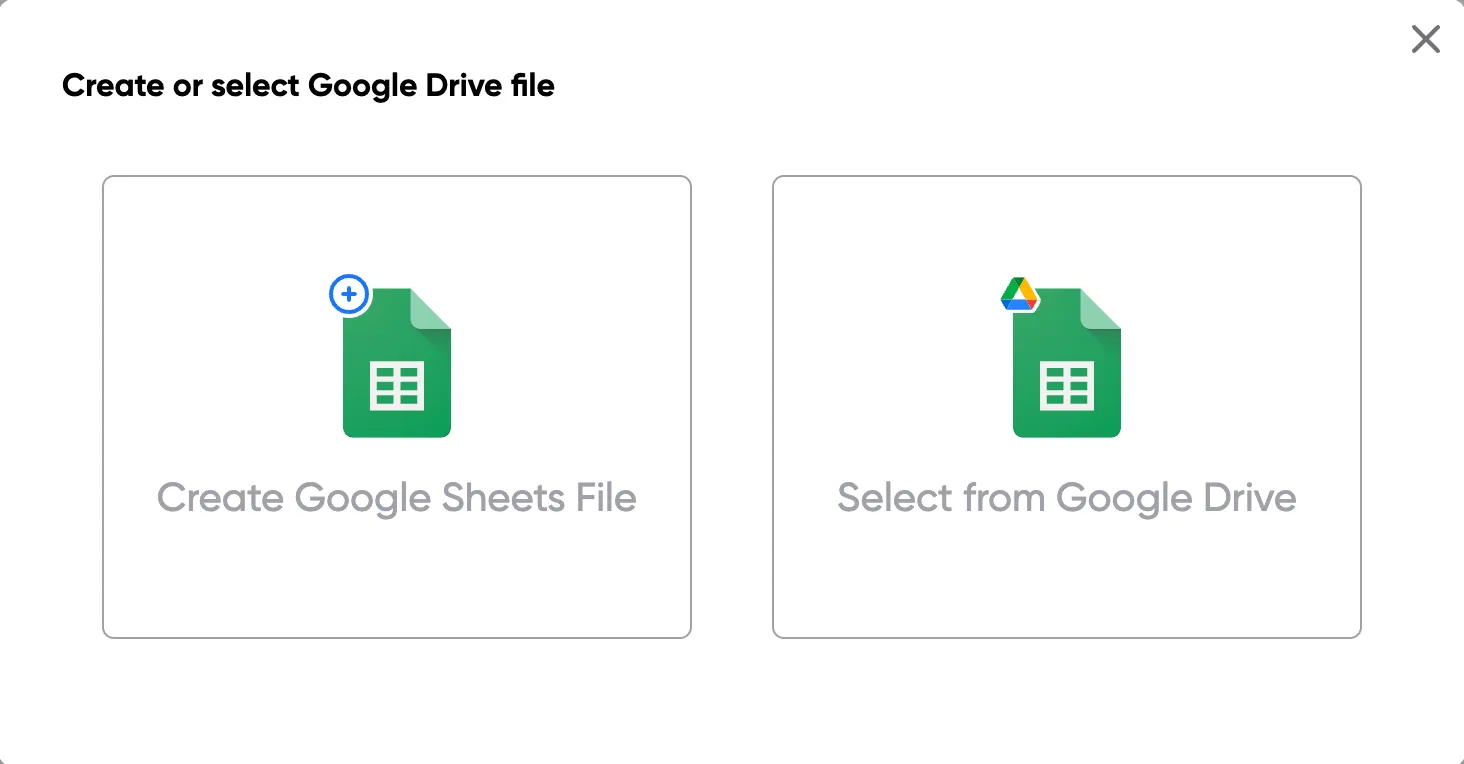
Step 1: Open a Google Sheet
Open a Google Sheet that contains the data for your quotes. This could include customer details, product names, quantities, pricing, and discount information. Create a new sheet if you don't have one yet.
Step 2
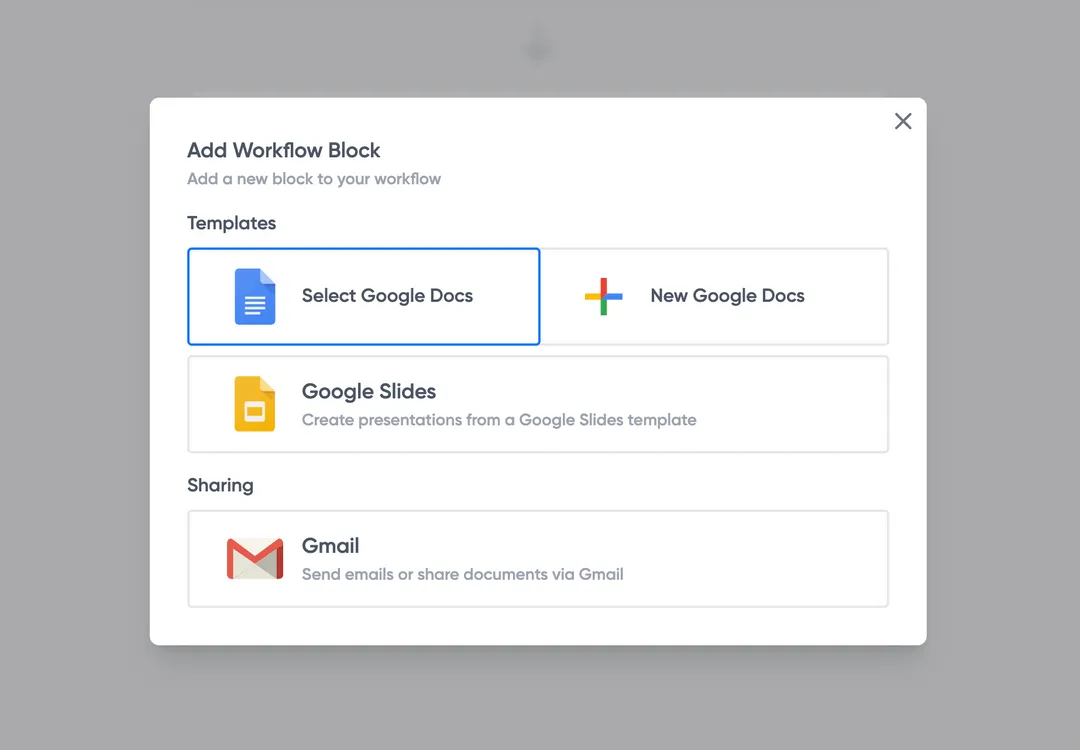
Step 2: Connect your quote template
Open the Portant add-on and connect your Google Docs or Slides quote template. Portant will scan for merge tags and match them to your sheet columns automatically.
Step 3
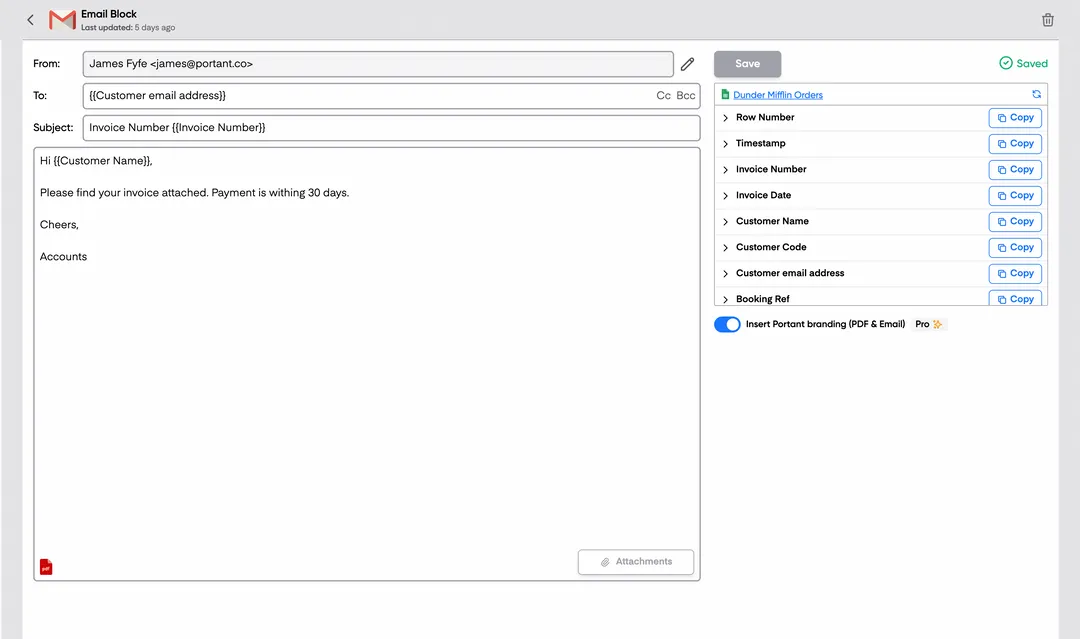
Step 3: Customize your output
Choose how your quotes are delivered. Send them directly to customers via email, save as PDFs to Google Drive, or both. Add merge tags to the email subject and body for a personal touch.
Step 4
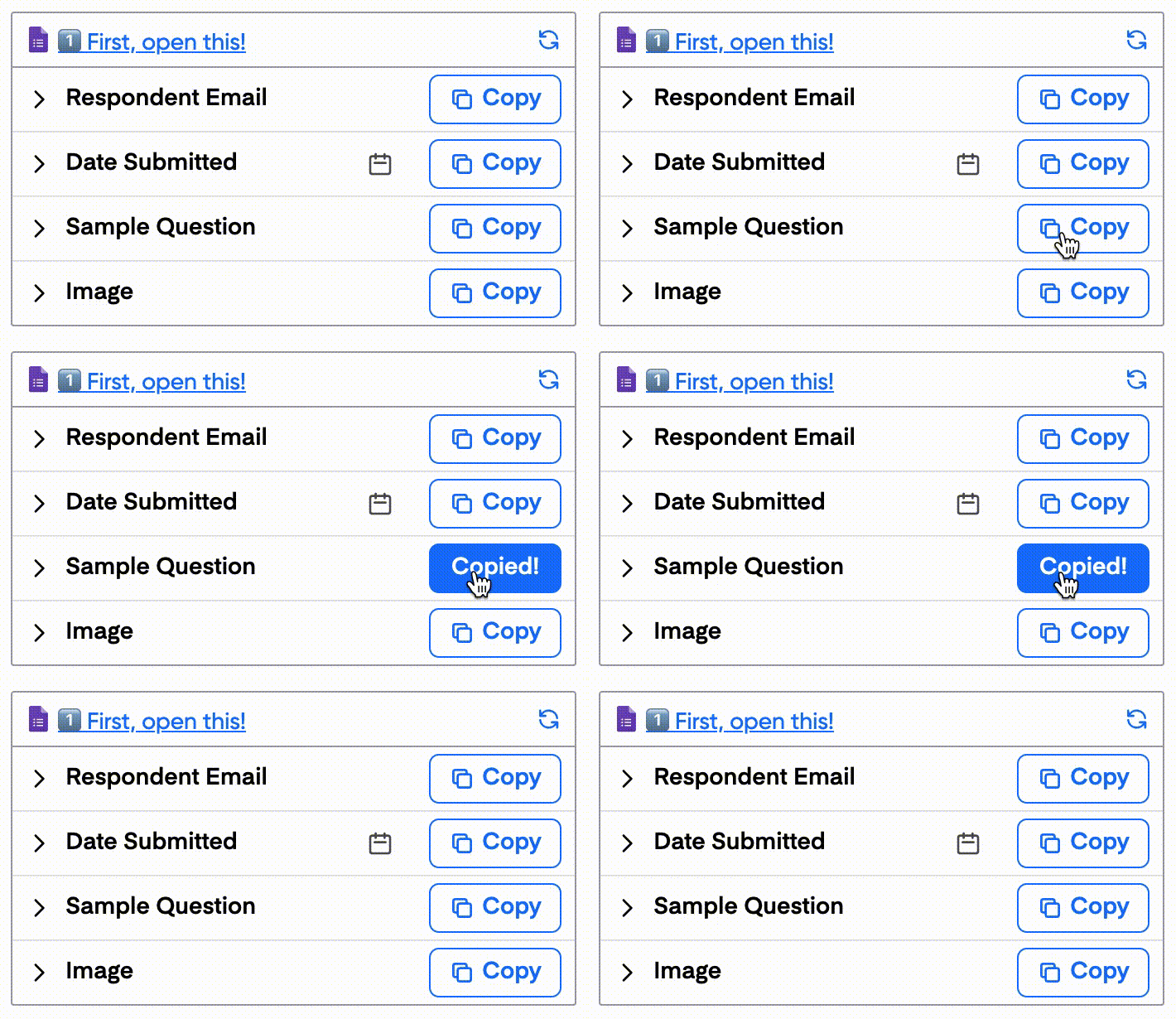
Step 4: Automate your quotes
Turn on auto-create to generate quotes every time a new row is added. Run the workflow manually for batch processing, or schedule it to run at specific intervals.
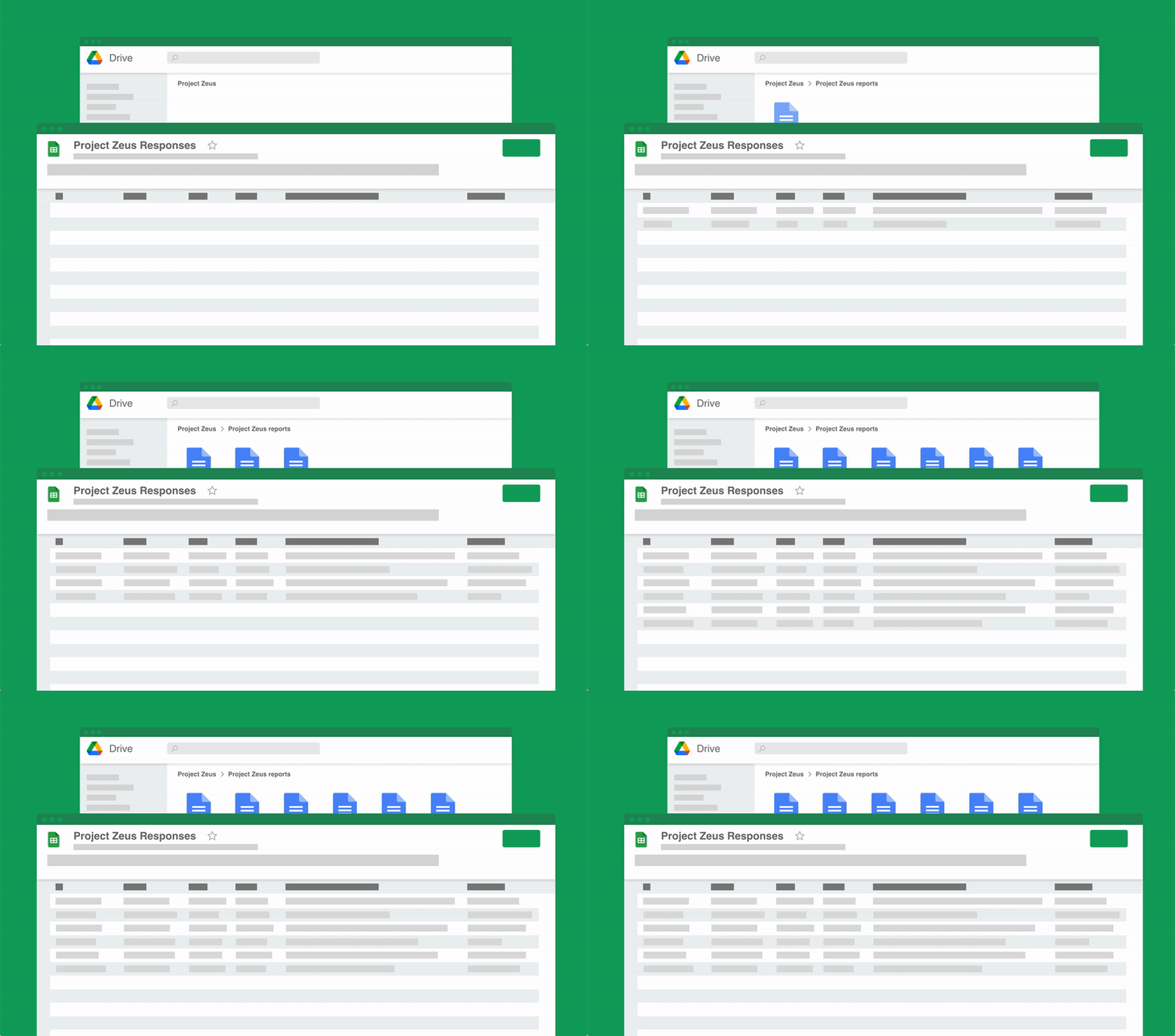
Eliminate unnecessary manual work
Stop spending hours copying and pasting data from spreadsheets into documents. Portant automates the entire process, pulling data directly from your source and generating completed documents in seconds. Focus on the work that matters, not repetitive formatting tasks.
Make your documents more accurate
Manual document creation leads to errors, from wrong names to outdated figures. Portant maps data fields directly to your template, eliminating typos and ensuring every document is accurate and consistent. Your team sends fewer corrections and your clients get the right information every time.
Built into Google Workspace
Portant works natively with Google Docs, Sheets, Slides, and Gmail. There is no new interface to learn, no data to export, and no switching between tools. Your team stays in the apps they already use while Portant handles the document generation in the background.
What teams say about Portant
“Portant has been a game-changer for Clipboard! It's saved our sales team countless hours every week by generating order forms, proposals and contracts with info from HubSpot automatically filled in.”
“This product is a gamechanger for all of those painful manual document merges. Love what you and the team have built!”
“This software brilliantly takes over the tedious process of creating and sending invoices. This not only saves time but massively reduces errors of data entry.”
“Love this product. Have been using it for over a year and the integration to Google Workspace is awesome. Lots of credit for listening to your users!”
“Truly a gamechanger! Portant streamlines these tasks and allows me to focus on the things that require my attention and problem-solving!”
“Portant has been a game-changer for Clipboard! It's saved our sales team countless hours every week by generating order forms, proposals and contracts with info from HubSpot automatically filled in.”
“This product is a gamechanger for all of those painful manual document merges. Love what you and the team have built!”
“This software brilliantly takes over the tedious process of creating and sending invoices. This not only saves time but massively reduces errors of data entry.”
“Love this product. Have been using it for over a year and the integration to Google Workspace is awesome. Lots of credit for listening to your users!”
“Truly a gamechanger! Portant streamlines these tasks and allows me to focus on the things that require my attention and problem-solving!”
Frequently asked questions
A comprehensive consulting quote template typically includes sections for the consultant’s contact details, the client's details, a breakdown of consulting services offered, pricing information (including hourly rates or package prices), contract terms, and payment terms. Some templates also offer PDF format and digital signature capabilities for ease of acceptance. For freelance consultant work or a consulting company, you may also consider adding services tailored to the specific project to create clarity for both parties.
Research is key. Before finalizing your consulting services quote, compare your pricing and services with industry standards and competitors. Make sure to clearly articulate the value you provide, which can justify your pricing. To stay competitive, offering different consultants or tiered packages can appeal to clients with varying needs. Adding examples of past proposed solutions may further help make your case. Customizing each consultant quote for each client ensures you're addressing specific project details.
Including a breakdown of costs helps clients understand where their money is going and increases transparency. This can include freelance consultant rates, contract terms, flat fees for specific services, and any additional costs like consultant quotation services or materials. Clear breakdowns can also reduce the risk of disputes later, especially for small businesses who are more price-conscious. A detailed consulting quotation template can be an efficient tool here.
Yes, a template is designed to be reusable. However, it should be customized for each client to address their specific needs, services, and pricing. Personalizing the template for each client, especially when dealing with different consulting services or new clients, helps establish a stronger professional relationship. Ensuring that each version is customized allows you to present the appropriate proposed solution for each consultant quotation.
To make your consultant quote more persuasive, focus on clearly outlining the benefits of your consulting services. Adding client testimonials, case studies, and providing a compelling cover letter can help highlight your expertise. Freelance consultant work often requires showing the value you bring, and this can be emphasized by using PDF format for professional presentation. A tailored approach ensures the consulting services you offer are fully customizable and cater to each client's needs.
Including a timeline in your consultant quotation is highly recommended. It helps manage client expectations by clearly stating the duration of each phase of the project, key milestones, and delivery dates. Consulting businesses that serve multiple clients benefit greatly from this. Providing a detailed timeline alongside your proposed consulting services can also serve as a reference point for project management, ensuring that both parties are aligned on the project schedule.
To ensure your consulting quote template complies with legal standards, include clear contract terms, payment terms, and any necessary disclaimers. Especially when dealing with freelance consultant or consulting business projects, legal compliance is key to avoid disputes. It’s also a good idea to have your template reviewed by a legal professional to ensure it meets all relevant legal requirements and protects your consulting business. The document should ideally be in PDF format to ensure its integrity.
If a client requests revisions to a consultant quote after it has been sent, it’s important to have a process in place. This might involve sending an updated consulting quotation template with clearly marked changes or issuing a separate addendum. When working with freelance consultant agreements or freelance writers, ensure all changes are documented and sent in PDF format. Always communicate these changes clearly and get written approval from the client before proceeding with the revised contract terms.
To write a consultancy quote, follow these steps:
1. Header Information:
- Include your company's name, address, contact details, and logo.
- Add the client's name and contact information.
2. Quote Number and Date:
- Assign a unique quote number for tracking and reference purposes.
- Include the date of the quote issuance.
3. Project Title and Overview:
- Clearly state the project title.
- Provide a brief overview or description of the consulting services to be provided.
4. Scope of Services:
- Outline the specific consulting services you will provide.
- Detail the deliverables and any specific tasks or phases.
5. Pricing Information:
- Provide a clear breakdown of costs associated with each service.
- Include any hourly rates, fixed fees, or other pricing structures.
- Mention any potential additional costs or expenses.
6. Timeline and Milestones:
- Specify the project start date and anticipated completion date.
- Outline key milestones and deadlines for deliverables.
7. Terms and Conditions:
- Include any terms related to payment methods and deadlines.
- Outline any penalties or clauses related to changes or cancellations.
- Mention confidentiality agreements or intellectual property rights, if applicable.
8. Validity Period:
- Indicate how long the quote is valid for consideration.
9. Acceptance Signature:
- Provide space for the client's signature, signifying their acceptance of the quote.
10. Contact Information:
- Offer a point of contact for any questions or clarifications.
Ensure that the quote is concise, professional, and tailored to the client's needs and project specifics. Use a clean layout that is easy to read, and double-check all information for accuracy.
A good quote for consulting is one that clearly outlines the scope of services, pricing, terms, and any other relevant details that clarify the expectations between the consultant and the client. Here are key elements to include in a consulting quote:
1. Title and Introduction:
- "Consulting Quote" or "Consulting Quotation" at the top of the document.
- Briefly introduce the consulting firm and the client.
2. Client and Consultant Details:
- Name, address, and contact information for both the client and the consultant.
3. Scope of Work:
- Clearly define the services to be provided. Specify what is included and, if necessary, what is excluded.
4. Deliverables:
- List the expected deliverables and any deadlines or timelines for delivery.
5. Pricing:
- Provide a detailed breakdown of pricing, including hourly rates, flat fees, or project-based rates as applicable.
- Mention any additional costs that may be incurred, such as travel expenses or materials.
6. Payment Terms:
- Specify the payment schedule, such as upfront deposits, milestone payments, or payment upon completion.
- Include terms for late payments or any discounts for early payment if applicable.
7. Terms and Conditions:
- Include legal terms such as confidentiality, non-disclosure agreements, and termination clauses.
8. Validity of the Quote:
- State how long the quote is valid, encouraging timely decision-making by the client.
9. Signatures:
- Provide space for both parties to sign and date the agreement to indicate acceptance.
10. Additional Consultation Specifics:
- Reference any templates you have used, such as a "consulting quote template" or "consulting proposal template," to support consistency and comprehensiveness.
By incorporating these elements, you ensure that the quote is comprehensive, professional, and tailored to the consulting services offered, thereby minimizing misunderstandings and setting clear expectations.
To professionally write a quote:
- Header Information: Include your company name, logo, contact information, and the date. This establishes credibility and makes it easy for clients to contact you.
- Client Details: Clearly state the client's name, address, and contact information. This ensures the quote is customized for the specific recipient.
- Quote Number: Assign a unique quote number for tracking and future reference. This is essential for organization and helps in correspondence with the client.
- Description of Services:
- Detail the consulting services you are offering.
- Use clear and concise language.
- Break down complex services into bullet points for clarity.
- Pricing Details:
- Provide a breakdown of costs associated with each service.
- Include any discounts or special offers.
- Mention if the prices are fixed or estimated.
- Terms and Conditions:
- Specify payment terms, such as due dates and accepted payment methods.
- Mention any conditions or limitations, like validity period of the quote or change policies.
- Total Cost: Clearly state the total amount due, including any taxes or additional fees. Highlight it to ensure visibility.
- Professional Services Quote Template: Utilize a professional template to ensure consistency and professionalism. You can use existing templates for consulting services or customize your own.
- Consultant Quote Template Details:
- Keep the format simple and professional.
- Make use of clear headings and subheadings.
- Ensure the document is easy to read.
- Sign-off Section:
- Include a space for signatures if required.
- Add a thank you note expressing appreciation for considering your services.
- Additional Information: If applicable, offer further details on how clients can contact you for more information or next steps.
Crafting a professional quote ensures clarity and sets the right expectations, which can enhance your client relationships and business reputation.
Creating a price quote involves a series of steps that ensure clarity and professionalism. To create an effective price quote, you should consider the following process:
1. Understand Client Requirements: Gather detailed information about the client's needs and expectations for the services you plan to offer. This foundational step ensures the quote is comprehensive and tailored.
2. Choose a Template: Utilize a consulting quote template or a professional services quote template to maintain consistency and professionalism. Templates provide a structured format that helps in organizing information clearly.
3. Company Information: Include your company's name, logo, contact information, and the date of the quote. This establishes credibility and makes it easy for the client to reach out with questions.
4. Client Information: Clearly specify the client's name, company, and contact details. Double-check for accuracy to prevent any communication issues.
5. Quote Number: Assign a unique quote number for tracking and reference purposes. This is essential for record-keeping and future correspondence.
6. Scope of Services: Detail the consulting services being offered. Be specific about what is included and any limitations or exclusions. This section should align with the consulting services quote template you are using.
7. Pricing: List each service or item you are quoting with its individual price. Include a breakdown of costs such as hourly rates, flat fees, or milestone payments. Use a consulting pricing template if available to ensure uniformity.
8. Total Cost: Calculate and clearly state the total cost of the services being offered. Ensure that your calculations are double-checked for accuracy.
9. Terms and Conditions: Outline the terms and conditions, such as payment terms, delivery timelines, and any applicable taxes or additional charges. This helps set expectations and avoid misunderstandings.
10. Validity: Indicate the validity period of the quote. This informs the client how long they have to accept the offer.
11. Additional Information: Include any other relevant information, such as discounts, warranties, or conditions of service. This can be critical when differentiating your offer from competitors.
12. Review and Send: Proofread the quote for errors and clarity. Once satisfied, send it to the client via their preferred method. Maintain a copy for your records.
Utilizing resources like templates for a risk consultant quote form, management consulting quotes, or a business quote template can enhance the professionalism and efficiency of your quoting process.
To write a consulting quote, you can follow these steps to ensure all necessary details are included:
- Company Information:
- Include your company name, logo, address, phone number, and email.
- Client Information:
- Provide the client's name, company, position, and contact details.
- Quote Number:
- Assign a unique identifying number to the quote for easy tracking.
- Date:
- State the date the quote is issued and its expiry date.
- Description of Services:
- Clearly outline the consulting services being offered. Use clear and concise language for each service line item.
- Pricing:
- Provide a detailed breakdown of costs associated with each service. Include any applicable taxes or discounts.
- Terms and Conditions:
- Mention the payment terms, due dates, and acceptable payment methods. Also, include any terms related to revisions, cancellations, or refunds.
- Additional Notes:
- If necessary, add any special notes or conditions related to the quote such as project timelines, milestones, or delivery expectations.
- Contact Information:
- Provide a contact name and details for any queries related to the quote.
- Signature:
- Include a space for both the provider and the client to sign and date, indicating agreement.
By ensuring these components are included, your consulting quote will be comprehensive and professional, increasing the likelihood of acceptance by the client.
To quote a fee effectively, follow these steps:
- Identify the Service or Product: Clearly define the service or product for which the quote is being provided. Use specific terms to avoid misunderstandings.
- Choose the Right Template: Utilize business quote templates that fit the context of your service, such as a professional quote template, service quote template, or company quote template. Online resources often offer free quote templates or quote forms for business.
- Determine the Pricing Structure: Decide on a pricing model that matches the service, such as hourly rates, flat fees, or a combination of both.
- Itemize Costs: Break down the fee into separate components, including labor, materials, taxes, or any other relevant charges. A detailed business quotation template can assist with this.
- Include Payment Terms: Specify the terms of payment, such as payment milestones, deadlines, and accepted payment methods. A company quotation template can help outline these details clearly.
- Add Validity Period: Include the timeframe during which the quote is valid. This encourages prompt decision-making from the client and helps manage expectations.
- Incorporate Terms and Conditions: Clearly state the terms and conditions, including any limitations, warranties, or liability clauses. A professional services quote template can guide this section.
- Use Professional Formatting: Utilize a clean and professional format. This could be achieved using templates like business quote template PDF or business quotations format.
- Review and Confirm Details: Double-check all figures and information to ensure accuracy and completeness before sending it to the client.
- Send and Follow-up: Deliver the quote to the client via email or a client portal. Consider using quote template doc or quote template online for easy sharing and accessibility. Follow up with the client to address any questions or clarifications they might have.
By using appropriate templates and ensuring clarity in your presentation, you create an effective and understandable fee quotation for your services or products.
A formal fee quote is a document that a consultant or consulting firm provides to a potential client, outlining the estimated costs and services for a consulting project. Here are the key components typically included in a formal fee quote:
1. Title and Date: Clearly label the document as a "Consulting Fee Quote" and include the date to clarify the validity period.
2. Client and Consultant Information: List the name, address, and contact details of both the consulting firm and the client.
3. Project Description: Briefly describe the scope and objectives of the consulting project.
4. Detailed Services: Enumerate the specific consulting services that will be provided, such as management consulting, risk assessment, or artificial intelligence consulting. This can be supported by a quote form if needed for additional details.
5. Pricing Details: Provide a breakdown of the costs associated with the consulting services. This includes:
- Hourly rates or fixed fees for each service
- Total estimated cost
- Any applicable taxes or discounts
- Payment terms and conditions
6. Validity Period: State the validity period of the quote, indicating how long the prices and terms offered will be honored.
7. Terms and Conditions: Include any important terms and policies related to the project, such as cancellation policies or confidentiality agreements.
8. Approval Signatures: Leave space for both parties to sign, indicating acceptance of the terms and costs outlined in the quote.
Utilizing a well-structured consulting quote template can streamline the process of creating professional and consistent formal fee quotes for potential clients.
To quote without VAT, follow these steps:
- Determine if VAT is Applicable: Verify if your consulting services or the client you are quoting for are exempt from VAT. Some services or regions have VAT exemptions or zero-rated VAT.
- Indicate Clearly on the Quote: Include a section in your quote template titled "VAT Information" or similar. Clearly state that the quote is exclusive of VAT.
- Use a Descriptive Line: Use a line like "VAT Not Applicable" or "Exclusive of VAT" next to the total amount section.
- Policy Note: If applicable, add a note or policy section at the end of the quote clarifying why VAT is not included (e.g., "Consulting services provided outside the VAT jurisdiction").
- Customize According to Template Type: Depending on the type of consulting service, adapt your template. For instance:
- For a consultancy quotation, include a note explaining that VAT will not be added to the presented charges if not applicable.
- In a business consulting quote, a line indicating the absence of VAT consideration should be evident.
- Cross-reference with Legal Requirements: Ensure that your documentation complies with local financial regulations regarding VAT exemption or non-applicability.
- Keep Templates Updated: Regularly review your consulting quote templates to ensure accuracy and compliance with any changes in VAT rules.
By clearly stating that the quote is exclusive of VAT and following these steps, you can ensure transparency and compliance with VAT regulations for your consulting services.
To prepare a quotation format for consulting services, follow these steps and incorporate relevant elements to ensure clarity and professionalism:
1. Header:
- Include your company's name, logo, address, contact information, and the date of the quotation.
- Add the recipient's name, company name, and contact details.
2. Quotation Number:
- Assign a unique number to the quote for easy tracking and reference.
3. Introduction:
- Provide a brief introduction or a personalized note thanking the client for considering your services.
4. Scope of Work:
- Clearly outline the consulting services to be provided.
- Specify the tasks, deliverables, and any timelines involved.
5. Itemized Costs:
- List each service or task with a description and corresponding price.
- Include any additional fees or costs such as administrative fees or materials, if applicable.
6. Terms and Conditions:
- Detail the terms of service, payment terms, and any contractual obligations.
- Mention deadlines for acceptance of the quotation and payment methods.
7. Validity of Quote:
- State the period for which the quote is valid, ensuring clients know the timeframe for decision-making.
8. Total Cost:
- Provide a clear summary of the total cost, including taxes if applicable.
9. Optional Services:
- If applicable, list optional services or add-ons the client might consider, with separate pricing.
10. Contact Information:
- Provide contact details for further inquiries or clarifications, including a direct point of contact.
11. Closing:
- End with a thank you note, encouraging prompt feedback or acceptance of the quote.
12. Signature:
- Leave a space for signatures from both parties to formalize the acceptance of the quote.
By organizing your quotation format with these elements, you can create a comprehensive and professional document that meets client needs and aids in decision-making.
To correctly format a consulting quote, consider the following essential components:
- Header Information:
- Include your company's name, logo, contact information, and the date.
- Add the recipient's name, company name, and contact information.
- Title and Introduction:
- Clearly title the document, such as "Consulting Quote" or "Consulting Services Quotation."
- Provide a brief introduction or cover note, explaining the purpose of the quote.
- Quote Number:
- Assign a unique quote number for reference and tracking purposes.
- Scope of Work:
- Define the services or tasks you will be performing.
- Be specific about what is included in the scope to avoid misunderstandings.
- Pricing Information:
- Break down the costs for each service or deliverable.
- Include the total cost at the bottom.
- If applicable, specify any taxes or additional fees.
- Payment Terms:
- Detail the payment terms, including the payment schedule, methods of payment, and penalties for late payments.
- Validity Period:
- State how long the quote is valid, encouraging prompt decision-making by the recipient.
- Terms and Conditions:
- Include any disclaimers, terms, and conditions relevant to the services.
- Specify conditions for amendments or cancellations of the agreement.
- Acceptance:
- Provide space for the recipient’s signature and date, indicating acceptance of the quote.
- Additional Information:
- Attach any relevant documents or additional information, such as case studies or references.
Ensure the document is well-organized, professional, and easy to read. Templates from applications like Google Docs can be helpful to ensure consistent formatting.
Explore related templates
Design Quote Template
Copy our Design Quote Template, automate your quotes process, and create professional quotes using customizable templates.
View template Quote templatePrice Quote Template
Copy our Price Quote Template, automate your quotes with customizable templates like a service or business quote template, and create professional, accurate quotes quickly.
View template Quote templateQuote Invoice Template
Copy our Quote Invoice Template, automate your quoting process, and create professional quotes with customizable templates, including options for pricing, business logos, and service details.
View template Quote templateWord Quote Template
Connect your Word to a customizable quote template to streamline your quotation process, easily add client details, unit prices, and service quotes, and generate professional quotes effortlessly.
View template Quote templateExcel Quote Template
Connect your Microsoft Excel to a customizable quote template or price quote template and streamline your sales quote or service quote process effortlessly for small businesses and specific clients.
View template Quote templateQuote template google docs
Use our Google Doc Quote Template to customize and streamline your process with accurate, professional price quotes.
View template Quote templateGoogle Sheets Quote Template
Connect Google Sheets to a customizable quotation template and streamline your price quote process, ensuring accurate costs and service details for clients.
View template Quote templateSales Quote Template
Copy our Sales Quote Template, automate your quotes process, and create professional quotes using customizable templates.
View template Quote templateIndependent Contractor Quote Template
Download our Independent Contractor Quote Template to streamline your invoicing process. Create professional quotes, add material costs and labor costs, and ensure accuracy with every quote total.
View template Quote templateRental Quote Template
Copy our customizable rental quotation template to streamline your billing process, track rent payments, and automate your rental quotations for your rental business. Easily manage vehicle rentals, lease rental quotations, and more with our professional template.
View template Quote templateProforma Quote Template
Copy our Proforma Quote Template to create professional quotations easily. Automate your quote process using Google Sheets or Google Docs for a streamlined, customizable experience.
View template Quote templateBusiness Quote Template
Copy our free business quote template and easily automate your quoting process. Customize your professional quotes in pdf format using google sheets or excel templates, and streamline your workflow for faster, more accurate price quotes.
View template