
Quote template
Quote Invoice Template
Copy our Quote Invoice Template, automate your quoting process, and create professional quotes with customizable templates, including options for pricing, business logos, and service details.
Trusted by teams at










Quote Invoice Template
You can create quotes automatically from Google Sheets in a few easy steps. It is simple to use Portant as a free Google Sheets quotes template, which contains all kinds of different elements including your logo, unique quote numbers, price quotes, and contact information. After you've opened Portant Workflow, select your Google Sheet, then connect a Google Docs quote template, customise your blank quote template with column tags, attach it to an email, and finally click 'Start automation'. Voila! You’ve automated your quote template from Google Sheets!
We know how painful and monotonous it can be to copy and paste data into quote templates, double-check all the details, save it as a PDF, and then send the quote templates to your customers. That’s why we’ve come to the rescue.
With Portant, you can connect a Google Sheet to a quote template, click a few buttons, and price quotes will be magically generated and sent whenever you need them. You can also customize the email and who it's sent from (e.g. accounts@portant.co). It's easy to place your quote templates on autopilot, saving time and ensuring accuracy.
How to automate your Quote Invoice

Step 1
Open Sheet
Select the Google Sheet you want to use as the data source for your quotes. Portant connects directly to your spreadsheet to pull in the data it needs.

Step 2
Connect Template
Connect your Google Docs, Slides, or Sheets quote template. Portant will link it to your spreadsheet data source so it knows which fields to merge.

Step 3
Customize
Customize your quote with merge tags like {{Contact Name}}, {{Line Items}}, and {{Total}}. Format it with your branding, colours, and layout.

Step 4
Create
Create quotes automatically when new rows are added to your sheet, or generate them manually in batches. Send via email or save to Google Drive.
How to automate your quote invoice with a template
Step 1
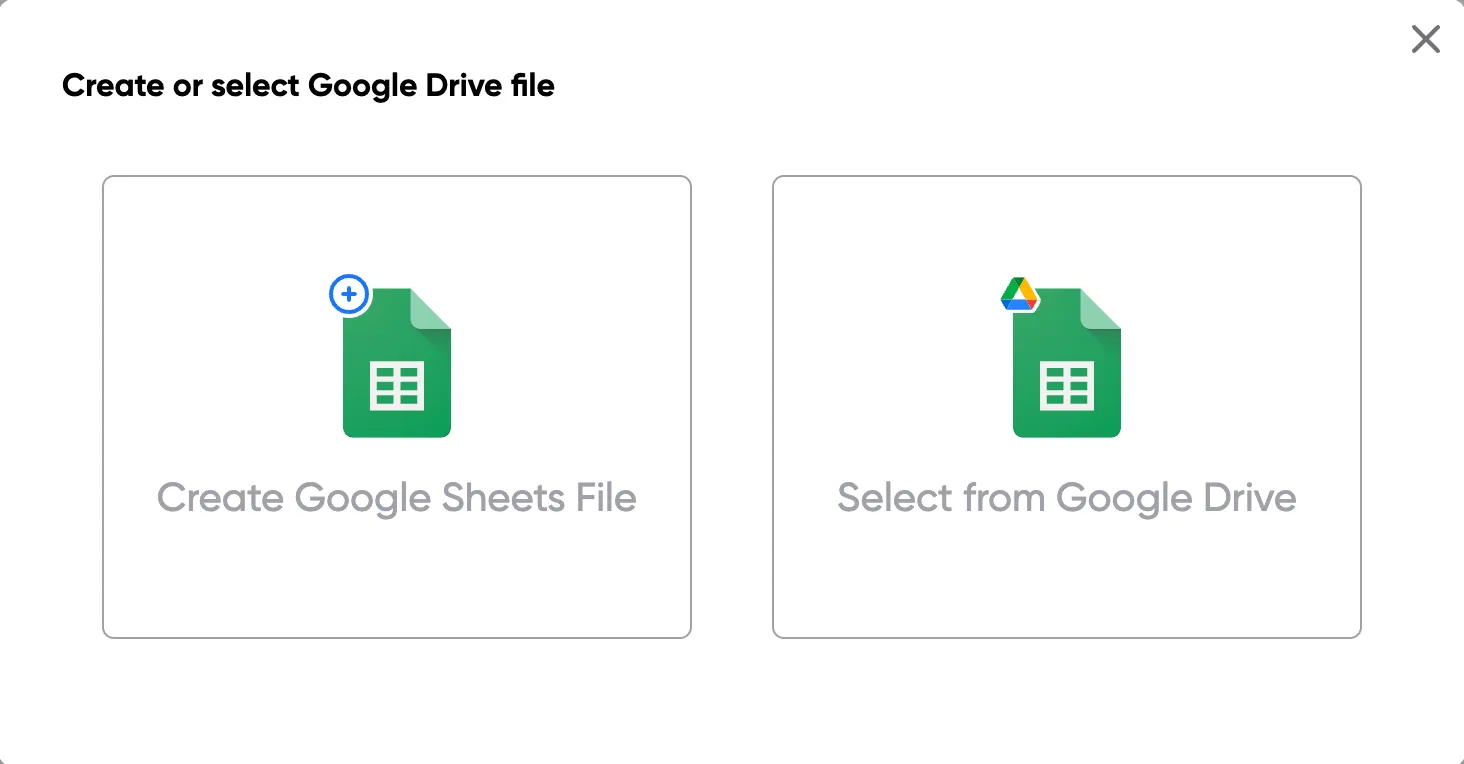
Step 1: Open a Google Sheet
Open a Google Sheet that contains the data for your quotes. This could include customer details, product names, quantities, pricing, and discount information. Create a new sheet if you don't have one yet.
Step 2
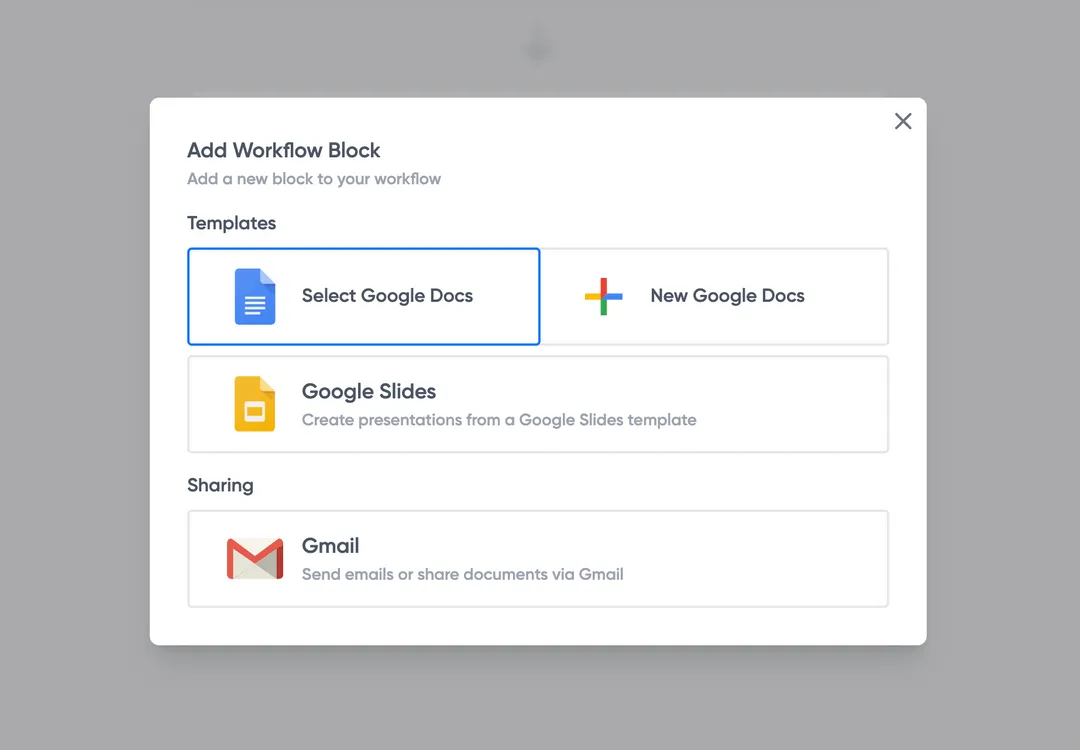
Step 2: Connect your quote template
Open the Portant add-on and connect your Google Docs or Slides quote template. Portant will scan for merge tags and match them to your sheet columns automatically.
Step 3
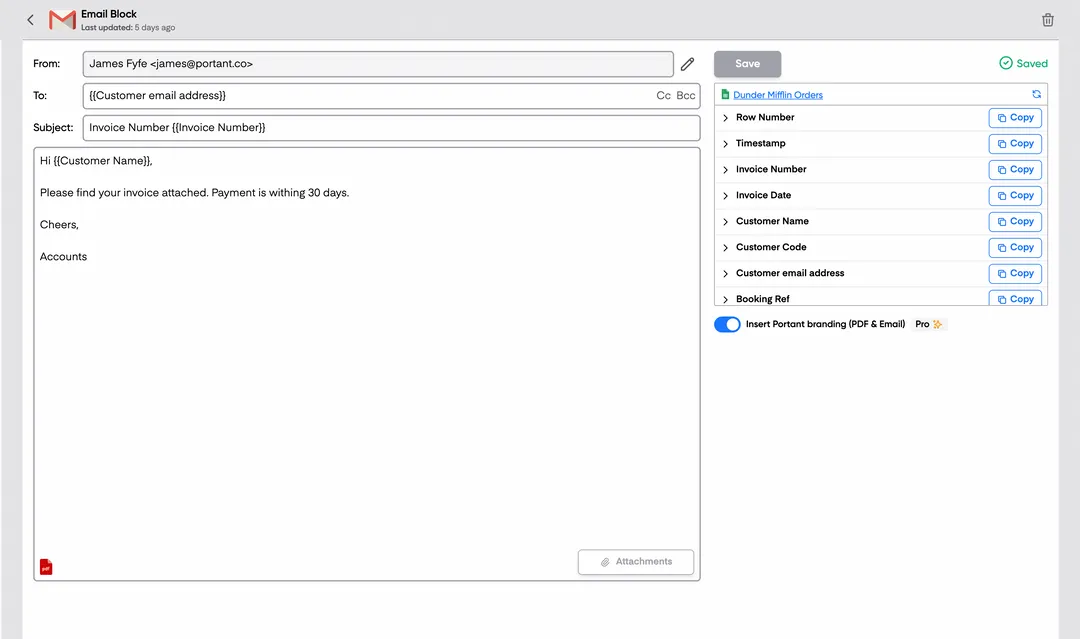
Step 3: Customize your output
Choose how your quotes are delivered. Send them directly to customers via email, save as PDFs to Google Drive, or both. Add merge tags to the email subject and body for a personal touch.
Step 4
Step 4: Automate your quotes
Turn on auto-create to generate quotes every time a new row is added. Run the workflow manually for batch processing, or schedule it to run at specific intervals.
Eliminate unnecessary manual work
Stop spending hours copying and pasting data from spreadsheets into documents. Portant automates the entire process, pulling data directly from your source and generating completed documents in seconds. Focus on the work that matters, not repetitive formatting tasks.
Make your documents more accurate
Manual document creation leads to errors, from wrong names to outdated figures. Portant maps data fields directly to your template, eliminating typos and ensuring every document is accurate and consistent. Your team sends fewer corrections and your clients get the right information every time.
Built into Google Workspace
Portant works natively with Google Docs, Sheets, Slides, and Gmail. There is no new interface to learn, no data to export, and no switching between tools. Your team stays in the apps they already use while Portant handles the document generation in the background.
What teams say about Portant
“Portant has been a game-changer for Clipboard! It's saved our sales team countless hours every week by generating order forms, proposals and contracts with info from HubSpot automatically filled in.”
“This product is a gamechanger for all of those painful manual document merges. Love what you and the team have built!”
“This software brilliantly takes over the tedious process of creating and sending invoices. This not only saves time but massively reduces errors of data entry.”
“Love this product. Have been using it for over a year and the integration to Google Workspace is awesome. Lots of credit for listening to your users!”
“Truly a gamechanger! Portant streamlines these tasks and allows me to focus on the things that require my attention and problem-solving!”
“Portant has been a game-changer for Clipboard! It's saved our sales team countless hours every week by generating order forms, proposals and contracts with info from HubSpot automatically filled in.”
“This product is a gamechanger for all of those painful manual document merges. Love what you and the team have built!”
“This software brilliantly takes over the tedious process of creating and sending invoices. This not only saves time but massively reduces errors of data entry.”
“Love this product. Have been using it for over a year and the integration to Google Workspace is awesome. Lots of credit for listening to your users!”
“Truly a gamechanger! Portant streamlines these tasks and allows me to focus on the things that require my attention and problem-solving!”
Frequently asked questions
A quote is a non-binding document provided to clients before any work begins, outlining the expected costs, company logo, and terms. Quote templates generally serve as a preliminary agreement. An invoice, on the other hand, is issued after the work is completed or goods are delivered, requesting payment for the services or products rendered. The invoice is legally binding and includes the final cost, paid status, payment due date, and other contractual details.
Yes, many businesses use the same template for both quotes and invoices with slight modifications. For example, the label “Quote” is changed to “Invoice,” and any conditional terms in the quote are updated to final terms in the invoice. This practice helps maintain consistency in business documentation by using templates, appropriate formatting, and file details.
It’s best to send a quote template as soon as possible after the client requests it, ideally within 24 hours. Promptly sending a PDF version of the quote template shows professionalism and can increase the chances of securing the project. Be sure to include pricing options, your business logo, and the total amount.
To create a professional-looking quote template, use a clean, well-organized template with your company’s branding, including your logo and consistent formatting. Ensure that all details are accurate, especially the price quote or service quote, and clearly presented with options to modify the format as needed. Including sections for signatures, business name, and contact information can also enhance the document's professionalism.
Quotes are typically sent via email in PDF format to ensure that the content remains unchanged. Before sending, double-check the accuracy of all details, including the item prices, company logo, and address. Some businesses also use specialized software to create and send quotes, which can track when the client views the document.
Absolutely. Customization is key to meeting specific client needs. You can adjust the template to include different services, payment terms, currencies, or even multiple pricing options depending on the client's requirements. This flexibility can help win more business by showing clients that you can tailor your services to their needs.
Yes, a quote invoice template can include multiple pricing options to offer clients different service levels or product packages. Including a variety of item prices in the template is particularly useful in industries where clients may have varying budgets or needs. Presenting options, such as multiple costs or pricing levels, within the same document can make it easier for clients to make decisions and can increase the chances of securing a sale.
A quote invoice template should be detailed enough to provide a clear understanding of what is being offered, including itemized costs, descriptions of products or services, tax rates, and any relevant terms or conditions. However, it should also be concise and easy to read, avoiding unnecessary complexity that could confuse the client. Adding enough detail, such as quantities, taxes, and total cost, ensures clarity while maintaining a professional appearance.
To write an effective invoice quote, follow these steps:
- Header Information:
- Include your company name, address, and contact information.
- Provide the client’s name and address.
- Add your business logo for a professional touch.
- Quote and Invoice Number:
- Assign a unique quote number for organizational tracking.
- Include a date for both the quote issue and the expiration of the quote.
- Description of Services or Products:
- Clearly list the products or services being quoted.
- Provide detailed descriptions, including any specifications relevant to the client.
- Pricing:
- List prices for each item or service.
- Include the quantity if applicable.
- Mention any discounts or offers.
- Subtotal and Taxes:
- Calculate the subtotal without tax.
- Clearly specify any applicable taxes.
- Total Amount:
- Sum up the total cost, including taxes.
- Ensure all calculations are accurate.
- Terms and Conditions:
- Clearly outline payment terms, such as due dates and payment methods.
- Include any warranty or service agreements pertinent to the quote.
- Detail any cancellation policies or conditions that could affect the quote.
- Footer:
- Reiterate your contact information for any queries.
- Thank the client for considering your business.
- Additional Notes:
- Mention any add-ons or extras that might interest the client.
- Provide any recommendations or follow-up steps.
Using an invoice quote template can streamline this process. Many templates available online offer features for creating quotes and invoices quickly. Consider options like online quotation templates or automated solutions to enhance efficiency.
Creating a billing quotation involves several key steps to ensure clarity and accuracy. Here's how you can create one:
- Choose a Quotation Template: Begin with a suitable template. There are many free quote invoice templates and billing quote templates available online. You can also use services like OneNote to find or create services quote templates online.
- Header Information: Include your business name, address, contact information, and logo if applicable. This establishes your brand identity.
- Client Details: Add the client’s name, address, and contact information. This personalizes and targets the document to the specific recipient.
- Quotation Number: Assign a unique number to each quotation for easy tracking and reference. This is crucial for organizing your records.
- Date of Issue: Clearly state the date when the quotation is issued. This helps with managing the timeline for responses.
- Expiration Date: Quotes typically have a validity period. Specify until when the quote is valid, encouraging timely acceptance.
- Itemized List of Services or Products: Provide a detailed list of the products or services offered, alongside descriptions. Use clear and concise language to avoid misunderstandings.
- Pricing Details: Indicate the price for each item listed, including any applicable taxes or discounts. Transparency in pricing builds trust.
- Total Amount: Summarize the total cost to give the client a clear overview of their potential expenditure.
- Terms and Conditions: Outline any terms and conditions related to the services or products. Include payment terms, delivery timelines, and any other relevant policies.
- Contact Information for Queries: Provide contact details for further discussion or negotiation, encouraging communication.
- Professional Language and Design: Ensure the document’s language is professional and the design aligns with your brand identity, enhancing the client’s confidence in your services.
Using a quote to invoice automation system can streamline this process by converting accepted quotes into invoices efficiently, ensuring a seamless transition from quotation to billing.
A quote template and an invoice serve distinct purposes in business transactions, and understanding their differences is crucial for effective financial management.
1. Purpose:
- Quote Template: A quote is a formal statement that outlines the estimated cost of a product or service requested by a potential customer. It acts as an offer specifying the price and terms for a specific job and is not legally binding until accepted by the customer.
- Invoice: An invoice is a request for payment and is a legal document issued after the delivery of goods or completion of services. It details the amount owed by the customer, including itemized charges and payment terms.
2. Timing:
- Quote Template: Provided before any transaction has occurred as a proposal for product/service pricing.
- Invoice: Sent after the completion of a service or delivery of goods as a demand for payment.
3. Content:
- Quote Template: Includes estimated prices, descriptions of goods/services, terms and conditions, and a validity period for the offer.
- Invoice: Contains finalized cost details, payment terms, due date, invoice number, and client details.
4. Legal Status:
- Quote Template: Non-binding until accepted, serving as a preliminary negotiation stage.
- Invoice: Legally enforceable once received, obligating the client to pay for the delivered goods or services as per agreed terms.
5. Use Case:
- Quote Template: Used to provide customers with an idea of potential costs, allowing them to compare offers between vendors.
- Invoice: Used to formally request payment after agreeing on the terms and fulfilling the delivery of goods or services.
6. Online and Template Options:
- Businesses can create quotes and invoices online using templates to streamline the process. These ensure consistency and professionalism, offering formats for easy customization.
Overall, while both documents are integral to the sales process, a quote template is primarily about negotiations and estimating costs, whereas an invoice is related to completed transactions and securing payment.
A quote on an invoice represents a detailed proposal provided by a seller to a purchaser, outlining the estimated costs for specific goods or services. It serves as a preliminary invoice, allowing the buyer to understand the potential expenses before committing to the purchase. Key elements typically included in a quotation invoice template are:
- Itemized List: Detailed description of the products or services to be provided.
- Pricing: Cost associated with each item or service, including individual unit prices and total amounts.
- Terms and Conditions: Specifics related to payment terms, delivery timelines, and any applicable discounts or taxes.
- Validity Period: Duration for which the quoted prices are applicable, encouraging prompt decision-making by the buyer.
- Contact Information: Seller's and buyer's contact details to facilitate communication and transactions.
In online quote templates, additional features might allow the creation and management of quotes and invoices digitally, potentially integrating automation for converting quotes directly into invoices once accepted.
When creating or reviewing a quote invoice, whether VAT is included depends on several factors. Here are some key points to consider:
- Nature of the Business: If your business is VAT-registered, you must include VAT on your quotes. This is a legal requirement for all VAT-registered businesses when providing goods or services.
- Client Expectations: Clearly indicate whether prices are inclusive or exclusive of VAT in your quote invoice templates. This avoids any confusion or issues later on.
- Invoice and Quotation Format: Use clear templates that specify the VAT status. You can have a section in the template that shows:
- Total before VAT
- VAT amount
- Total including VAT
- Online Tools: Many online quote and invoice templates allow you to automatically calculate and display VAT on quotes, ensuring compliance and accuracy.
- Regional Differences: VAT rules can vary by country or region. It's important to adhere to the specific tax regulations applicable to your location and the location of your client.
- Quotation and Invoice Sample: Always include examples or samples to show how VAT is calculated and presented in your documents.
Using templates for quotes and invoices that are designed to handle VAT calculations can streamline processes and ensure that you are correctly including VAT where necessary.
To create a quote, follow these steps:
1. Choose a Template:
- Select a suitable quote invoice template or quotation invoice template. There are many online options available, including free templates.
2. Include Basic Information:
- Add your company's name, address, and contact details.
- Include the recipient’s information — the company or individual's name and address.
3. Quote Details:
- Assign a unique quote number for tracking.
- Clearly label the document as a 'Quote/Quotation.'
- Include the date of the quote and the expiration date of the offer.
4. List Products/Services:
- Provide a detailed description of the products or services offered.
- Break it down by item or task, using a spreadsheet if necessary.
- Include the quantity, unit price, and total price for each item.
5. Include Terms and Conditions:
- Clearly define payment terms and accepted payment methods.
- Mention any conditions or exclusions applicable to the quote.
- Specify the timeframe for delivery or completion.
6. Calculate the Totals:
- Sum up the total costs, including individual prices and taxes if applicable.
- Clearly present the subtotal, tax amount, and grand total.
7. Review and Approve:
- Proofread the document to ensure all information is accurate.
- Obtain necessary internal approvals before sending it to the client.
8. Provide Contact Information:
- Ensure your contact information is easily located, in case the client has questions or needs clarification.
9. Send the Quote:
- Deliver the quote to the client or prospective customer through preferred channels, such as email or a printed document.
By using an online quotation template, or creating quotes and invoices online, the process can become automated and potentially save time. Adjust the format and content as needed to cater to the specific needs of your business and clientele.
A quote format is a structured template or guide used to draft a quotation for providing goods or services. It defines the layout and details required in a quotation document, which communicates to a potential buyer the proposed costs and terms for a specific job or service. A well-designed quote format ensures clarity, consistency, and professionalism in business transactions. Key components typically included in a quote format are:
- Header: Includes the company's name, logo, contact information, and the word "Quotation" or "Quote" clearly stated.
- Quote Number: A unique identifier for the quote, which helps in tracking and reference.
- Date: The date on which the quote is issued.
- Client Information: Details of the prospective client, such as name, company, and contact information.
- Description of Goods/Services: A detailed list of the items or services offered, including quantities, descriptions, and any relevant specifications.
- Pricing: An itemized list of prices per unit or service, total costs, taxes, and any discounts offered.
- Terms and Conditions: Payment terms, delivery timelines, and any other conditions that apply to the quote.
- Validity Period: The duration for which the quote is valid, after which it may need to be reassessed or renegotiated.
- Signature Line: Space for the client’s acceptance and the issuer's signature, signifying agreement to the terms provided in the quote.
Including these elements helps in ensuring that the quote format is comprehensive and communicates all necessary details to the client effectively.
A quote template is a pre-designed format used by businesses to present a detailed estimate of the costs for products or services to a potential customer. It includes essential components that help in standardizing the process of creating quotes, ensuring consistency and professionalism. Key elements of a quote template often include:
- Contact Information: Details of both the business providing the quote and the customer receiving it.
- Quote Number: A unique identifier to track and reference the specific quote.
- Date: The date when the quote is issued.
- Itemized List: A detailed breakdown of the products or services being offered, including quantities, unit prices, and subtotal for each line item.
- Total Cost: The total amount that the customer would need to pay, sometimes including discounts, taxes, or additional fees.
- Terms and Conditions: Information on payment terms, validity period of the quote, and other relevant conditions.
- Notes or Special Instructions: Any additional information specific to the quote, such as delivery timelines or special considerations.
Using a quote template allows businesses to efficiently create accurate and professional-looking quotes, reducing manual errors and facilitating better communication with clients. There are various online platforms and software available that can help businesses create quotes and invoices, often offering templates to customize as needed. These templates can also streamline the process of converting a quote into an invoice once a customer accepts the terms, enhancing operational efficiency and customer experience.
1. To create an invoice quote, you need to gather all services rendered and list them with their respective costs.
2. Use a quote invoice template to streamline the invoicing process, ensuring all details are accurately captured.
3. You can find various quotes and invoices templates online that cater to different business needs.
4. An invoice quotation template helps maintain consistency and professionalism when billing clients.
5. By utilizing an online quotation template, businesses can generate accurate and quick estimates for their customers.
6. The importance of a quotation invoice template lies in its ability to present clients with a detailed breakdown of services and costs before finalizing an invoice.
7. Incorporating quote to invoice automation within your billing system saves time and reduces human error.
8. When selecting a quotation invoice template, ensure it aligns with your company’s branding and contains all necessary fields.
9. Streamline your billing process with the use of a quotation invoice sample to visualize how your documents should be structured.
10. Choosing a free invoice quote template can be a cost-effective way to start managing your invoicing needs efficiently.
To begin writing a quote, follow these steps:
- Include Your Business Information: Start with your company name, logo, address, and contact details at the top of the quote. This establishes your brand and provides all necessary contact information for the recipient.
- Client Information: Below your business information, include the client’s name, company name, and contact information. This personalizes the document and identifies who the quote is intended for.
- Quote Number and Date: Assign a unique quote number for tracking purposes and include the date when the quote is issued. This helps in managing quotes and referencing them in future communications.
- Quote Title: Use a clear title like “Quotation for [Service/Product]” or “Quote Invoice” to specify the purpose of the document.
- Description of Goods or Services: List the items or services you are quoting for. Include detailed descriptions to avoid confusion, specifying quantities, features, and any additional components relevant to the quote.
- Pricing Breakdown: Provide a clear breakdown of the prices for each item or service. Include unit costs, total amounts, and applicable taxes. Ensure the client can easily understand how the total was calculated.
- Terms and Conditions: Clarify any terms and conditions associated with the quote. This might include payment terms, delivery timelines, and warranty information. Be clear about the validity period for the quote and any potential changes that could affect the final pricing.
- Additional Details: Add any other necessary details or custom notes, such as discounts or special offers, that apply to the quote.
- Acceptance Section: Provide a section for the client to sign and date to accept the quote, if applicable. This can be useful if you’re manually processing quotes and require formal acceptance before proceeding.
- Professional Closing: End the quote with a professional closing, thanking the recipient for considering your products or services and inviting them to contact you for any further inquiries.
By following these steps, you will create a comprehensive and professional quote that is clear and easy for your client to understand.
To write a consulting quote, you can follow these steps to ensure all necessary details are included:
- Company Information:
- Include your company name, logo, address, phone number, and email.
- Client Information:
- Provide the client's name, company, position, and contact details.
- Quote Number:
- Assign a unique identifying number to the quote for easy tracking.
- Date:
- State the date the quote is issued and its expiry date.
- Description of Services:
- Clearly outline the consulting services being offered. Use clear and concise language for each service line item.
- Pricing:
- Provide a detailed breakdown of costs associated with each service. Include any applicable taxes or discounts.
- Terms and Conditions:
- Mention the payment terms, due dates, and acceptable payment methods. Also, include any terms related to revisions, cancellations, or refunds.
- Additional Notes:
- If necessary, add any special notes or conditions related to the quote such as project timelines, milestones, or delivery expectations.
- Contact Information:
- Provide a contact name and details for any queries related to the quote.
- Signature:
- Include a space for both the provider and the client to sign and date, indicating agreement.
By ensuring these components are included, your consulting quote will be comprehensive and professional, increasing the likelihood of acceptance by the client.
To write a good quote format, consider the following components, which will ensure clarity and professionalism:
1. Company Information: Include your business name, logo, address, phone number, and email at the top of the document. This helps recipients quickly identify your business.
2. Client Information: Add the customer's name, company (if applicable), address, phone number, and email. This personalizes the document and clearly states who the quote is for.
3. Quote Number and Date: Assign a unique quote number for tracking purposes and include the date when the quote is issued.
4. Heading: Clearly label the document as a "Quotation" to distinguish it from other documents, like invoices.
5. Description of Products or Services: Provide a detailed list of the goods or services being offered. Be clear and specific to avoid misunderstandings.
6. Itemized Pricing: Break down the cost per item or service along with quantities, allowing the client to see the price structure.
7. Subtotal, Taxes, and Total: Calculate the subtotal, add applicable taxes, and provide the grand total. Break down taxes clearly to show transparency in pricing.
8. Terms and Conditions: Specify the terms and conditions, including payment terms, validity of the quote, and delivery timelines. If applicable, differentiate between a quotation and an invoice depending on when the payment is due.
9. Additional Notes: Include any other relevant details or options available for the client, like discounts or early payment incentives.
10. Contact Information: Provide a direct contact person who can answer any questions related to the quote. This could be a sales representative or account manager.
11. Acceptance Signature: Leave space for the client to sign and date the document as an acceptance of the quote. This is helpful for record-keeping and acknowledgment.
By including these elements, your quote will be comprehensive, professional, and effective in communicating your offer to potential clients.
Explore related templates
Design Quote Template
Copy our Design Quote Template, automate your quotes process, and create professional quotes using customizable templates.
View template Quote templatePrice Quote Template
Copy our Price Quote Template, automate your quotes with customizable templates like a service or business quote template, and create professional, accurate quotes quickly.
View template Quote templateWord Quote Template
Connect your Word to a customizable quote template to streamline your quotation process, easily add client details, unit prices, and service quotes, and generate professional quotes effortlessly.
View template Quote templateExcel Quote Template
Connect your Microsoft Excel to a customizable quote template or price quote template and streamline your sales quote or service quote process effortlessly for small businesses and specific clients.
View template Quote templateQuote template google docs
Use our Google Doc Quote Template to customize and streamline your process with accurate, professional price quotes.
View template Quote templateGoogle Sheets Quote Template
Connect Google Sheets to a customizable quotation template and streamline your price quote process, ensuring accurate costs and service details for clients.
View template Quote templateSales Quote Template
Copy our Sales Quote Template, automate your quotes process, and create professional quotes using customizable templates.
View template Quote templateIndependent Contractor Quote Template
Download our Independent Contractor Quote Template to streamline your invoicing process. Create professional quotes, add material costs and labor costs, and ensure accuracy with every quote total.
View template Quote templateRental Quote Template
Copy our customizable rental quotation template to streamline your billing process, track rent payments, and automate your rental quotations for your rental business. Easily manage vehicle rentals, lease rental quotations, and more with our professional template.
View template Quote templateProforma Quote Template
Copy our Proforma Quote Template to create professional quotations easily. Automate your quote process using Google Sheets or Google Docs for a streamlined, customizable experience.
View template Quote templateBusiness Quote Template
Copy our free business quote template and easily automate your quoting process. Customize your professional quotes in pdf format using google sheets or excel templates, and streamline your workflow for faster, more accurate price quotes.
View template Quote templateConsulting Quote Template
Copy our consulting quote template and automate your consulting business invoice process with ease. Customize consultant quotations, streamline services, and manage clients more efficiently with our fully customizable solution.
View template