
HubSpot workflow


Invoice (US)
Bill a customer for the goods or services on a HubSpot deal. Portant fills the bill-to block, the line items, the sales tax line and the total due into a Google Doc written for US invoicing.
~5 min setup · Used by 100+ teams
Trusted by 40,000+ teams










Overview
Generate a US invoice from a HubSpot deal
An invoice is the document that gets you paid, and it is usually built from the last one. Someone opens a previous invoice, swaps the customer, retypes the line items from the deal, recalculates the tax and hopes the total matches what was agreed.
This template takes that job away. Data merge pulls the bill-to company, the contact's address and email, and all of the deal's line items into a Google Doc laid out for the US: your Tax ID (EIN) in the from block, a sales tax line, ACH and wire routing fields in the payment section, and the issue date in MM/DD/YYYY. Your seller details and payment terms stay as fixed text in the template, and output management files each finished invoice.
It suits agencies, consultants, trades and distributors that close deals in HubSpot and bill from them. Regional siblings cover Australia, Canada and the UK, and the whole family ladders up to invoicing.
Who is this for
Is this template right for you?
Finance teams and freelancers who invoice clients regularly.
-
An invoice the moment the deal is ready. The invoice is generated from the deal when the stage changes, so billing starts while the work is fresh instead of waiting for someone to find last month's file.
-
Totals match the deal. Every line, price and tax amount comes from HubSpot, and the subtotal, tax and total due are formulas over the line items, so the invoice cannot disagree with the deal.
-
Written for US invoicing. A Tax ID (EIN), a sales tax line, ACH and wire routing fields and MM/DD/YYYY dates are already in the template, alongside 30-day payment terms you can edit.
Setup
How to set up the invoice workflow
-
01
Step 1: Connect HubSpot and Google Docs
Open Portant, install the HubSpot app from the Marketplace, and connect the Google Drive account that will hold the invoice template and the generated invoices.
-
02
Step 2: Fill the seller and payment details once
The from block and payment section are fixed text in the template: your company name, address, Tax ID (EIN), email, phone, account holder, account number, ACH / wire routing number, account type and bank. Replace the bracketed placeholders once, and every invoice carries them.
-
03
Step 3: Check the deal mapping
The bill-to and line item tags are already mapped to the HubSpot deal's company, contact and line items, and the invoice number uses the deal's record ID. Confirm the properties match how your portal names them, and set tax on the line items, since the sales tax line sums their tax amounts.
-
04
Step 4: Set the trigger and filing
Choose the deal stage, workflow action or app card button that starts the run, and tell output management where to file the finished invoice. If finance reviews invoices before they go out, add an approval workflow first.
Frequently asked questions
An invoice is a document a seller issues to request payment for goods or services. It lists what was sold, the quantities and prices, any tax, the total due, and when and how to pay. This template generates one from a HubSpot deal in about a minute.
The bill-to block uses the deal's associated company name and the contact's street address, city, state or region, postal code, first and last name and email. The invoice number uses the deal's record ID. The table uses each line item's name, quantity, unit price and net price. The subtotal sums the pre-discount amounts and the sales tax line sums the tax amounts.
Yes, as a line on the invoice. The label reads Sales Tax and is fixed text, while the amount sums the tax amounts on the HubSpot line items, and the total due adds it to the net prices. The template does not apply a rate itself, so set tax on the line items.
The invoice number is built as INV- followed by the HubSpot deal's record ID, so it fills itself. The due date is a bracketed placeholder marked net 30 days, so fill it in on each invoice or map it to a deal property. The issue date is stamped from the run timestamp.
Yes. The account holder, account number, ACH / wire routing number, account type and bank are fixed text, so replace them once in the Google Doc. The payment terms section ships with 30-day terms, a late fee of 1.5% per month (or the maximum allowed by law) and a clause allowing work or delivery to pause when an invoice is more than 14 days overdue. It is fixed text, so edit it to match your contracts.
Yes. The same workflow ships as Invoice (AU), Invoice (CA) and Invoice (GB), each with its own tax wording, bank fields and date format. Pick the one that matches where the seller operates. A general-purpose Invoice Template with a discount column and no regional tax line is also available.
Related templates
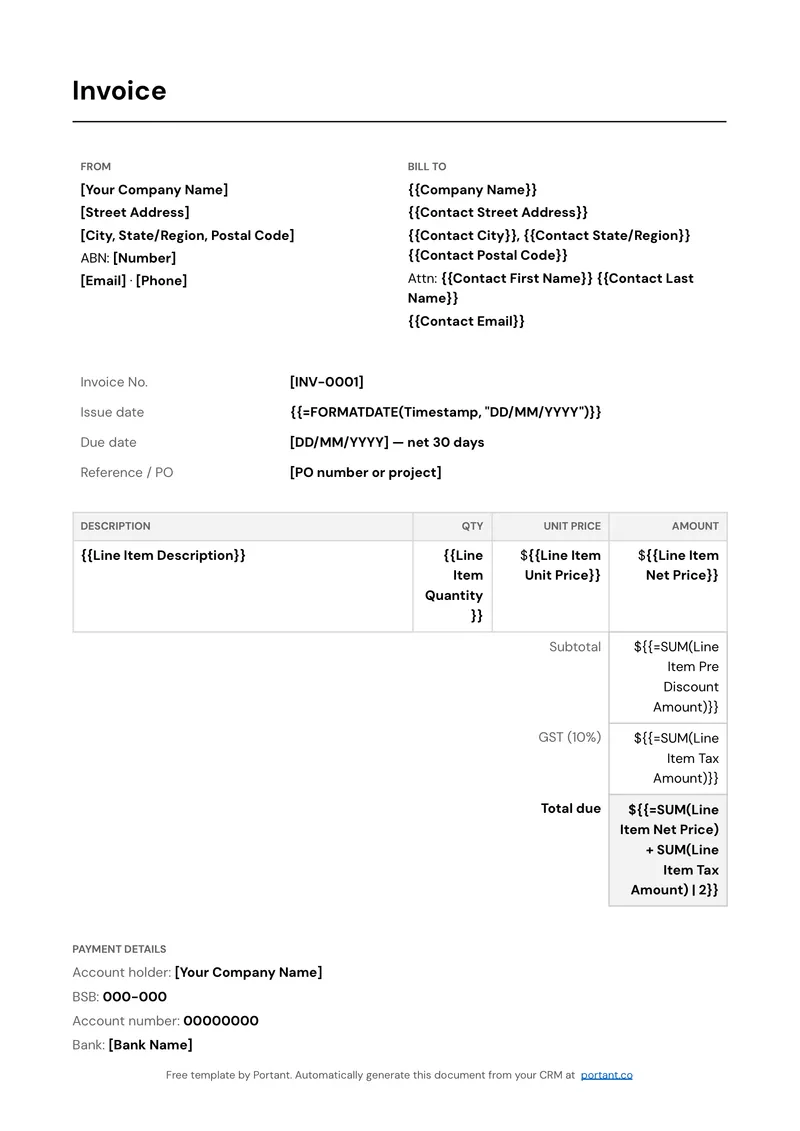
Invoice (AU)
Bill a customer for the goods or services on a HubSpot deal. Portant fills the bill-to block, the line items, the GST line and the total due into a Google Doc written for Australian invoicing.
View template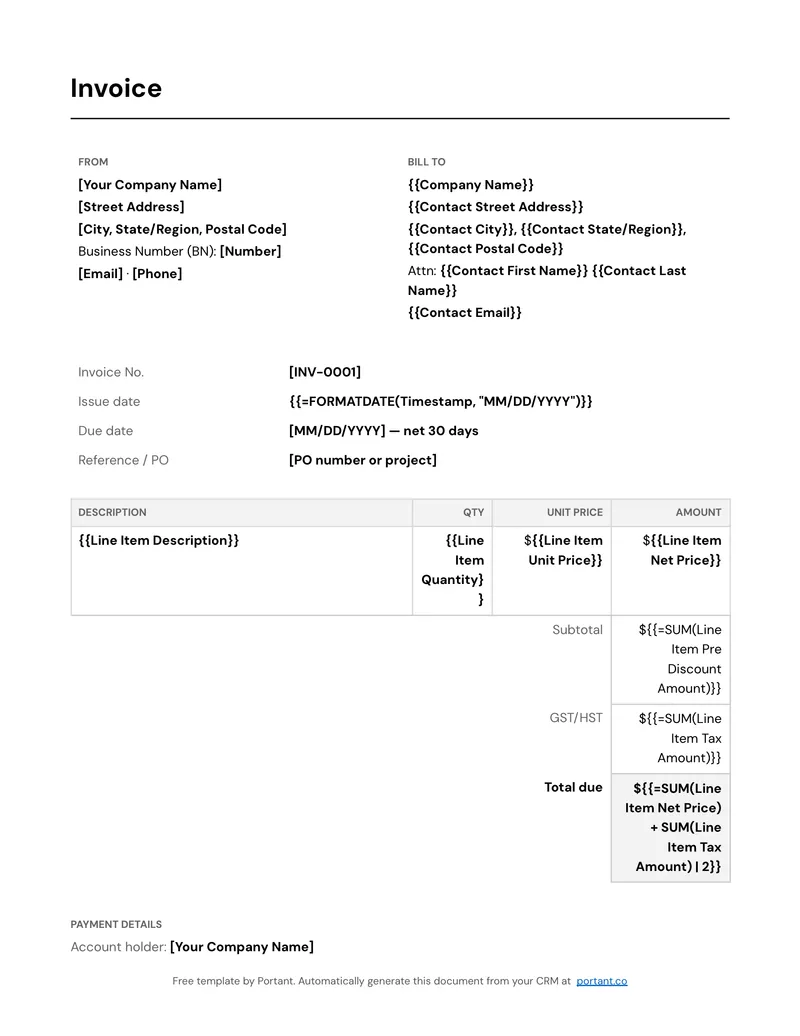
Invoice (CA)
Bill a customer for the goods or services on a HubSpot deal. Portant fills the bill-to block, the line items, the GST/HST line and the total due into a Google Doc written for Canadian invoicing.
View template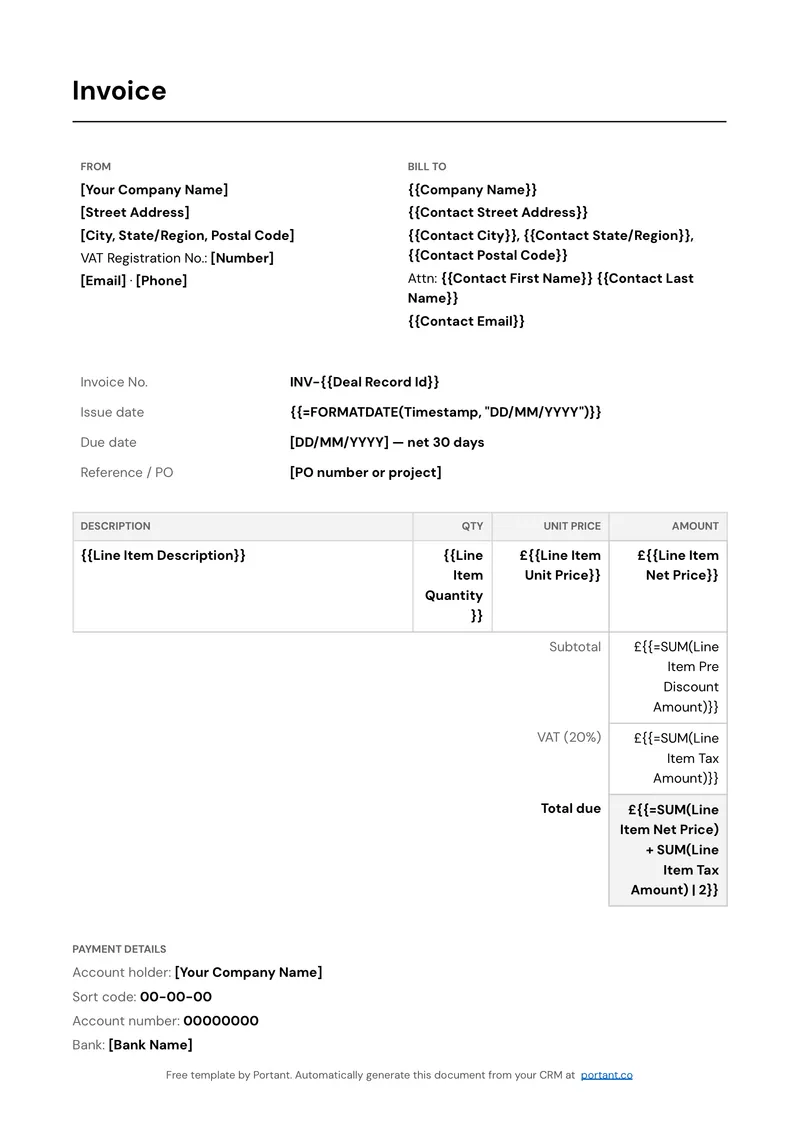
Invoice (GB)
Bill a customer for the goods or services on a HubSpot deal. Portant fills the bill-to block, the line items, the VAT line and the total due in pounds into a Google Doc written for UK invoicing.
View templateJoin over 40k+ teams using Portant
Portant has been a game-changer for Clipboard! It's saved our sales team countless hours every week by generating order forms, proposals and contracts with info from HubSpot automatically filled in.
With Portant, I run documents directly from HubSpot. No jumping between platforms. No copying data.
Portant replaced three separate tools for us. One platform handles docs, signatures, and follow-ups without leaving HubSpot.
Hundreds of contracts go out in a few clicks. The signed ones come back in, and the rest are easy to spot.
At RepCard, Portant gave us an end-to-end automated workflow inside HubSpot, we replaced manual agreement creation at scale.
We're seeing higher average closed revenue with Portant and faster days to close, it's showing us a material impact on sales velocity.
Love this product. Have been using it for over a year and the integration to Google Workspace is awesome. Lots of credit for listening to your users!
When the executive team asks for an extension document, Portant gets it to them in about an hour, it's empowered my whole team.
Truly a gamechanger! Portant streamlines these tasks and allows me to focus on the things that require my attention and problem-solving!
This software brilliantly takes over the tedious process of creating and sending invoices. This not only saves time but massively reduces errors of data entry.
This product is a gamechanger for all of those painful manual document merges. Love what you and the team have built!
Our reps used to spend 30 minutes per proposal. Now it’s under two minutes and the documents look better than ever.