
Quote template
Service Quote Template
Copy our Service Quote Template to streamline your quoting process and automate invoices with ease. Customize your quotes and save time.
Trusted by teams at










Service Quote Template
You can create service quotes automatically from Google Sheets in a few easy steps. Using Portant Workflow as a free Google Sheets quote generator is an excellent solution for building customized service quote templates. The process includes essential elements such as your business logo, unique quote numbers, payment terms, and contact information.
To get started with Portant, first open Portant Workflow and select your Google Sheet. Then, link it to a Google Docs quote template. You can customize the blank quote template by adding relevant details like column tags (for client name, services, costs, etc.). Once set up, attach it to an email and click "Start automation." That's it! You’ve automated your service quotes directly from Google Sheets!
We understand how tedious it is to manually copy and paste data into quote templates, check for errors, save it as a PDF, and then send it to clients. With Portant, the entire process is streamlined. You can connect a Google Sheet to an invoice template, customize your email, and set it to be sent from your preferred account (e.g., accounts@portant.co). It’s a seamless way to automate your sales quotes and invoices, saving you time and effort.
By automating your service quotes, you can avoid mistakes, improve efficiency, and ensure that your quotes are consistent every time. It’s never been easier to put your business quotes on autopilot!
How to automate your service quotes

Step 1
Open Sheet
Select the Google Sheet you want to use as the data source for your quotes. Portant connects directly to your spreadsheet to pull in the data it needs.

Step 2
Connect Template
Connect your Google Docs, Slides, or Sheets quote template. Portant will link it to your spreadsheet data source so it knows which fields to merge.

Step 3
Customize
Customize your quote with merge tags like {{Contact Name}}, {{Line Items}}, and {{Total}}. Format it with your branding, colours, and layout.

Step 4
Create
Create quotes automatically when new rows are added to your sheet, or generate them manually in batches. Send via email or save to Google Drive.
How to Automate Your Service Quotes with a Customizable Template
Step 1
Step 1: Open a Google Sheet
Open a Google Sheet that contains the data for your quotes. This could include customer details, product names, quantities, pricing, and discount information. Create a new sheet if you don't have one yet.
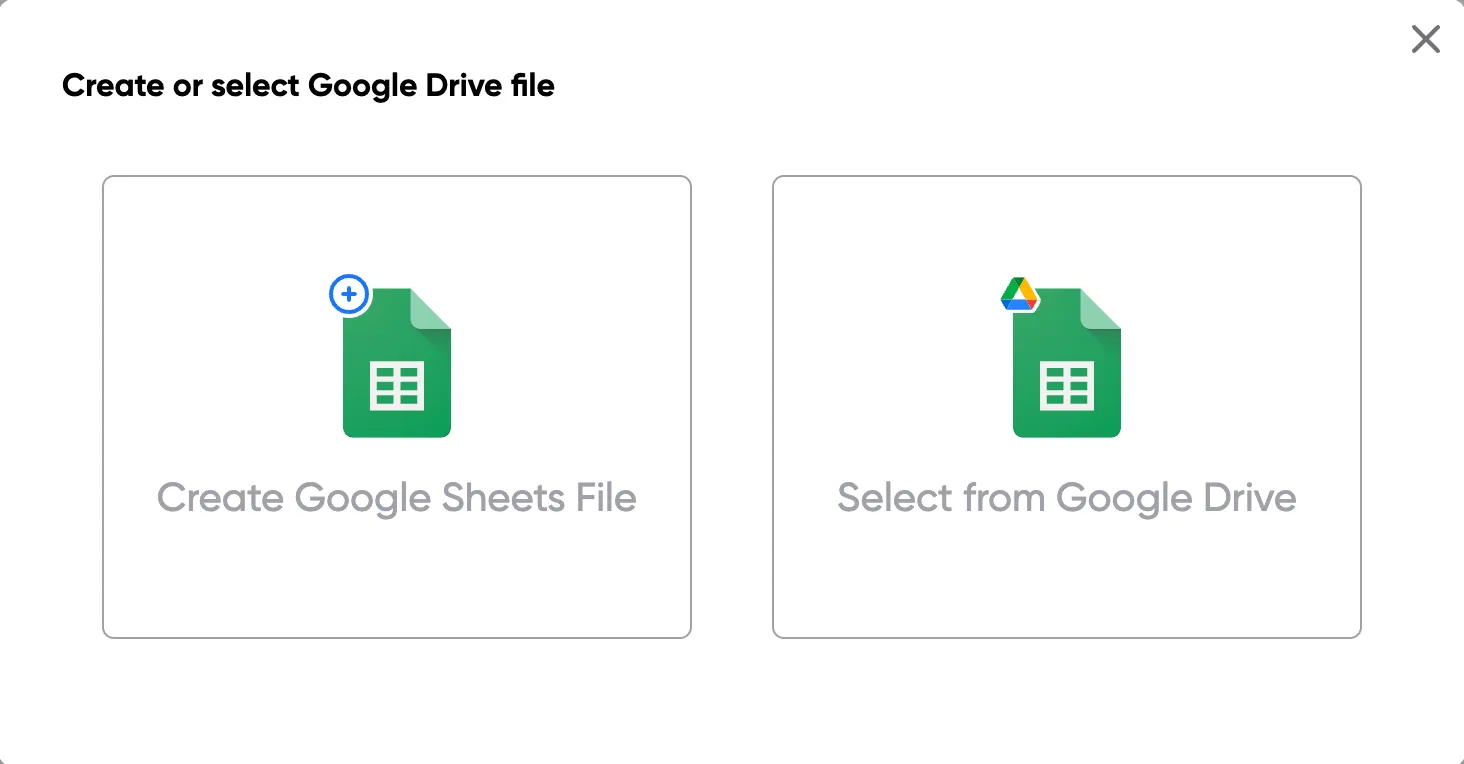
Step 2
Step 2: Connect your quote template
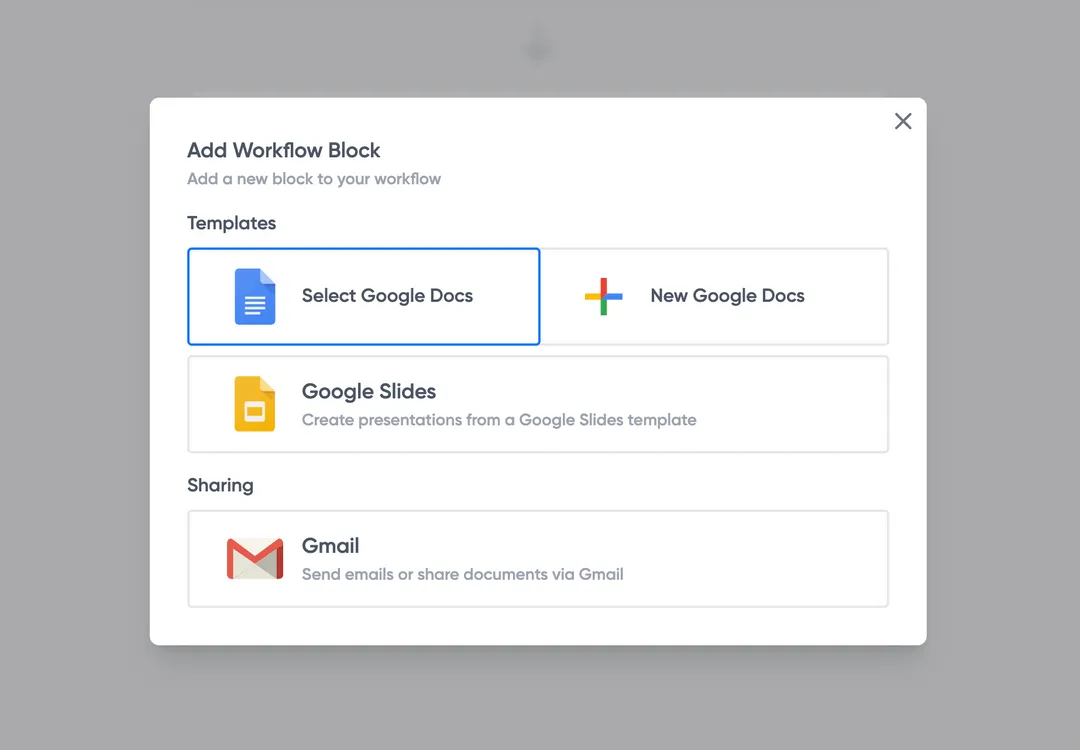
Open the Portant add-on and connect your Google Docs or Slides quote template. Portant will scan for merge tags and match them to your sheet columns automatically.
Step 3
Step 3: Customize your output
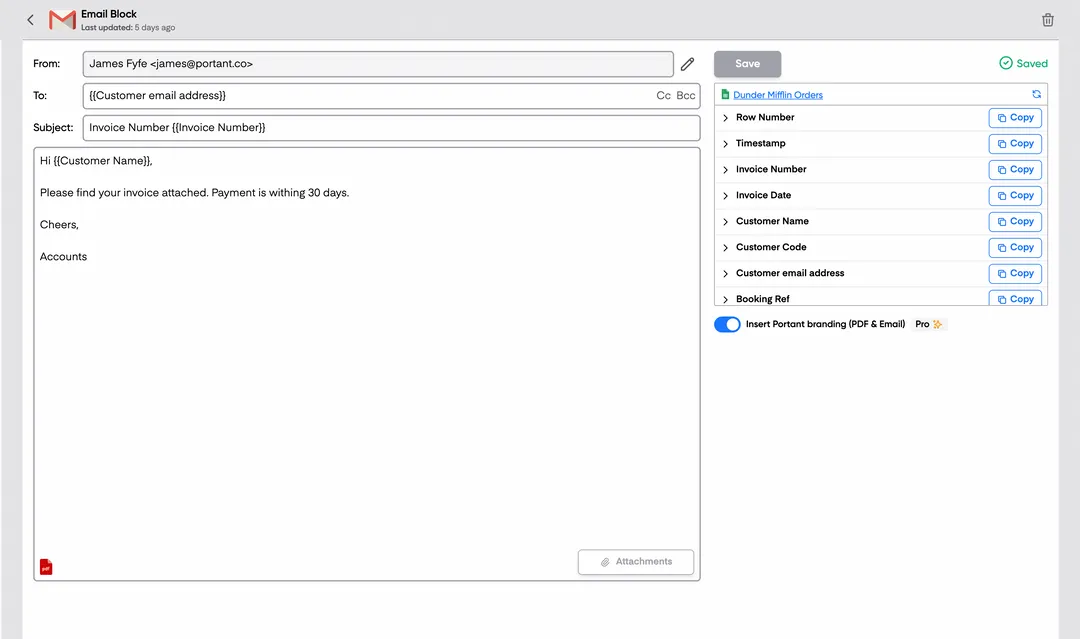
Choose how your quotes are delivered. Send them directly to customers via email, save as PDFs to Google Drive, or both. Add merge tags to the email subject and body for a personal touch.
Step 4
Step 4: Automate your quotes
Turn on auto-create to generate quotes every time a new row is added. Run the workflow manually for batch processing, or schedule it to run at specific intervals.
Eliminate unnecessary manual work
Stop spending hours copying and pasting data from spreadsheets into documents. Portant automates the entire process, pulling data directly from your source and generating completed documents in seconds. Focus on the work that matters, not repetitive formatting tasks.
Make your documents more accurate
Manual document creation leads to errors, from wrong names to outdated figures. Portant maps data fields directly to your template, eliminating typos and ensuring every document is accurate and consistent. Your team sends fewer corrections and your clients get the right information every time.
Built into Google Workspace
Portant works natively with Google Docs, Sheets, Slides, and Gmail. There is no new interface to learn, no data to export, and no switching between tools. Your team stays in the apps they already use while Portant handles the document generation in the background.
What teams say about Portant
“Portant has been a game-changer for Clipboard! It's saved our sales team countless hours every week by generating order forms, proposals and contracts with info from HubSpot automatically filled in.”
“This product is a gamechanger for all of those painful manual document merges. Love what you and the team have built!”
“This software brilliantly takes over the tedious process of creating and sending invoices. This not only saves time but massively reduces errors of data entry.”
“Love this product. Have been using it for over a year and the integration to Google Workspace is awesome. Lots of credit for listening to your users!”
“Truly a gamechanger! Portant streamlines these tasks and allows me to focus on the things that require my attention and problem-solving!”
“Portant has been a game-changer for Clipboard! It's saved our sales team countless hours every week by generating order forms, proposals and contracts with info from HubSpot automatically filled in.”
“This product is a gamechanger for all of those painful manual document merges. Love what you and the team have built!”
“This software brilliantly takes over the tedious process of creating and sending invoices. This not only saves time but massively reduces errors of data entry.”
“Love this product. Have been using it for over a year and the integration to Google Workspace is awesome. Lots of credit for listening to your users!”
“Truly a gamechanger! Portant streamlines these tasks and allows me to focus on the things that require my attention and problem-solving!”
Frequently asked questions
The right service quote template depends on the specific services you offer and the industry you're in. Different quotation templates serve different industries, so it's important to choose one that includes the necessary fields, such as unit prices, materials, labor, and fixed price agreements. For example, a business quote template for a construction business might require a detailed breakdown of costs for labor and materials, while a free job quote template for freelancers can be simpler. Job quote templates can offer flexibility and customization, while ensuring accuracy in total cost and pricing. Make sure to include all the details your potential clients or prospective clients need to make informed decisions.
A professional quote template can significantly improve client communication. By including relevant details such as a business logo and a clear detailed breakdown of the services offered, you ensure transparency. Clients appreciate cleaning services that provide detailed quotes in their quotation templates. By using templates that are tailored to your business, you can include a list of additional costs that potential clients need to be aware of, such as plumbing quote templates for contractors. This approach ensures that potential customers fully understand your pricing, which helps avoid misunderstandings and establishes trust. Regularly updating your quotation template ensures that all pricing and conditions are current and aligned with your business practices.
To make your service quote stand out, you can use visually appealing designs with your business logo on a free template or generic quote template. Consider providing multiple price quote options in your contractor quotation template or sales quote, offering your potential customers the flexibility to choose between different project or service packages. Including customer testimonials, a digital signature, and newer versions of quote templates can also set you apart. Make sure your quotes include a signature line for easy approval. When a customer accepts, it's important to follow up with a legally binding contract or invoice, ensuring the quotation templates convert effectively into invoices.
There are many tools available for creating free quote templates, such as Google Docs, Google Sheets, Excel, and Microsoft Word. For more specialized needs, software like Bonsai, Joblogic, or Jotform offers plumbing quote templates and free job quote templates for various industries, including construction projects. These tools allow you to calculate additional costs, organize quotation templates, and even add expiration dates to ensure your quotes stay relevant. Using a price quote template with Microsoft Excel or Google Docs gives you the ability to create a pdf version of your quote, which is easy to share with clients. For more advanced functionality, consider integrating these tools with other software services that support detailed quotes for product sales or professional quotes.
Yes, multiple service options can be easily included in a job quote template, allowing clients to choose between different service packages. For example, a free quote template might present several pricing tiers, helping clients select the option that best fits their needs. You can create professional quote templates with business quote templates that show different levels of service, complete with detailed quotes and line items to cover all aspects of the project. This is especially useful for industries like construction, where a construction quote may include a wide range of services. Including a signature line for clients to approve the work ensures the job quote template converts into a legally binding document once the client signs.
It's essential to update your service quote template regularly, particularly when there are changes in pricing, fixed price agreements, or business services offered. By reviewing your quotation templates frequently, you can ensure that they stay aligned with the latest industry trends and reflect the most up-to-date unit prices for labor and materials. It’s important for business owners to use the latest generic quote template or business quote template to maintain competitiveness. Updates also help include any changes to expiration dates or pricing, ensuring small businesses are using the most effective templates available.
Once a client accepts the service quote, many tools allow you to convert it into an invoice seamlessly. Using a job quote template in Google Sheets or Excel allows for easy integration with invoicing software, ensuring that the total cost from the quote transfers over. Free quote templates often come with features that allow you to send a pdf version of the invoice directly from the template. With the help of quotation templates, the transition from a quote to a legally binding invoice can happen in one click, ensuring that all additional costs, materials, and signature lines are accurately transferred to the invoice.
The best way to send a service quote is via email or a digital platform. Using Google Docs or Excel quote templates, you can send a pdf format version of your quote to ensure professionalism. Adding digital signatures to the document makes the approval process smoother. Contractor quote templates often include additional steps like providing a detailed breakdown of costs and labor, along with clear instructions for acceptance. Make sure your job quote template is accessible and easy for the client to understand. You can also track the quote's status to see whether the client has viewed it. Sending a prompt follow-up email can ensure that the client has all the necessary information and is ready to proceed.
Explore related templates
Design Quote Template
Copy our Design Quote Template, automate your quotes process, and create professional quotes using customizable templates.
View template Quote templatePrice Quote Template
Copy our Price Quote Template, automate your quotes with customizable templates like a service or business quote template, and create professional, accurate quotes quickly.
View template Quote templateQuote Invoice Template
Copy our Quote Invoice Template, automate your quoting process, and create professional quotes with customizable templates, including options for pricing, business logos, and service details.
View template Quote templateWord Quote Template
Connect your Word to a customizable quote template to streamline your quotation process, easily add client details, unit prices, and service quotes, and generate professional quotes effortlessly.
View template Quote templateExcel Quote Template
Connect your Microsoft Excel to a customizable quote template or price quote template and streamline your sales quote or service quote process effortlessly for small businesses and specific clients.
View template Quote templateQuote template google docs
Use our Google Doc Quote Template to customize and streamline your process with accurate, professional price quotes.
View template Quote templateGoogle Sheets Quote Template
Connect Google Sheets to a customizable quotation template and streamline your price quote process, ensuring accurate costs and service details for clients.
View template Quote templateSales Quote Template
Copy our Sales Quote Template, automate your quotes process, and create professional quotes using customizable templates.
View template Quote templateIndependent Contractor Quote Template
Download our Independent Contractor Quote Template to streamline your invoicing process. Create professional quotes, add material costs and labor costs, and ensure accuracy with every quote total.
View template Quote templateRental Quote Template
Copy our customizable rental quotation template to streamline your billing process, track rent payments, and automate your rental quotations for your rental business. Easily manage vehicle rentals, lease rental quotations, and more with our professional template.
View template Quote templateProforma Quote Template
Copy our Proforma Quote Template to create professional quotations easily. Automate your quote process using Google Sheets or Google Docs for a streamlined, customizable experience.
View template Quote templateBusiness Quote Template
Copy our free business quote template and easily automate your quoting process. Customize your professional quotes in pdf format using google sheets or excel templates, and streamline your workflow for faster, more accurate price quotes.
View template