
Invoice template
Invoice Template
You can generate invoices from our fully customizable Google Docs invoice template in a few easy steps.
Trusted by teams at










Invoice Template
You can generate invoices from our fully customizable Google Docs invoice template in a few easy steps. It is simple to create invoices which contain all the information your customers need, including multiple line items and payment details. After you've opened Portant Workflow, copy the Google Docs invoice template workflow, connect your spreadsheet, then add column tags to your invoice template and finally click 'Start', and voila!, you've automated your invoices!
Welcome to your one-stop destination for a professional and customizable invoice template. Our meticulously crafted invoice template is designed to streamline your billing process and enhance your business documentation. Optimize your invoicing efficiency with our user-friendly template, tailored for versatility and ease of use. Whether you're a freelancer or a small business owner, our SEO-optimized invoice template ensures not just practicality but also high visibility in search engine results. Download now and take a decisive step towards seamless invoicing that stands out in the competitive digital landscape.
We know how painful and monotonous it can be to copy and paste data into an invoice template and then export it as PDF. That's why we've come to the rescue.
With Portant you can copy our invoice template, click a few buttons and invoices will be magically generated whenever you need them. If you add your clients' email address to the spreadsheet you can then automatically share the invoices via customised emails. Just select the options you require and place your invoicing on autopilot.
Portant can also convert Google Forms to Docs.
Working from HubSpot? The template store has an invoice for the US that fills line items, tax and totals from the deal, with versions for the UK, Australia and Canada.
How to automate your invoices

Step 1
Select your Sheet
To select your Google Sheet, first log in via your Google account and then authorise Portant to view your Sheets. You can get started by copying the invoice workflow in Portant.

Step 2
Select your invoice template
When you connect your Google Sheet, you can replace our invoice template with your own if you have one prepared already or edit ours. You can also connect multiple documents (for example if you need to send a contract with an invoice).

Step 3
Customise the invoice
Open the document block and add tags into your invoice template. You can format the tags and the data from your Google Sheet will be inserted using the same format (bold, italic, colour etc). You can use data grouping to insert multiple rows from your Google Sheet into the same invoice.

Step 4
Customise the email
Open the email block and customise how you'd like to share your invoice. You can also edit the email invoices are sent from (for example accounts@portant.co). Then click 'Start automation' and test your workflow. Your invoices will be stored in a folder in Google Drive, which can be edited in the Outputs tab.
How to automate invoices with Portant
How invoice automation works
Step 1
Step 1: Select your Sheet
To select your Google Sheet, first log in via your Google account and then authorise Portant to view your Sheets. You can get started by copying this template:
Only works on desktops
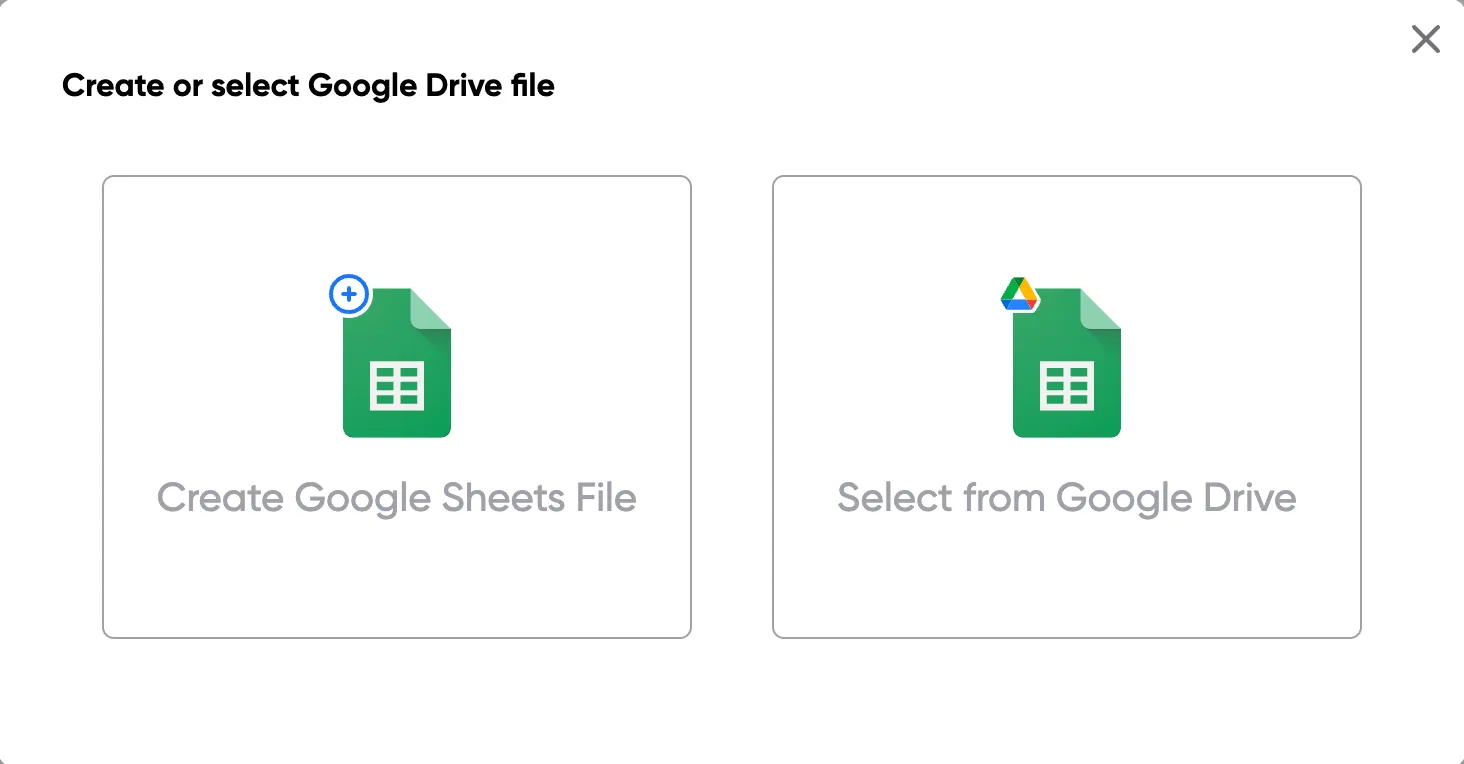
Step 2
Step 2: Select your invoice template
When you connect your Google Sheet, you can replace our invoice template with your own if you have one prepared already or edit our one. Also, you can connect multiple documents (for example if you need to send a contract with an invoice).
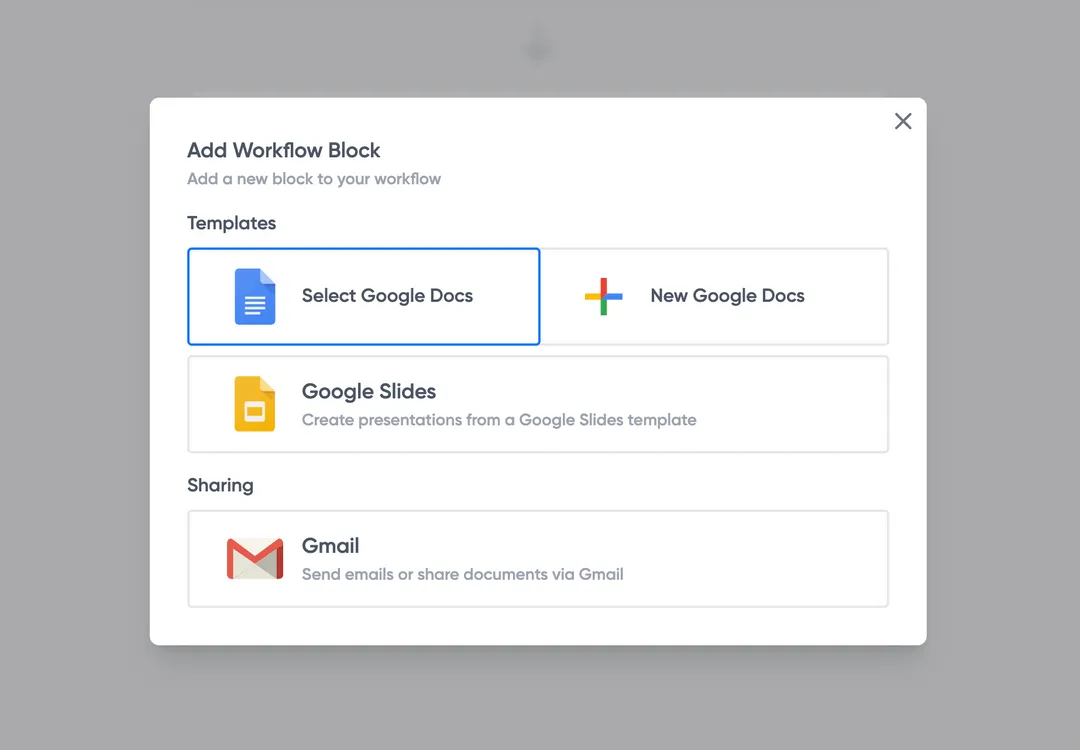
Step 3
Step 3: Customise the invoice
Open the document block and add tags into your invoice template. You can format the tags and the data from your Google Sheet will be inserted using the same format (bold, italic, colour etc).
You can use data grouping to insert multiple rows from your Google Sheet into the same invoice (for example if your line items are split on separate rows in your Google Sheet).
Step 4
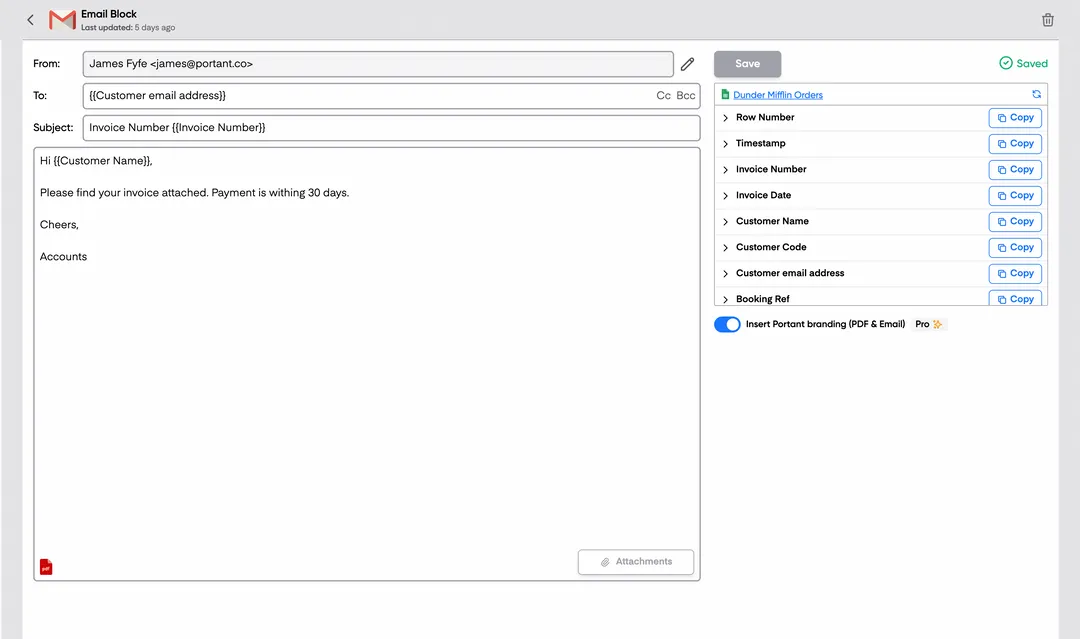
Step 4: Customise the email
Open the email block and customise how you'd like to share your invoice. You can also edit the email invoices are sent from (for example accounts@portant.co). Then click 'Start automation' and test your workflow. Your invoices will be stored in a folder made in your Google Drive, which can be edited in the 'Outputs' tab. Snap! You've done it!
Why automate your invoices
Eliminate unnecessary manual work
Automatically creating invoices from Google Sheets removes manual data entry from your life, saving you the time and effort of copy/pasting or retyping. Automatically creating invoices enables you to get back to the more important stuff.
Make your documents more accurate
Typos should be a thing of the past. With our free Google Sheets invoice template, all data is sourced from the original Spreadsheet. Plus, your invoices will be saved with a consistent naming structure in your Google Drive.
Built into Google Workspace
Create invoices from templates with the tools you already use: Google Docs, Sheets, Slides and Forms. Automating invoices from this template workflow will help you hit all your goals.
What teams say about Portant
“Portant has been a game-changer for Clipboard! It's saved our sales team countless hours every week by generating order forms, proposals and contracts with info from HubSpot automatically filled in.”
“This product is a gamechanger for all of those painful manual document merges. Love what you and the team have built!”
“This software brilliantly takes over the tedious process of creating and sending invoices. This not only saves time but massively reduces errors of data entry.”
“Love this product. Have been using it for over a year and the integration to Google Workspace is awesome. Lots of credit for listening to your users!”
“Truly a gamechanger! Portant streamlines these tasks and allows me to focus on the things that require my attention and problem-solving!”
“Portant has been a game-changer for Clipboard! It's saved our sales team countless hours every week by generating order forms, proposals and contracts with info from HubSpot automatically filled in.”
“This product is a gamechanger for all of those painful manual document merges. Love what you and the team have built!”
“This software brilliantly takes over the tedious process of creating and sending invoices. This not only saves time but massively reduces errors of data entry.”
“Love this product. Have been using it for over a year and the integration to Google Workspace is awesome. Lots of credit for listening to your users!”
“Truly a gamechanger! Portant streamlines these tasks and allows me to focus on the things that require my attention and problem-solving!”
Frequently asked questions
There is a free Google Sheets invoice template that you can copy. However we don't recommend formatting invoices using a Google Sheets invoice template. We recommend storing your invoice data in Google Sheets and generating PDFs from an invoice template in Google Docs using Portant. Portant has an invoice template workflow that you can use for free; you can copy it here: Invoice Template
There is a free Google Sheets invoice template that you can copy. However we don't recommend formatting invoices using a Google Sheets invoice template. We recommend storing your invoice data in Google Sheets and generating invoices from an invoice template in Google Docs using Portant. Portant has an invoice template workflow that you can use for free; you can copy it here: Invoice workflow. This template isn't just any old template though. You can automate invoices to be generated from a spreadsheet of data.
You can create a Google Sheets invoice template by copying the free Google Sheets template in their library. Or you can do something even better, and automate the workflow using Google Sheets and Portant. To get started:
- Open Portant Workflow and sign in
- Copy our or one of your invoice templates
- Open the Google Sheet block and select your spreadsheet of data (if you have one; if not just use ours to get started)
- Open the invoice template and verify the tags are all correct
- Turn on Auto-create
- Now, any time a new invoice row is added to your spreadsheet an invoice will be automatically generated, saved in your Google Drive and emailed to your client. Or you can manually process them using the Start automation button.
Google doesn't have any invoice software, but don't worry Portant does, and it works very closely with Google Workspace. If you want to create a workflow that automatically generates invoices, all you have to do is copy our invoice template workflow here: Invoice template. This blank invoice template enables you to automate invoices from a spreadsheet of data.
Google Forms can create invoices if used in conjunction with Portant. Portant enables invoices to be generated automatically any time someone responds to a form, and then even email the documents automatically to a client, the form recipient or anyone. We only recommend using Google Forms to create simple invoices because it is difficult to create invoices with multiple line items without having a clumsy question structure in the form. If you would like to create a PDF (for example of an invoice) from a Google Form, we have a template to help you here: Google Forms to PDF
We're a bit biased, but we believe that Portant has the best free invoice template. You can copy it for free here: Invoice Template. This invoice template isn't just any old template though. You can automate invoices to be generated from a spreadsheet of data.
Explore related templates
Business Invoice Template
Copy our Business Invoice Template, and automate your invoice process.
View template Invoice templateCommercial Invoice Template
Copy our Commercial Invoice Template and automate your invoice process for accurate commercial value.
View template Invoice templateConstruction Invoice Template
Use our Construction Invoice Template as a versatile contractor invoice template or construction invoice form.
View template Invoice templateConsulting Invoice Template
Copy our Consulting Invoice Template and automate your consulting business invoice process with ease.
View template Invoice templateContractor Invoice Template
Copy our Contractor Invoice Template, and automate your invoice process.
View template Invoice templateFreelance Invoice Template
Copy our Freelance Invoice Template, customize it for your self employed business, and automate your sales invoice template process.
View template Invoice templateGoogle Sheets Invoice Template
Connect your Google Sheet to a customizable invoice template and streamline your invoicing process effortlessly.
View template Invoice templateExcel Invoice Template
Download a free, editable Excel invoice template and start billing in minutes. It opens in Microsoft Excel, Google Sheets, or Numbers.
View template Invoice templateHourly Invoice Template
Copy our free hourly invoice template, add your hours and rates, and automate your hourly billing straight from Google Sheets.
View template Invoice templateIndependent Contractor Invoice Template
Download our Independent Contractor Invoice Template to streamline your invoicing process. Customize, save time, and ensure accurate payment terms.
View template Invoice templateProforma Invoice Template
Copy a free proforma invoice template as a Google Doc, or download it for Word. Fill in your details and send buyers an estimated bill before goods ship.
View template Invoice templateRental Invoice Template
Copy our customizable Rental Invoice Template to streamline your billing process, track rent payments, and automate your invoicing for rental business.
View template Invoice templateSales Invoice Template
Copy our Sales Invoice Template, automate your invoice process, and create professional invoices using customizable invoice templates.
View template Invoice templateService Invoice Template
Copy our Service Invoice Template, and automate your invoice process.
View template Invoice templatePlumbing Invoice Template
Copy our free plumbing invoice template, add your labour, parts and call-out fees, and automate your plumbing billing straight from Google Sheets.
View template Invoice templateDeposit Invoice Template
Copy our free deposit invoice template, set the deposit and balance due, and automate your deposit invoicing straight from Google Sheets.
View template