Contract automation software creates contracts from a template, fills them with the deal or client data you already have, routes them for approval, and collects the signature, without anyone retyping a name, a price or a clause by hand. It replaces five manual steps: drafting, data entry, approval routing, signing and filing.
Most contract automation tools ask you to rebuild your contracts inside a new, proprietary editor first. That is the part worth questioning before you buy: your legal and sales teams already have templates they trust in Google Docs or Word. The fastest path to automation is filling those, not replacing them.
This guide covers how contract automation software works, what it actually saves you, and the buying criteria that separate a tool that fits your existing process from one that makes you start over.
What is Contract Automation?
Contract automation is the use of software to create, route, sign and store contracts without manual, repetitive work at each step. It replaces copy-pasting client details into a document, emailing it around for approval, and chasing a signature by hand.
The tools that do this fall into two categories: platforms with their own contract editor (you rebuild your templates inside them), and tools that merge data into templates you already own. That distinction matters more than any feature list, because it decides how much setup work you are signing up for.
How Does Contract Automation Software Work?
Every contract automation tool handles the same five steps. Here is what each one actually does:
1. Contract Creation
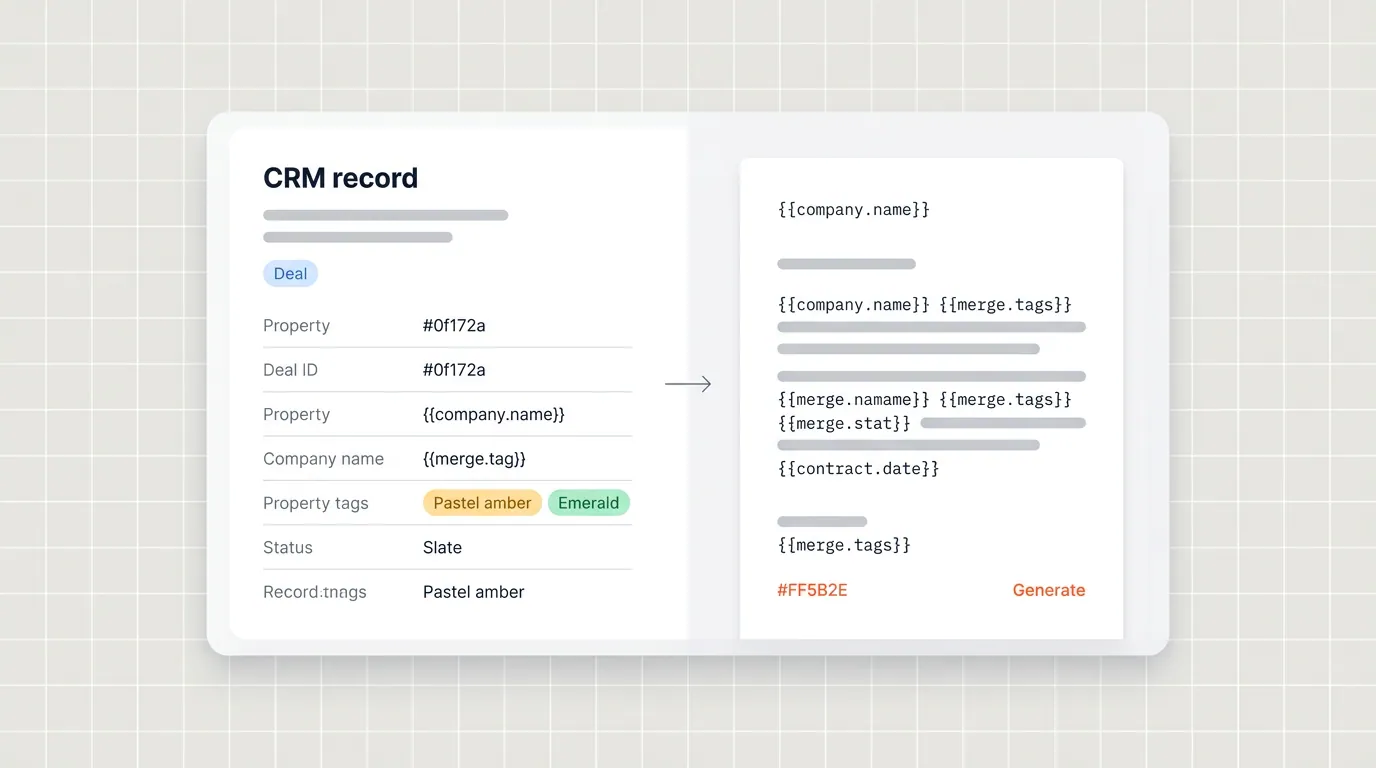
The software fills a template with the relevant data: party names, pricing, dates, clauses. With Portant, that template is a Google Doc or Word file your team already uses (including any of these free contract templates), populated from a HubSpot deal record. With editor-first tools, you build the template inside their platform first.
2. Automated Workflows
A contract lifecycle workflow defines what happens after creation: who reviews it, what triggers the next step, and where it goes once everyone has signed. This is what stops a contract from sitting in someone's inbox for a week.
3. Approval Processes
Approval routing sends the contract to the right reviewer automatically, in order, with a record of who approved what and when. That record is what an audit needs later; a chain of forwarded emails is not. Reminders and status updates go out automatically, usually through an email API service provider, so nobody has to chase a reviewer by hand.
4. Electronic Signatures

Electronic signatures close the loop without printing, scanning or a separate signing app. The strongest tools keep the signed status on the same record the contract was generated from, so you are not checking a second dashboard to know a deal closed.
5. Data Sync and Storage
Once signed, the contract should write itself back to wherever your team already looks: the CRM deal, a shared drive, or both. Portant syncs the signed file to Google Drive or OneDrive and logs it as its own record on the HubSpot deal, with generated, viewed, approved and signed status all in one place.
Why Should Businesses Automate Their Contracts?
Three reasons show up consistently once a team automates contracts:
- Speed. A contract that takes real back and forth to assemble by hand, pulling the right clauses and checking every number against the deal, takes minutes when the template is already wired to the deal record.
- Fewer mistakes that matter. A wrong price or an outdated clause in a signed contract is not a typo, it is a liability. Automation removes the manual re-entry step where those errors happen.
- A record you can actually search. When every contract is generated the same way and logged to the same place, "which contracts are still waiting on legal" becomes a filter, not a Slack thread.
These add up fastest for teams generating contracts often: legal departments, sales teams closing recurring deals, and procurement functions working through vendor agreements.
How to Pick the Best Contract Management Software for Your Business?
Most contract automation tools cover the basics: templates, approvals, eSignature. The differences that actually matter show up in how much they change about your existing process.
| What to check | Why it matters | The proprietary-editor trap |
|---|---|---|
| Where your templates live | Your team already has contracts your legal reviewer trusts | Many CLM tools require rebuilding every template inside their own editor before you can automate anything |
| How it pulls data | Deal, contact and line-item data should merge straight from the CRM record | Editor-first tools often need a separate contract object, so the CRM record and the contract can quietly drift apart |
| Signing | Built-in eSignature keeps status on the same document you generated | Some tools charge per envelope or route signing through a separate app entirely |
| Setup time | A tool should work with templates you already have | Migrating every template into a new editor is usually the slowest part of onboarding a CLM platform |
| Audit trail | Every generated, viewed, approved and signed contract should be visible on the deal itself | Some tools keep that history in a separate dashboard, invisible to the rep working the deal |
If your team already has contracts it trusts, weigh a tool that merges data into those templates over one that asks you to rebuild them first. That single decision affects how long rollout takes and how much your legal team has to relearn.
Contract Automation with Portant
Portant is a contract automation solution for HubSpot built on the templates you already have, not a new editor to learn. It merges HubSpot deal, contact and line-item data into your Google Docs, Google Slides, Microsoft Word or PDF contract template, then handles approval and signature from there.
Automate Your Contracts with eSign
Here is what generating a contract in Portant looks like:
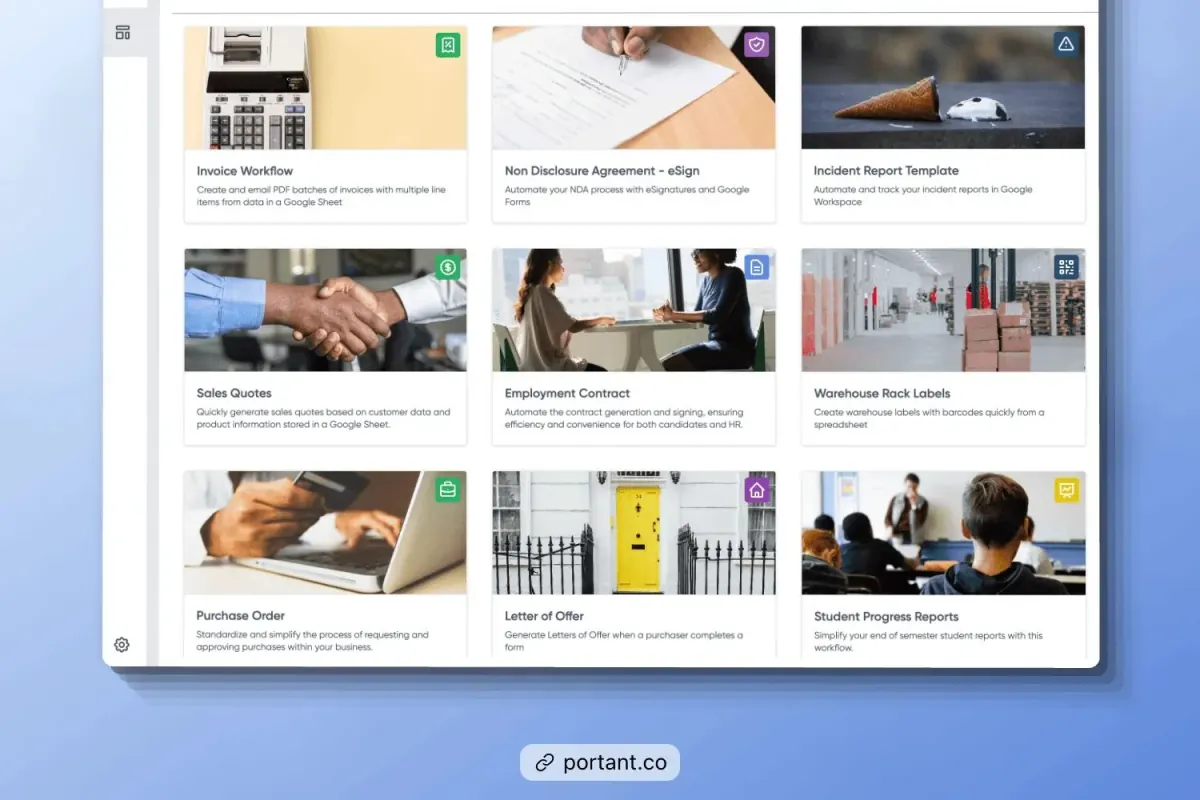
- Open Portant and select your contract template.
- Connect your data source so the template fills automatically from the deal record.
- Add any custom fields the contract needs.
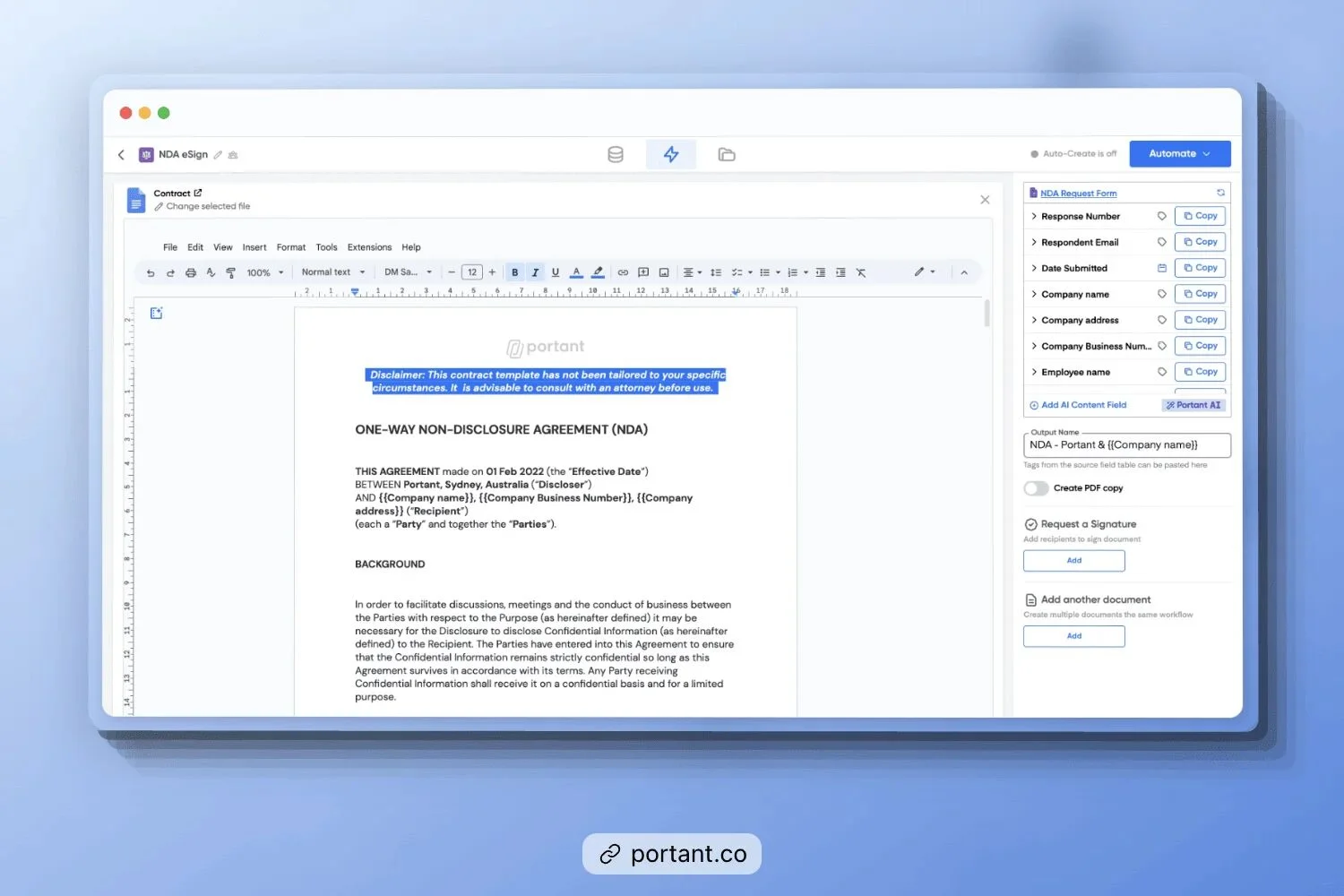
- Click "Automate." Portant requests eSignatures from the right parties, either by tagging a
{{contact.email}}field or adding recipient emails directly.
Once every party has signed, Portant emails the signed copy to whoever needs it and logs the result back on the HubSpot deal, generated, viewed, approved and signed, all in one place.
What This Actually Changes
- No new editor. Your legal team keeps working in the Google Docs or Word file it already trusts.
- Data stays in sync. The contract pulls from the live HubSpot record, so it cannot say something the deal disagrees with.
- eSignature is built in. No separate app, no separate cost per envelope.
- Everything logs to the deal. A rep can see contract status without leaving the record they already work from.
Portant handles contract management end to end, from the first draft through the contract creation step and every contractual obligation after signing.
Frequently Asked Questions
What is contract automation software?
Contract automation software creates contracts from a template, fills them with your data, routes them for approval, and collects signatures, replacing the manual version of each of those steps.
How does contract automation work?
It fills a contract template with data pulled from a source like your CRM, sends it through an approval workflow if one is set, collects an electronic signature, and stores the signed copy somewhere your team can find it.
Do I have to give up my existing contract templates?
Not with every tool. Some contract automation platforms require you to rebuild templates inside their own editor. Others, including Portant, merge data straight into the Google Docs or Word templates your team already uses.
Is contract automation software worth it for a small team?
If your team generates more than a handful of contracts a month, yes. The time saved per contract compounds quickly, and the reduction in manual data-entry errors matters even at low volume.
Ready to see it on your own template? Try Portant's contract automation for HubSpot with the contract you already use.