
Quote template
Freelance Quote Template
Copy our Freelance Quote Template, customize it for your self employed business, and automate your quote template process.
Trusted by teams at










Freelancer Quote Template
You can create freelance quotes automatically from Google Sheets in a few easy steps. It is simple to use Portant as a free Google Sheets quote template which contains all kinds of different elements, including your logo, unique quote numbers, quote date, payment terms, and contact information. After you've opened Portant Workflow, select your Google Sheet, then connect a Google Docs quote template, customise your blank self employed quote template with column tags, attach it to an email, and finally click 'Start automation', and voila!, you’ve automated your quotes from Google Sheets!
We know how painful and monotonous it can be to copy and paste data into quote templates, double-check all the information is correct, save it as a PDF, and then send the quote template to your customers. That’s why we’ve come to the rescue.
With Portant, you can connect a Google Sheet to a quote template, click a few buttons, and freelance quotes will be magically generated and sent whenever you need to. You can also customise the email and who it's sent from (e.g accounts@portant.co). It's easy to place your self-employed quote process on autopilot.
How to automate your freelancer quotes

Step 1
Open Sheet
Select the Google Sheet you want to use as the data source for your quotes. Portant connects directly to your spreadsheet to pull in the data it needs.

Step 2
Connect Template
Connect your Google Docs, Slides, or Sheets quote template. Portant will link it to your spreadsheet data source so it knows which fields to merge.

Step 3
Customize
Customize your quote with merge tags like {{Contact Name}}, {{Line Items}}, and {{Total}}. Format it with your branding, colours, and layout.

Step 4
Create
Create quotes automatically when new rows are added to your sheet, or generate them manually in batches. Send via email or save to Google Drive.
How to automate your freelancer quotes with a template
Step 1
Step 1: Open a Google Sheet
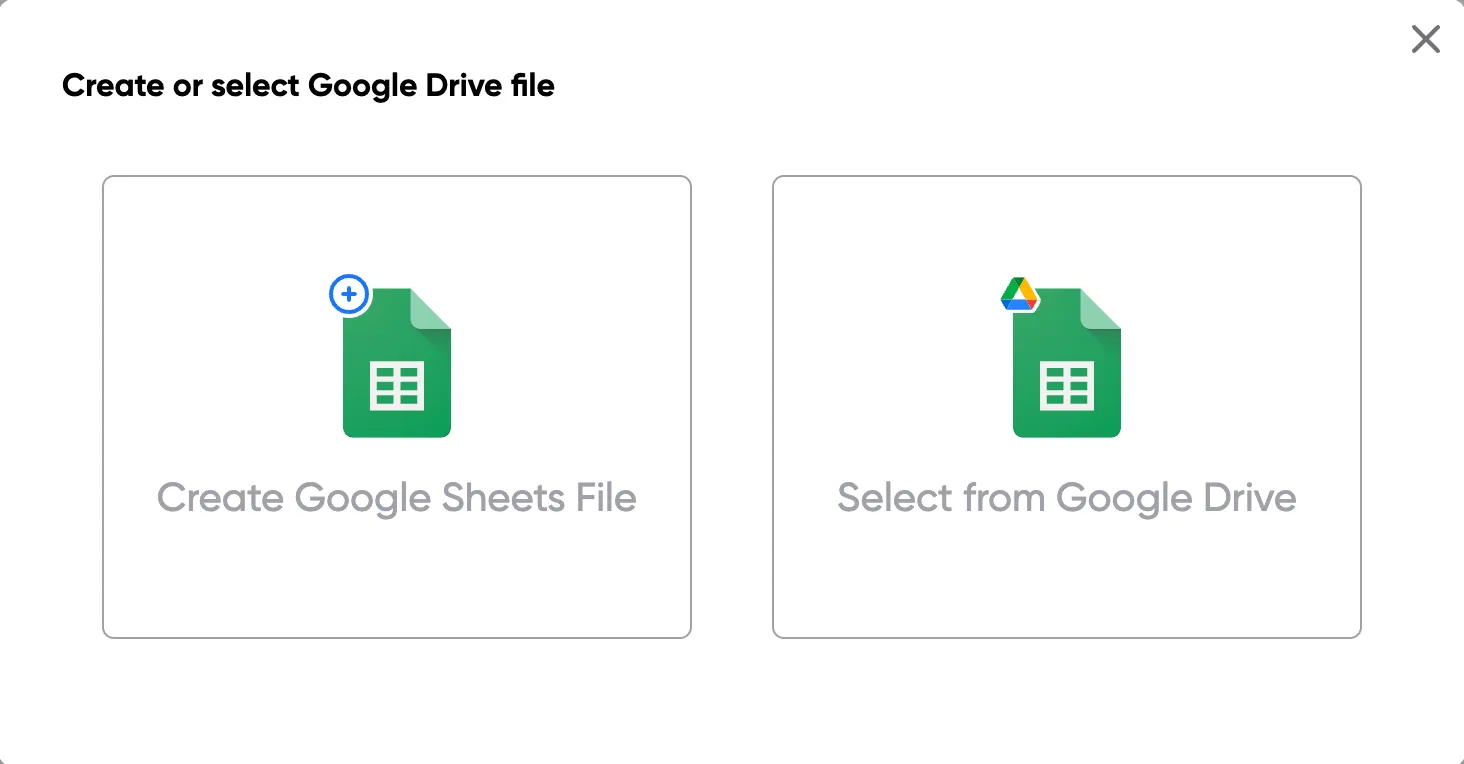
Open a Google Sheet that contains the data for your quotes. This could include customer details, product names, quantities, pricing, and discount information. Create a new sheet if you don't have one yet.
Step 2
Step 2: Connect your quote template
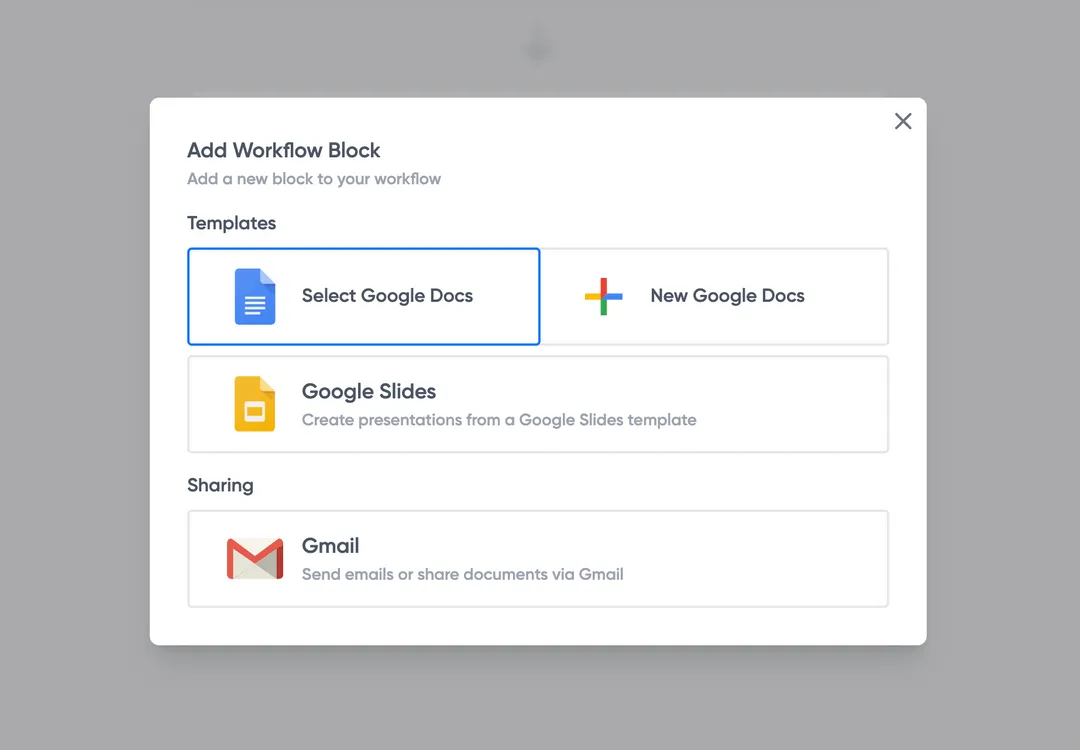
Open the Portant add-on and connect your Google Docs or Slides quote template. Portant will scan for merge tags and match them to your sheet columns automatically.
Step 3
Step 3: Customize your output
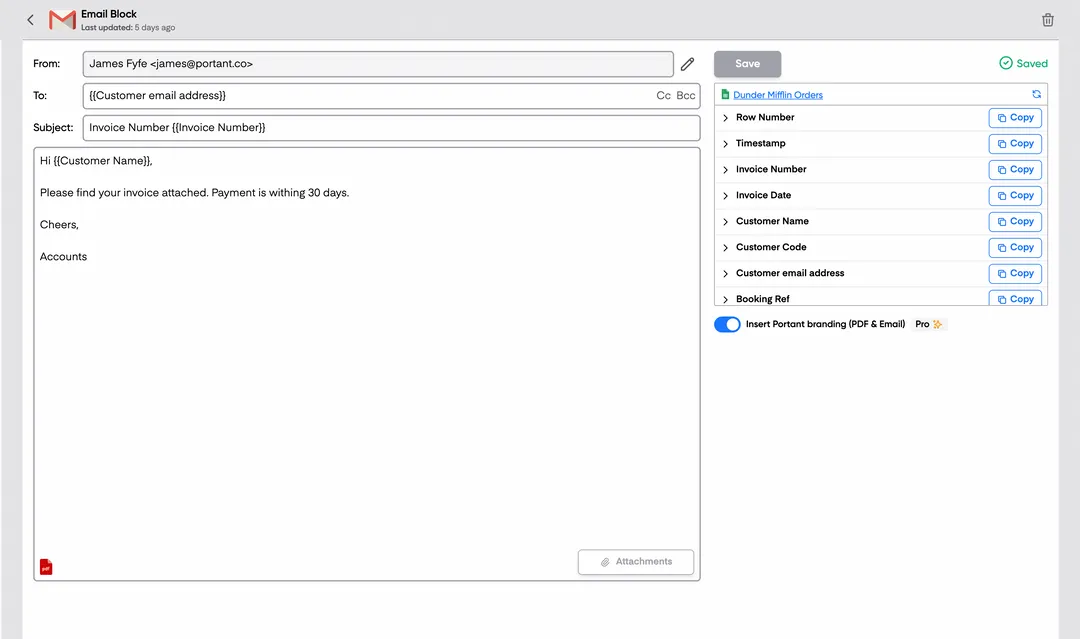
Choose how your quotes are delivered. Send them directly to customers via email, save as PDFs to Google Drive, or both. Add merge tags to the email subject and body for a personal touch.
Step 4
Step 4: Automate your quotes
Turn on auto-create to generate quotes every time a new row is added. Run the workflow manually for batch processing, or schedule it to run at specific intervals.
Eliminate unnecessary manual work
Stop spending hours copying and pasting data from spreadsheets into documents. Portant automates the entire process, pulling data directly from your source and generating completed documents in seconds. Focus on the work that matters, not repetitive formatting tasks.
Make your documents more accurate
Manual document creation leads to errors, from wrong names to outdated figures. Portant maps data fields directly to your template, eliminating typos and ensuring every document is accurate and consistent. Your team sends fewer corrections and your clients get the right information every time.
Built into Google Workspace
Portant works natively with Google Docs, Sheets, Slides, and Gmail. There is no new interface to learn, no data to export, and no switching between tools. Your team stays in the apps they already use while Portant handles the document generation in the background.
What teams say about Portant
“Portant has been a game-changer for Clipboard! It's saved our sales team countless hours every week by generating order forms, proposals and contracts with info from HubSpot automatically filled in.”
“This product is a gamechanger for all of those painful manual document merges. Love what you and the team have built!”
“This software brilliantly takes over the tedious process of creating and sending invoices. This not only saves time but massively reduces errors of data entry.”
“Love this product. Have been using it for over a year and the integration to Google Workspace is awesome. Lots of credit for listening to your users!”
“Truly a gamechanger! Portant streamlines these tasks and allows me to focus on the things that require my attention and problem-solving!”
“Portant has been a game-changer for Clipboard! It's saved our sales team countless hours every week by generating order forms, proposals and contracts with info from HubSpot automatically filled in.”
“This product is a gamechanger for all of those painful manual document merges. Love what you and the team have built!”
“This software brilliantly takes over the tedious process of creating and sending invoices. This not only saves time but massively reduces errors of data entry.”
“Love this product. Have been using it for over a year and the integration to Google Workspace is awesome. Lots of credit for listening to your users!”
“Truly a gamechanger! Portant streamlines these tasks and allows me to focus on the things that require my attention and problem-solving!”
Frequently asked questions
Freelancers, especially in different industries such as construction projects or specific services offered, should use a freelance quote template to simplify the process of creating professional quotes. By using a freelance quote or service quote template, it saves time and ensures consistency. With a well-structured template, freelancers can easily fill in project details such as estimated prices, project timelines, and services offered, and download a PDF version for the client. This process eliminates manual input, ensuring a professional look for all potential clients. Freelancers can also integrate their own logo to make the template more personalized and specific to their business.
To create a freelance quote or service quote, freelancers can utilize a Google Sheet integrated with a Google Doc or other tools like Excel. They can customize a price quote by entering key details such as total amount, project description, and the specific services to be provided. For those managing multiple clients in different industries, using a freelance quote template allows for easy modifications, ensuring the right information is included for each potential customer. The quote can be presented in various formats, including PDFs for professional quotes, or even sent directly to the client with a company logo in just one click.
Freelancers often use a service quote template to price their specific services. They may offer a fixed-price quote for well-defined tasks or projects, which outlines a breakdown of the cost for the services offered. Alternatively, they might offer a time-based rate, where the price is calculated based on hours worked. The choice of pricing is also affected by the freelancer's experience and the project's scope. Including the estimated total amount and clearly defining the scope of services ensures a smoother process when the client accepts the freelance quote. By using templates, freelancers can consistently deliver professional and accurate quotes to various potential clients.
A freelance quote serves as a professional estimate sent to clients before starting a project. It is designed to inform potential customers of the expected cost and services to be provided. On the other hand, an invoice is sent after the project is completed, requesting payment for the services offered. While a freelance quote outlines potential costs and services, an invoice formalizes these costs. Using a freelance quote template ensures consistency, and freelancers can easily generate an invoice from the same data using a Google Sheet or Google Doc for a streamlined process.
When creating a freelance quote, freelancers should ensure that legal considerations are covered by including terms and conditions, such as payment terms and project specifications. A well-drafted service quote template can act as a contract when agreed upon by the client, covering essential aspects like cost, total amount, services offered, and deadlines. Clear terms prevent any misunderstandings, ensuring that the freelance quote serves as a legally binding agreement between the freelancer and the client.
Once a freelance quote is accepted, changes may be required due to evolving project needs or additional services requested by the client. In such cases, freelancers should revise the freelance quote template and update the client with the modified details. This could involve adjusting the price or extending the project timeline. Clear communication is key to ensuring that the updated quote template accurately reflects the additional tasks or changes to the project's costs. Freelancers should use tools like Google Sheets or Excel to track these revisions for consistency and clarity.
A fixed-price quote outlines a set price for completing a project, regardless of how long it takes. This is commonly used for well-defined services where the scope is clear. In contrast, a time-based service quote calculates the cost based on the hours worked. Freelancers may prefer a time-based quote when dealing with less defined projects, as it offers more flexibility. Both types of quotes can be created using a freelance quote template or service quote template, with the total cost clearly communicated to the client in either format.
If a client disputes the freelance quote, the freelancer should first review the specific services and costs outlined in the quote to understand the issue. They may need to revise the service quote template to provide more clarity on pricing or adjust the total estimated price. By using a consistent template, such as a freelance quote or price quote, freelancers can ensure that all critical information is clearly stated, reducing the likelihood of disputes. If necessary, the freelancer can issue a revised quote template or a separate document outlining changes.
Explore related templates
Design Quote Template
Copy our Design Quote Template, automate your quotes process, and create professional quotes using customizable templates.
View template Quote templatePrice Quote Template
Copy our Price Quote Template, automate your quotes with customizable templates like a service or business quote template, and create professional, accurate quotes quickly.
View template Quote templateQuote Invoice Template
Copy our Quote Invoice Template, automate your quoting process, and create professional quotes with customizable templates, including options for pricing, business logos, and service details.
View template Quote templateWord Quote Template
Connect your Word to a customizable quote template to streamline your quotation process, easily add client details, unit prices, and service quotes, and generate professional quotes effortlessly.
View template Quote templateExcel Quote Template
Connect your Microsoft Excel to a customizable quote template or price quote template and streamline your sales quote or service quote process effortlessly for small businesses and specific clients.
View template Quote templateQuote template google docs
Use our Google Doc Quote Template to customize and streamline your process with accurate, professional price quotes.
View template Quote templateGoogle Sheets Quote Template
Connect Google Sheets to a customizable quotation template and streamline your price quote process, ensuring accurate costs and service details for clients.
View template Quote templateSales Quote Template
Copy our Sales Quote Template, automate your quotes process, and create professional quotes using customizable templates.
View template Quote templateIndependent Contractor Quote Template
Download our Independent Contractor Quote Template to streamline your invoicing process. Create professional quotes, add material costs and labor costs, and ensure accuracy with every quote total.
View template Quote templateRental Quote Template
Copy our customizable rental quotation template to streamline your billing process, track rent payments, and automate your rental quotations for your rental business. Easily manage vehicle rentals, lease rental quotations, and more with our professional template.
View template Quote templateProforma Quote Template
Copy our Proforma Quote Template to create professional quotations easily. Automate your quote process using Google Sheets or Google Docs for a streamlined, customizable experience.
View template Quote templateBusiness Quote Template
Copy our free business quote template and easily automate your quoting process. Customize your professional quotes in pdf format using google sheets or excel templates, and streamline your workflow for faster, more accurate price quotes.
View template