
Contract template
Service Contract Template
Copy our Service Contract Template, and automate your contract process.
Trusted by teams at










Service Contract Template
You can create service contract templates automatically from Google Sheets in a few easy steps. It is simple to use Portant as a free service contract template which contains all kinds of different elements including your logo, unique contract numbers, payment terms and contact information. After you've opened Portant Workflow, select your Google Sheet, then connect a Google Docs contract template, customise your service contract template with column tags, attach it to an email and finally click 'Start automation', and voila!, you’ve automated your service contract process from Google Sheets!
We know how painful and monotonous it can be to copy and paste data into service contract templates, double check all the information is correct, save it as a pdf and then send the service contract to your customers. That’s why we’ve come to the rescue.
With Portant, you can connect a Google Sheet to a service contract template, click a few buttons and contracts will be magically generated and sent whenever you need to. You can also customise the email and who it's sent from (e.g accounts@portant.co). It's easy to place your service contracts on autopilot.
How to automate your service contracts

Step 1
Open Sheet
Select the Google Sheet you want to use as the data source for your contracts. Portant connects directly to your spreadsheet to pull in the data it needs.

Step 2
Connect Template
Connect your Google Docs, Slides, or Sheets contract template. Portant will link it to your spreadsheet data source so it knows which fields to merge.

Step 3
Customize
Customize your contract with merge tags like {{Party Name}}, {{Terms}}, and {{Effective Date}}. Format it with your branding, colours, and layout.

Step 4
Create
Create contracts automatically when new rows are added to your sheet, or generate them manually in batches. Send via email or save to Google Drive.
How to automate your service contracts with a template
Step 1
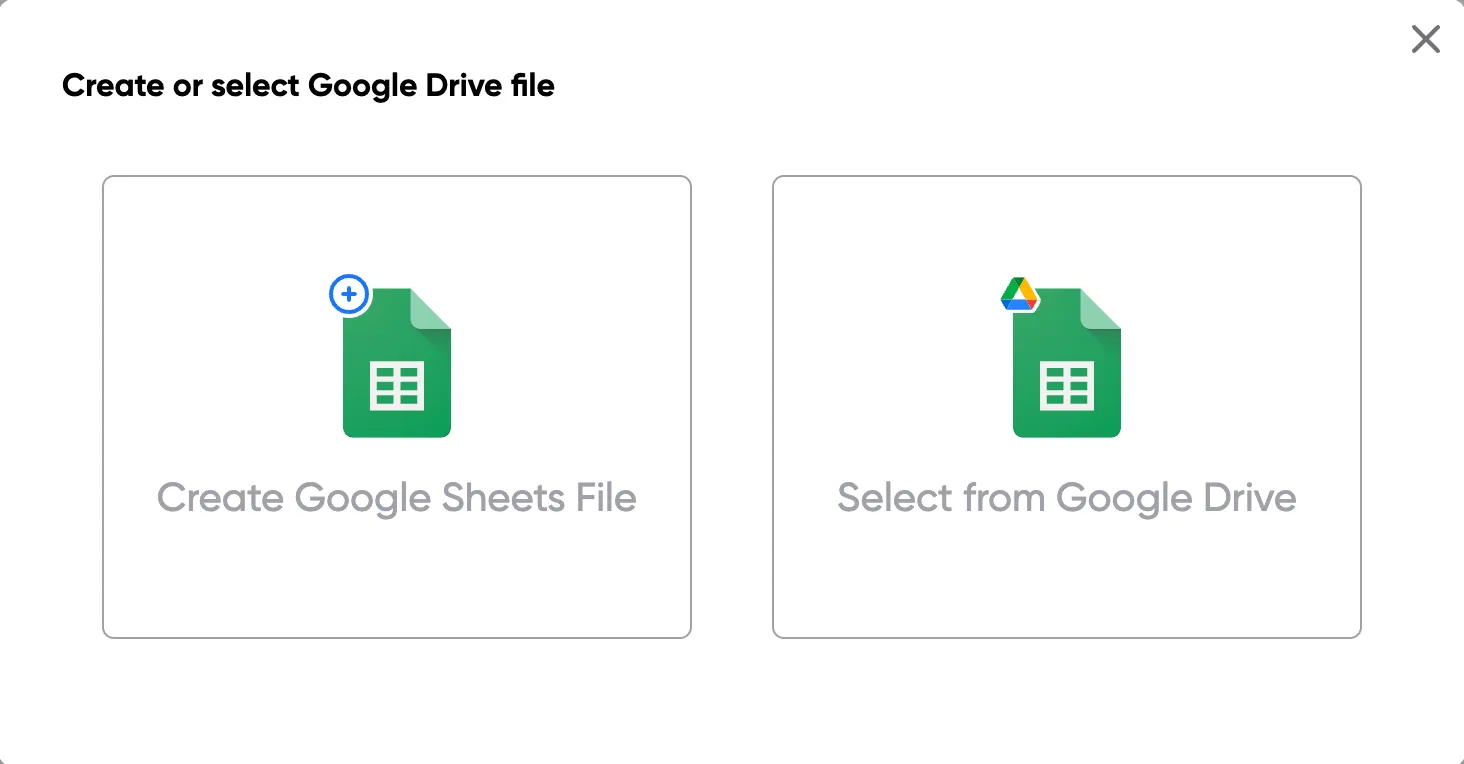
Step 1: Open a Google Sheet
Open a Google Sheet with your contract data. Include party names, terms, effective dates, and any other fields you need to merge into your contracts.
Step 2
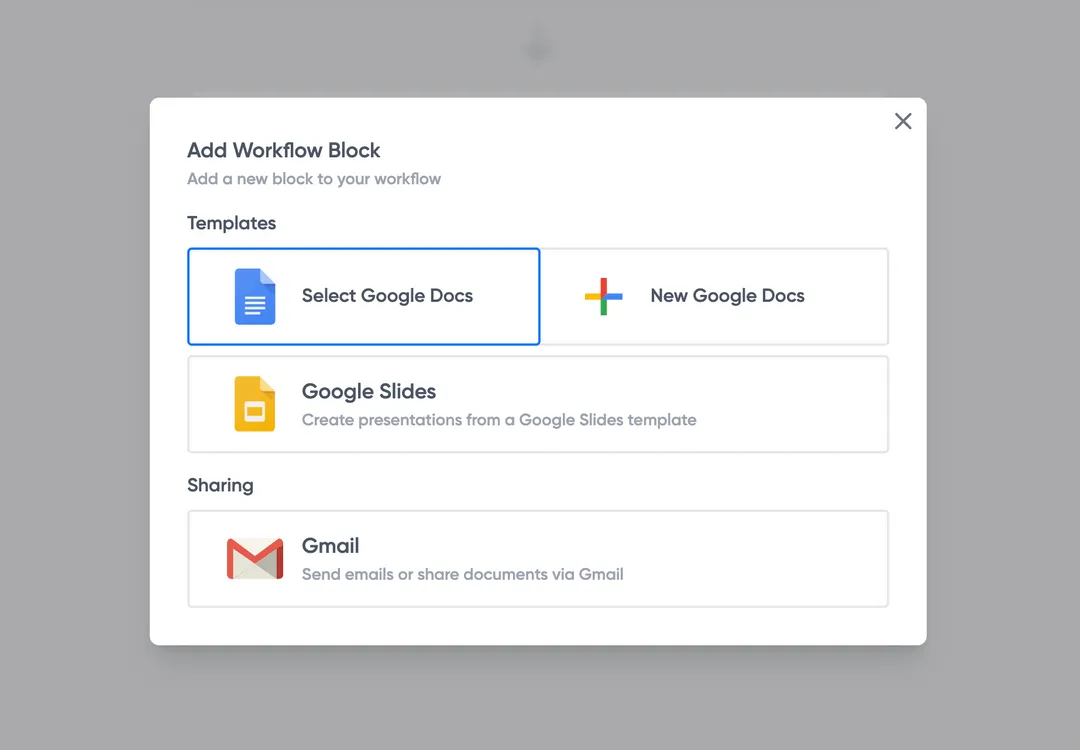
Step 2: Connect your contract template
Open the Portant add-on and connect your Google Docs contract template. Portant scans for merge tags and maps them to your spreadsheet columns.
Step 3
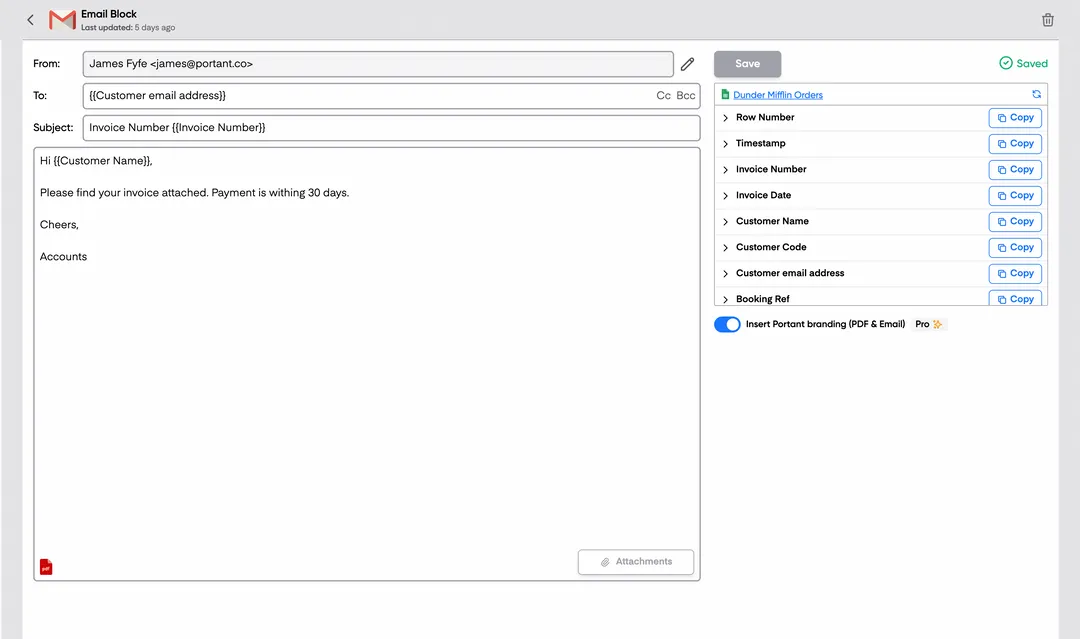
Step 3: Customize your output
Set up your delivery method. Email contracts to signers, save as PDFs in Google Drive, or request eSignatures directly through Portant. Use merge tags in emails too.
Step 4
Step 4: Automate your contracts
Turn on auto-create to generate contracts for every new row. Process rows in batches or schedule the workflow to run at set times.
Eliminate unnecessary manual work
Stop spending hours copying and pasting data from spreadsheets into documents. Portant automates the entire process, pulling data directly from your source and generating completed documents in seconds. Focus on the work that matters, not repetitive formatting tasks.
Make your documents more accurate
Manual document creation leads to errors, from wrong names to outdated figures. Portant maps data fields directly to your template, eliminating typos and ensuring every document is accurate and consistent. Your team sends fewer corrections and your clients get the right information every time.
Built into Google Workspace
Portant works natively with Google Docs, Sheets, Slides, and Gmail. There is no new interface to learn, no data to export, and no switching between tools. Your team stays in the apps they already use while Portant handles the document generation in the background.
What teams say about Portant
“Portant has been a game-changer for Clipboard! It's saved our sales team countless hours every week by generating order forms, proposals and contracts with info from HubSpot automatically filled in.”
“This product is a gamechanger for all of those painful manual document merges. Love what you and the team have built!”
“This software brilliantly takes over the tedious process of creating and sending invoices. This not only saves time but massively reduces errors of data entry.”
“Love this product. Have been using it for over a year and the integration to Google Workspace is awesome. Lots of credit for listening to your users!”
“Truly a gamechanger! Portant streamlines these tasks and allows me to focus on the things that require my attention and problem-solving!”
“Portant has been a game-changer for Clipboard! It's saved our sales team countless hours every week by generating order forms, proposals and contracts with info from HubSpot automatically filled in.”
“This product is a gamechanger for all of those painful manual document merges. Love what you and the team have built!”
“This software brilliantly takes over the tedious process of creating and sending invoices. This not only saves time but massively reduces errors of data entry.”
“Love this product. Have been using it for over a year and the integration to Google Workspace is awesome. Lots of credit for listening to your users!”
“Truly a gamechanger! Portant streamlines these tasks and allows me to focus on the things that require my attention and problem-solving!”
Frequently asked questions
A service agreement or service contract should be used whenever a business or individual hires a service provider to perform a specific service, regardless of the scale or nature of the services performed. This includes hiring an independent contractor, engaging a contractor, or securing ongoing services provided like maintenance. It’s particularly important when the services provided involve significant financial transactions or when the service provider's service quality is critical to the business’s operations.
A service contract should include essential elements like the identification of the service provider and the other party involved. It must describe the services in detail, including the payment schedule, payment method, and payment details. Other important sections are the confidentiality and non-compete clauses, intellectual property rights, and liability limitations. The services performed should be clearly defined to ensure both parties agree on their obligations. Additionally, a written notice section, addressing possible contract termination conditions, should be included.
To customize a service contract template, start by adding specific information about the parties involved, such as their names and contact details. The service provider should describe the services provided in detail and ensure that all terms related to payment amount, payment method, and payment schedule are clearly outlined. If additional clauses are required, like those addressing intellectual property rights or the writing signed section, those should be inserted as well. Customization of a service agreement template ensures a clear understanding of responsibilities and payment terms.
When using a service agreement template, be aware of legal considerations. The agreement constitutes a legally binding document, so it should include intellectual property clauses to protect the sole and exclusive property of both parties. It is also crucial to consult with a legal expert to ensure the contract complies with local laws, especially regarding payment amount and expenses incurred. Additionally, having a well-drafted written agreement or written service agreement can prevent potential legal disputes, especially if payment terms or services performed are contested.
Yes, a service contract can be terminated early if both parties agree or if a specific party agrees to a breach of contract. Common reasons for early termination include breach of contract, mutual agreement, or unforeseen events such as force majeure. The contract should outline the terms of termination, including written notice and any penalties or liabilities. Both the service provider and the other party should have a clear understanding of how the termination will affect any payment schedule or expenses incurred.
If one party breaches the service agreement, the non-breaching party can seek remedies as specified in the agreement template. Remedies might include termination of the agreement and seeking damages for the expenses incurred. It’s essential to include dispute resolution and binding arbitration clauses in the contract to outline how conflicts will be resolved. If the dispute escalates, the contract should specify how attorney's fees and court costs will be handled, especially if the dispute involves the services performed.
The payment terms in a service agreement template must clearly define the payment schedule, payment method, and any expenses incurred. The contract should also include provisions for late payments and specify any penalties for delayed or missed payments. In the event of non-payment, the service provider can withhold further services performed until the issue is resolved. Payment amount should be detailed upfront, and the method for making these payments should be agreed upon in writing.
Yes, electronic signatures are generally valid on service contracts or service agreements as long as they comply with relevant legal standards. Many modern service agreement templates support the use of electronic signatures, allowing both the service provider and the client to sign the document quickly and securely. A signed document is considered legally binding once both parties have agreed to its terms, provided that the electronic signatures meet the necessary legal criteria.
Explore related templates
Vendor NDA Template
Automatically create vendor ndas with this NDA template.
View template Contract templateUnilateral NDA Template
Automatically create unilateral ndas with this NDA template.
View template Contract templateStartup NDA Template
Automatically create startup nda templates with this NDA template.
View template Contract templateEmployee NDA Template
Automatically create employee ndas with this NDA template.
View template Contract templateNDA Template (Non-Disclosure Agreement)
Create, customize, and e-sign a non-disclosure agreement in minutes. Free NDA template, automated with Google Docs, exportable to Word or PDF.
View template Contract templateMutual NDA (mNDA) Template
Create, customise, and e-sign a mutual non-disclosure agreement (mNDA) in minutes. Free template, automated with Google Docs.
View template