
Contract template
Employee NDA Template
Automatically create employee ndas with this NDA template.
Trusted by teams at










Employee NDA Template
Creating a robust Employee NDA Template is crucial for safeguarding your company's sensitive information. An NDA agreement, or non disclosure agreement, ensures that employees understand their obligation to keep proprietary information confidential. With an employee confidentiality agreement, you can protect trade secrets, business strategies, and other critical data. However, drafting an NDA agreement template from scratch can be time-consuming and complex. That's where Portant comes in, offering a seamless solution to automate your employee non disclosure agreement using Google Docs. Explore our NDA sample and streamline your document creation process with ease.
Portant provides a comprehensive NDA template free of charge, designed to meet the needs of businesses of all sizes. Our employee confidentiality agreement template is user-friendly and customizable, allowing you to tailor it to your specific requirements. Whether you need an NDA example for a new hire or an NDA for employees in different departments, Portant's platform simplifies the process. By automating your NDA agreement for employees, you save valuable time and reduce the risk of errors. Discover how our NDA templates can enhance your document management strategy by visiting our [Employee NDA Template](https://app.portant.co/templates/tmp_mW79SJrzYPScT1?auto) page.
Using Portant to automate your employee non disclosure agreement template ensures consistency and compliance across your organization. Our non disclosure agreement for employees is designed to be legally sound and easy to understand, making it accessible to all parties involved. With Portant, you can generate an employee NDA quickly and efficiently, ensuring that your business remains protected. Don't let the complexity of NDA agreements slow you down. Leverage Portant's innovative solution to create, manage, and store your NDA templates effortlessly. Start today and experience the benefits of automated document workflows.
How to automate your employee ndas

Step 1
Open Sheet
Select the Google Sheet you want to use as the data source for your contracts. Portant connects directly to your spreadsheet to pull in the data it needs.

Step 2
Connect Template
Connect your Google Docs, Slides, or Sheets contract template. Portant will link it to your spreadsheet data source so it knows which fields to merge.

Step 3
Customize
Customize your contract with merge tags like {{Party Name}}, {{Terms}}, and {{Effective Date}}. Format it with your branding, colours, and layout.

Step 4
Create
Create contracts automatically when new rows are added to your sheet, or generate them manually in batches. Send via email or save to Google Drive.
How to automate your business contracts with a template
How it works
Step 1
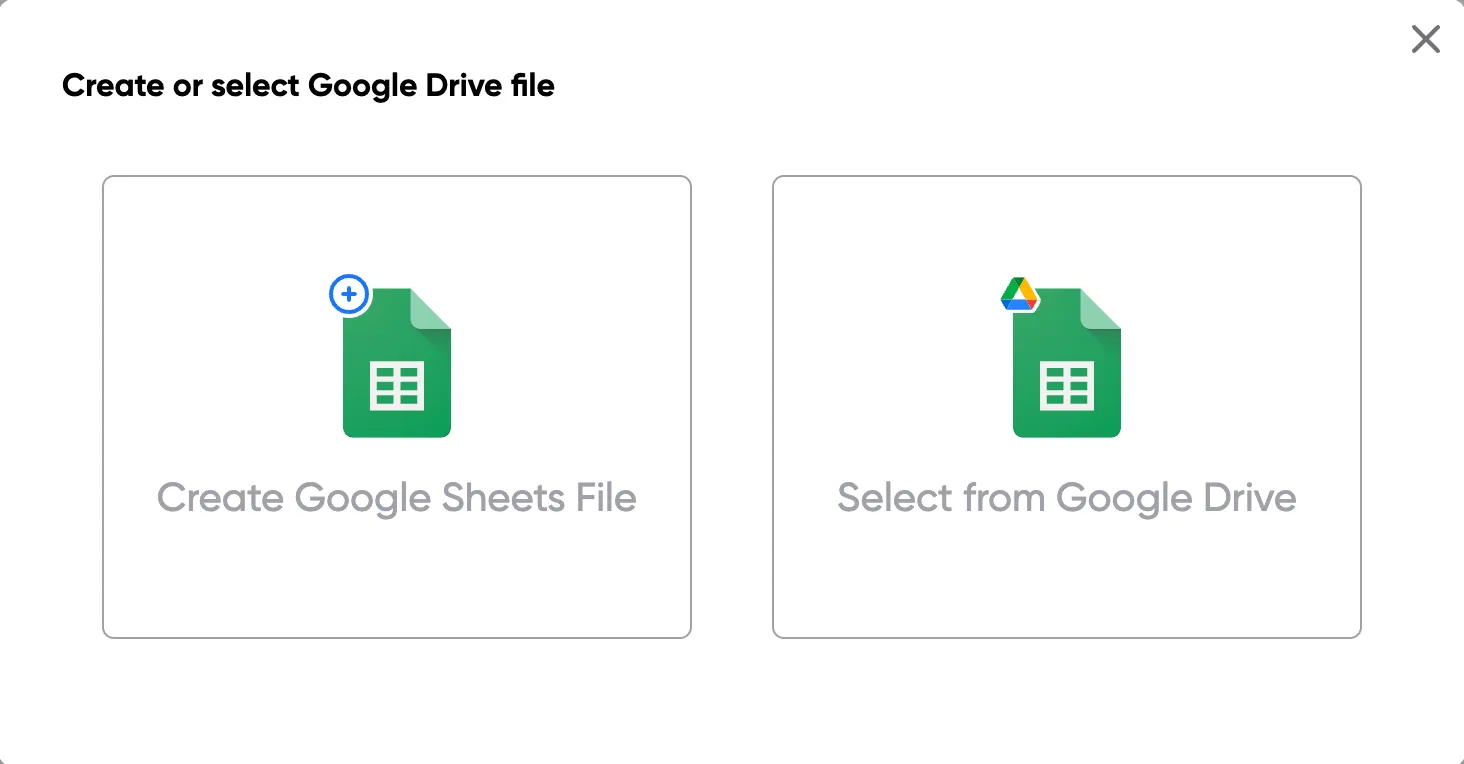
Step 1: Open a Google Sheet
Open a Google Sheet with your contract data. Include party names, terms, effective dates, and any other fields you need to merge into your contracts.
Step 2
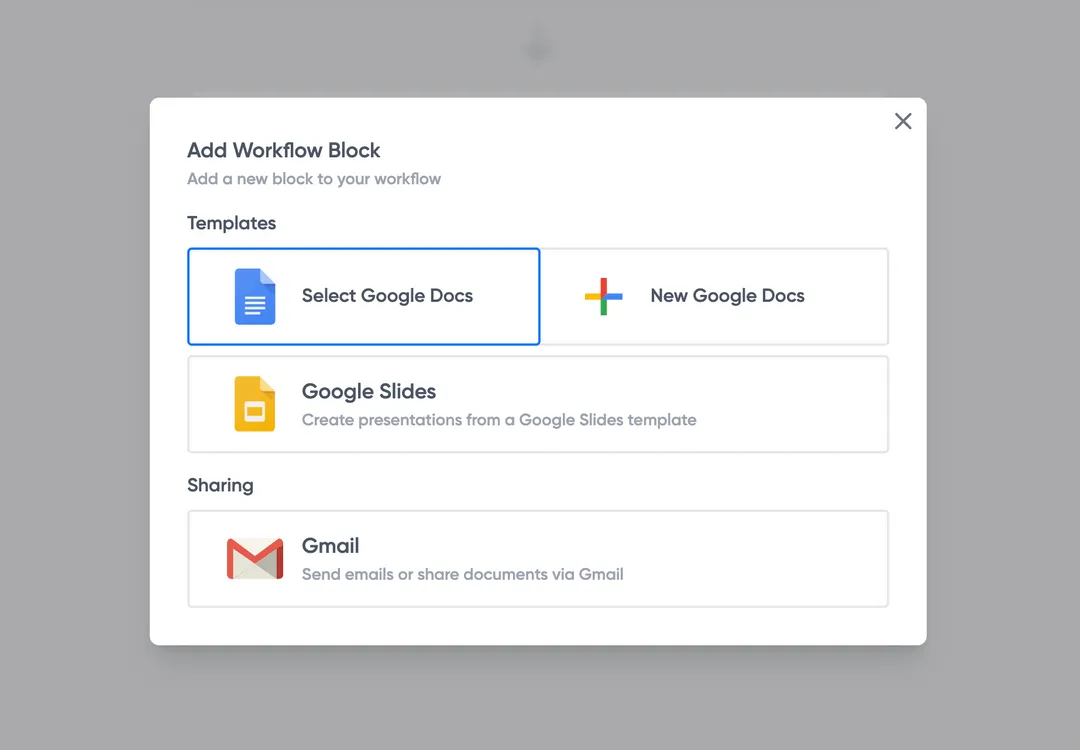
Step 2: Connect your contract template
Open the Portant add-on and connect your Google Docs contract template. Portant scans for merge tags and maps them to your spreadsheet columns.
Step 3
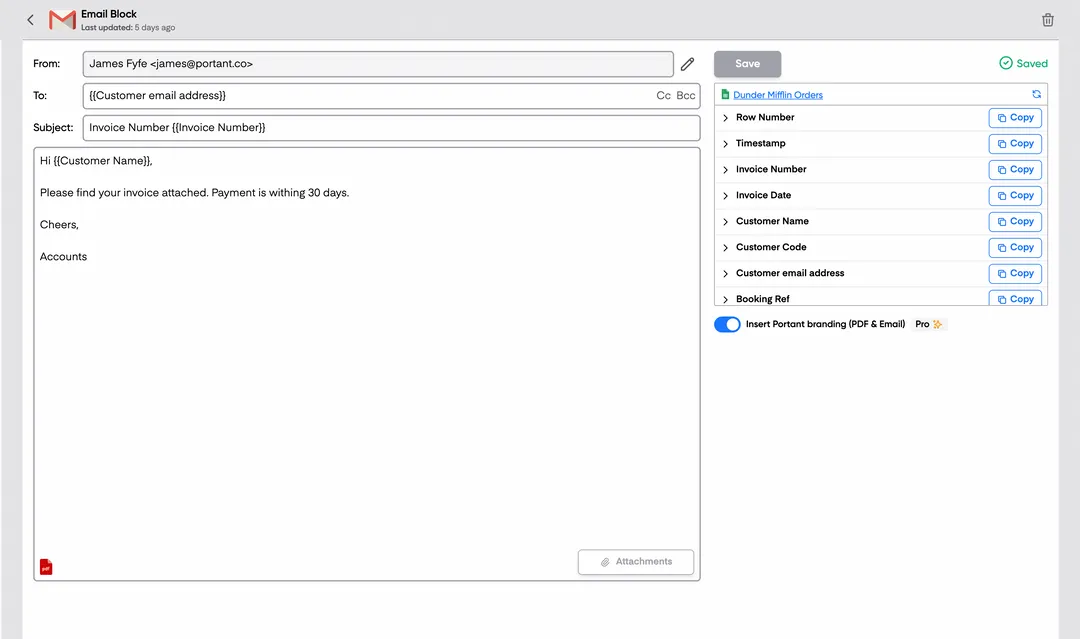
Step 3: Customize your output
Set up your delivery method. Email contracts to signers, save as PDFs in Google Drive, or request eSignatures directly through Portant. Use merge tags in emails too.
Step 4
Step 4: Automate your contracts
Turn on auto-create to generate contracts for every new row. Process rows in batches or schedule the workflow to run at set times.
Benefits
Eliminate unnecessary manual work
Stop spending hours copying and pasting data from spreadsheets into documents. Portant automates the entire process, pulling data directly from your source and generating completed documents in seconds. Focus on the work that matters, not repetitive formatting tasks.
Make your documents more accurate
Manual document creation leads to errors, from wrong names to outdated figures. Portant maps data fields directly to your template, eliminating typos and ensuring every document is accurate and consistent. Your team sends fewer corrections and your clients get the right information every time.
Built into Google Workspace
Portant works natively with Google Docs, Sheets, Slides, and Gmail. There is no new interface to learn, no data to export, and no switching between tools. Your team stays in the apps they already use while Portant handles the document generation in the background.
What teams say about Portant
“Portant has been a game-changer for Clipboard! It's saved our sales team countless hours every week by generating order forms, proposals and contracts with info from HubSpot automatically filled in.”
“This product is a gamechanger for all of those painful manual document merges. Love what you and the team have built!”
“This software brilliantly takes over the tedious process of creating and sending invoices. This not only saves time but massively reduces errors of data entry.”
“Love this product. Have been using it for over a year and the integration to Google Workspace is awesome. Lots of credit for listening to your users!”
“Truly a gamechanger! Portant streamlines these tasks and allows me to focus on the things that require my attention and problem-solving!”
“Portant has been a game-changer for Clipboard! It's saved our sales team countless hours every week by generating order forms, proposals and contracts with info from HubSpot automatically filled in.”
“This product is a gamechanger for all of those painful manual document merges. Love what you and the team have built!”
“This software brilliantly takes over the tedious process of creating and sending invoices. This not only saves time but massively reduces errors of data entry.”
“Love this product. Have been using it for over a year and the integration to Google Workspace is awesome. Lots of credit for listening to your users!”
“Truly a gamechanger! Portant streamlines these tasks and allows me to focus on the things that require my attention and problem-solving!”
Frequently asked questions
A disclosure agreement for employees, often referred to as an Employee NDA or Employee Non Disclosure Agreement, is a legal contract between an employer and an employee. This agreement ensures that the employee agrees to keep certain information confidential. The Employee NDA Template or Employee Confidentiality Agreement Template outlines the terms under which sensitive information, such as trade secrets, business strategies, customer lists, or proprietary data, must be protected. An NDA Agreement for Employees or NDA Agreement Template typically includes the definition of confidential information, the obligations of the employee, the duration of confidentiality, and any exceptions to the agreement. An NDA Sample or NDA Example can provide a clear understanding of how these agreements are structured. Using an NDA Template Free can help employers draft a Non Disclosure Agreement for Employees efficiently. An Employee Confidentiality Agreement or Employee Non Disclosure Agreement Template is crucial for safeguarding a company's confidential information and ensuring that employees understand their responsibilities regarding non-disclosure. NDAs for Employees are essential tools for maintaining trust and protecting business interests.
An NDA, or Non Disclosure Agreement, and a confidentiality agreement are often used interchangeably, but they can have subtle differences. Both an NDA agreement and a confidentiality agreement are legal contracts used to protect sensitive information. An employee NDA template or employee confidentiality agreement template is designed to ensure that employees do not disclose confidential information. An NDA agreement template or NDA sample can be used to create a legally binding contract that outlines what information must remain confidential. An employee non disclosure agreement template or NDA template free can be customized for specific needs. While both an NDA for employees and a confidentiality agreement for employees serve the same purpose, the term NDA is often used in broader contexts beyond employment, such as business deals or partnerships. An NDA example or NDA agreement for employees typically includes clauses about what constitutes confidential information, the duration of confidentiality, and the consequences of a breach. In essence, whether you use an employee NDA or an employee confidentiality agreement, the goal is to protect sensitive information from unauthorized disclosure.
Breaking an Employee NDA, or Employee Non Disclosure Agreement, can lead to serious consequences. If you violate an NDA agreement, you might face legal action from your employer. This could include being sued for damages or financial losses caused by the breach. The NDA agreement template often outlines specific penalties for breaking the agreement, which can include paying fines or covering legal costs. In some cases, breaking an employee confidentiality agreement or employee non disclosure agreement could lead to termination of employment. Employers use NDA templates to protect sensitive information, and breaking an NDA for employees can damage trust and professional relationships. It's crucial to understand the terms of the NDA sample or NDA example you sign, as these agreements are legally binding. Always review the employee confidentiality agreement template or employee non disclosure agreement template carefully to avoid unintended breaches. If you're unsure about any part of the NDA agreement for employees, seek legal advice to ensure you fully understand your obligations under the NDA template free or non disclosure agreement for employees.
There are two main types of NDA agreements: unilateral NDA and mutual NDA. A unilateral NDA, also known as a one-way NDA, is an NDA agreement where only one party, typically the employee, agrees to keep certain information confidential. This type of employee NDA template is common when an employer needs to protect sensitive information shared with an employee. On the other hand, a mutual NDA, or two-way NDA, is an NDA agreement template where both parties agree to protect each other's confidential information. This type of employee confidentiality agreement is often used when both the employer and the employee will be sharing sensitive information with each other. Whether you are looking for an NDA sample, NDA templates, or an NDA template free, understanding these two types of non disclosure agreements for employees is crucial. An employee confidentiality agreement template or an employee non disclosure agreement template can be tailored to fit either a unilateral or mutual NDA, depending on the needs of the parties involved. These NDA examples are essential for ensuring that confidential information remains protected in any professional relationship.
An example of an NDA, or Non-Disclosure Agreement, often referred to as an Employee NDA Template or Employee Confidentiality Agreement, is a legal document that outlines the confidentiality obligations of an employee. This NDA agreement template is designed to protect sensitive information shared between an employer and an employee. An NDA agreement for employees typically includes the following key elements:
- Definition of Confidential Information: Clearly specifies what constitutes confidential information, such as trade secrets, business strategies, customer lists, and proprietary data.
- Obligations of the Employee: Details the employee's responsibilities to keep the information confidential and not disclose it to unauthorized parties.
- Exclusions from Confidential Information: Lists any information that is not considered confidential, such as publicly available information or information the employee already knew before signing the NDA.
- Duration of Confidentiality: Specifies how long the confidentiality obligations last, which could be during employment and for a period after employment ends.
- Permitted Disclosures: Outlines any circumstances under which the employee is allowed to disclose the confidential information, such as with written consent from the employer.
- Consequences of Breach: Describes the potential legal consequences if the employee fails to comply with the NDA agreement.
Employee NDA templates, NDA samples, and NDA examples are widely available and can be customized to fit specific needs. These NDA templates free of charge can serve as a starting point for drafting a comprehensive employee non-disclosure agreement. An employee confidentiality agreement template ensures that both parties understand their rights and obligations regarding confidential information. Using an NDA template for employees helps protect the company's sensitive information and maintains trust between the employer and employee.
Standards for an Employee NDA Template, also known as an NDA agreement or employee confidentiality agreement, typically include several key elements to ensure clarity and enforceability. An NDA agreement template or employee non disclosure agreement should clearly define the parties involved, including the employer and the employee. The NDA sample should specify the confidential information covered by the agreement, detailing what constitutes confidential information. The NDA templates should outline the obligations of the employee to maintain confidentiality and not disclose any proprietary information. An NDA template free should also include the duration of the confidentiality obligations, specifying how long the employee must keep the information confidential. Additionally, a non disclosure agreement for employees should address any exceptions to confidentiality, such as information that becomes public through no fault of the employee. An employee confidentiality agreement template should also include the consequences of breaching the agreement, outlining potential legal actions or penalties. An employee non disclosure agreement template should be clear, concise, and easy to understand, ensuring that all parties are aware of their responsibilities. An NDA example or NDA for employees should be tailored to the specific needs of the business, ensuring that it adequately protects the company's interests. An NDA agreement for employees should be reviewed by legal counsel to ensure compliance with applicable laws and regulations. An employee NDA should be signed by both parties to be legally binding.
Explore related templates
Vendor NDA Template
Automatically create vendor ndas with this NDA template.
View template Contract templateUnilateral NDA Template
Automatically create unilateral ndas with this NDA template.
View template Contract templateStartup NDA Template
Automatically create startup nda templates with this NDA template.
View template Contract templateNDA Template (Non-Disclosure Agreement)
Create, customize, and e-sign a non-disclosure agreement in minutes. Free NDA template, automated with Google Docs, exportable to Word or PDF.
View template Contract templateMutual NDA (mNDA) Template
Create, customise, and e-sign a mutual non-disclosure agreement (mNDA) in minutes. Free template, automated with Google Docs.
View template