
Contract template
Mutual NDA (mNDA) Template
Create, customise, and e-sign a mutual non-disclosure agreement (mNDA) in minutes. Free template, automated with Google Docs.
Trusted by teams at










What is a mutual NDA (mNDA)?
A mutual NDA (mNDA), or mutual non-disclosure agreement, is a contract where both parties share confidential information and both are bound to protect it. That is the key difference from a one-way (unilateral) NDA, where only one side discloses and only the receiving party is bound. Because the obligations run both ways, a mutual NDA suits situations where two companies exchange sensitive information as equals.
Use a mutual NDA when both sides reveal something worth protecting: partnership and integration talks, vendor or supplier evaluations, M&A discussions, or co-development between startups. If only one party is disclosing, a one-way NDA is usually the better fit.
| Mutual NDA (mNDA) | One-way (unilateral) NDA | |
|---|---|---|
| Who discloses | Both parties | One party |
| Who is bound | Both parties equally | The receiving party |
| Typical use | Partnerships, integrations, M&A talks, vendor evaluations | Hiring, contractors, investor pitches |
| Also called | Bilateral NDA, two-way NDA, mNDA | One-way NDA, one-sided NDA |
This free mutual NDA template gives you balanced two-way terms you can edit in minutes. Personalise the parties and scope, generate each copy automatically with Portant and Google Docs, and send it out for e-signing. Use the mutual NDA template to get started.
Working from HubSpot? The template store has a mutual NDA for the US that fills both parties from the company record and sends itself for signature, with versions for the UK, Australia and Canada.
How to automate your mutual ndas

Step 1
Open Sheet
Select the Google Sheet you want to use as the data source for your contracts. Portant connects directly to your spreadsheet to pull in the data it needs.

Step 2
Connect Template
Connect your Google Docs, Slides, or Sheets contract template. Portant will link it to your spreadsheet data source so it knows which fields to merge.

Step 3
Customize
Customize your contract with merge tags like {{Party Name}}, {{Terms}}, and {{Effective Date}}. Format it with your branding, colours, and layout.

Step 4
Create
Create contracts automatically when new rows are added to your sheet, or generate them manually in batches. Send via email or save to Google Drive.
How to automate your business contracts with a template
How it works
Step 1
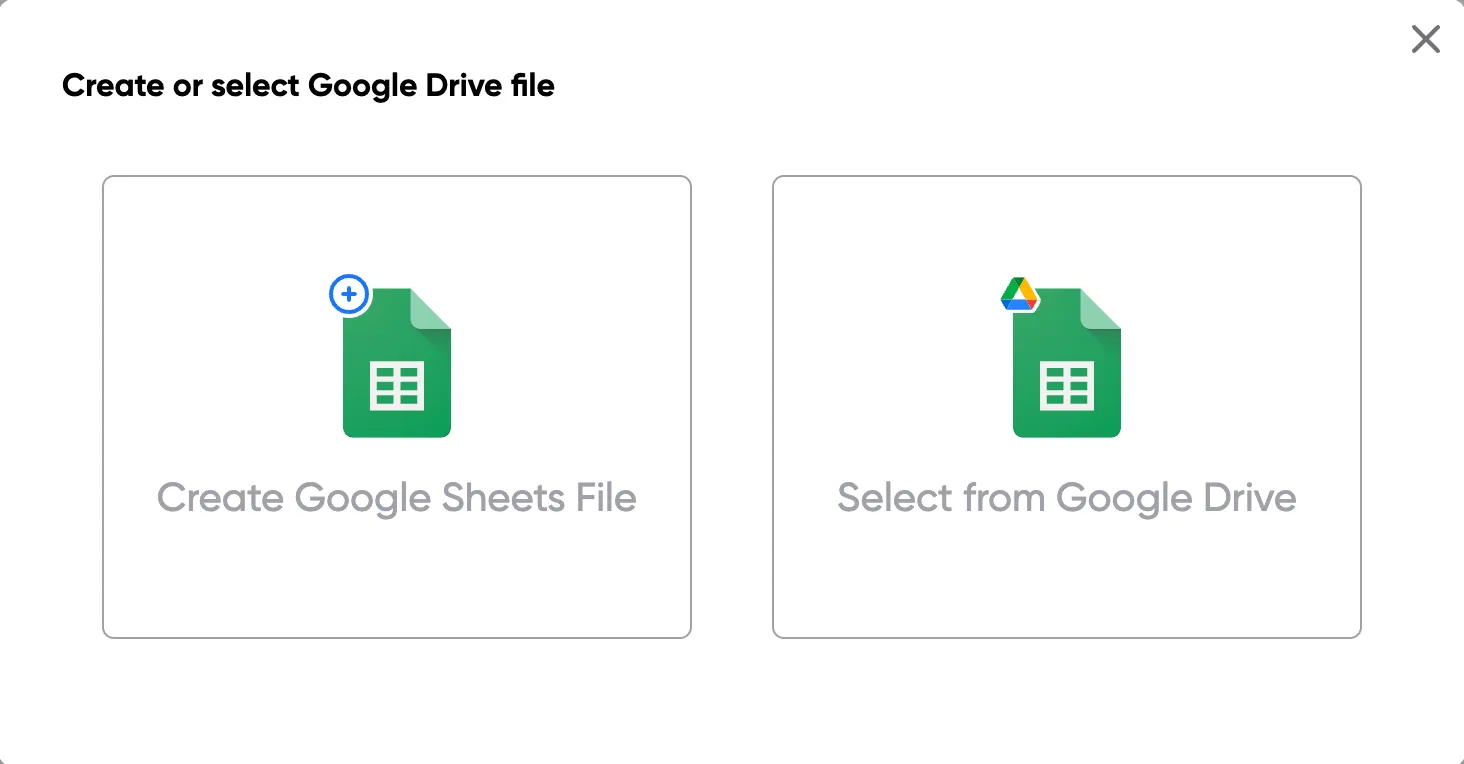
Step 1: Open a Google Sheet
Open a Google Sheet with your contract data. Include party names, terms, effective dates, and any other fields you need to merge into your contracts.
Step 2
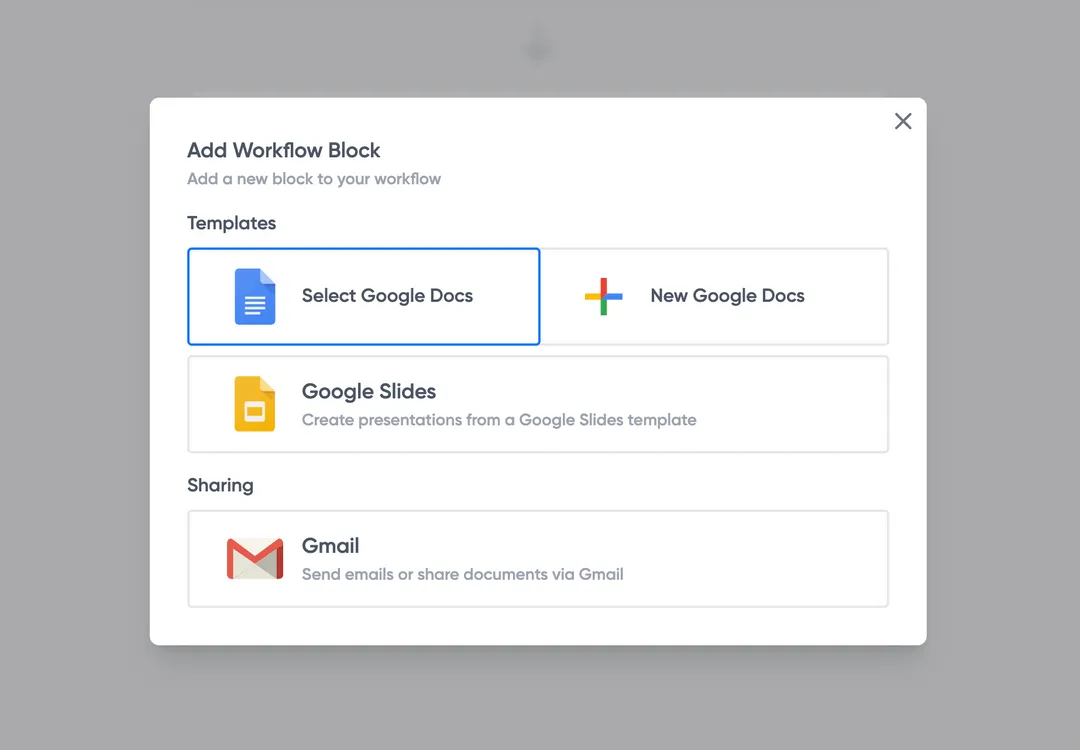
Step 2: Connect your contract template
Open the Portant add-on and connect your Google Docs contract template. Portant scans for merge tags and maps them to your spreadsheet columns.
Step 3
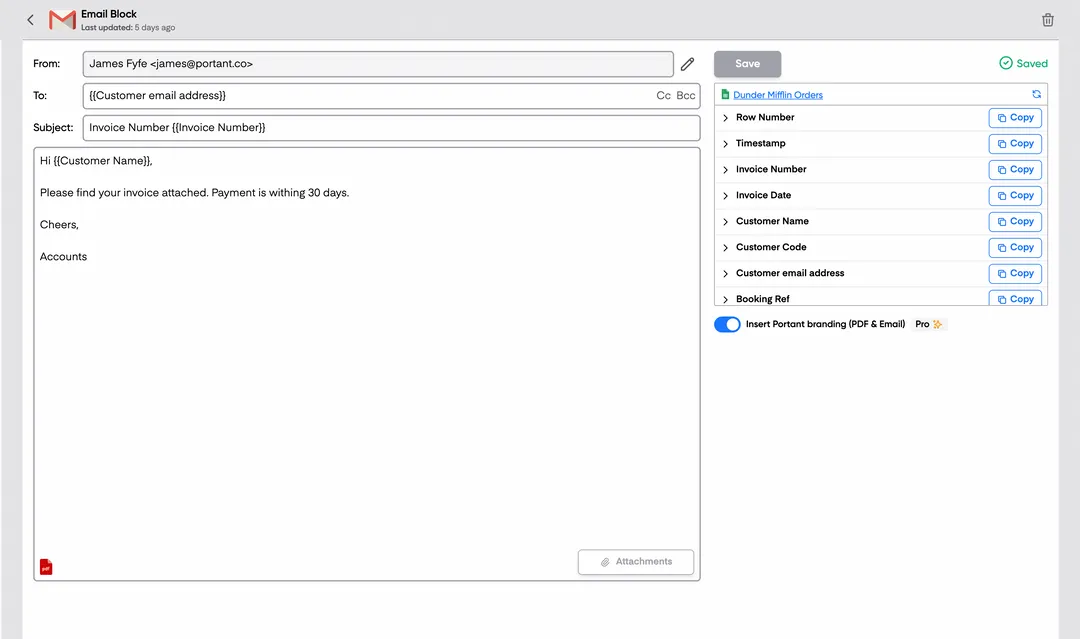
Step 3: Customize your output
Set up your delivery method. Email contracts to signers, save as PDFs in Google Drive, or request eSignatures directly through Portant. Use merge tags in emails too.
Step 4
Step 4: Automate your contracts
Turn on auto-create to generate contracts for every new row. Process rows in batches or schedule the workflow to run at set times.
Benefits
Eliminate unnecessary manual work
Stop spending hours copying and pasting data from spreadsheets into documents. Portant automates the entire process, pulling data directly from your source and generating completed documents in seconds. Focus on the work that matters, not repetitive formatting tasks.
Make your documents more accurate
Manual document creation leads to errors, from wrong names to outdated figures. Portant maps data fields directly to your template, eliminating typos and ensuring every document is accurate and consistent. Your team sends fewer corrections and your clients get the right information every time.
Built into Google Workspace
Portant works natively with Google Docs, Sheets, Slides, and Gmail. There is no new interface to learn, no data to export, and no switching between tools. Your team stays in the apps they already use while Portant handles the document generation in the background.
What teams say about Portant
“Portant has been a game-changer for Clipboard! It's saved our sales team countless hours every week by generating order forms, proposals and contracts with info from HubSpot automatically filled in.”
“This product is a gamechanger for all of those painful manual document merges. Love what you and the team have built!”
“This software brilliantly takes over the tedious process of creating and sending invoices. This not only saves time but massively reduces errors of data entry.”
“Love this product. Have been using it for over a year and the integration to Google Workspace is awesome. Lots of credit for listening to your users!”
“Truly a gamechanger! Portant streamlines these tasks and allows me to focus on the things that require my attention and problem-solving!”
“Portant has been a game-changer for Clipboard! It's saved our sales team countless hours every week by generating order forms, proposals and contracts with info from HubSpot automatically filled in.”
“This product is a gamechanger for all of those painful manual document merges. Love what you and the team have built!”
“This software brilliantly takes over the tedious process of creating and sending invoices. This not only saves time but massively reduces errors of data entry.”
“Love this product. Have been using it for over a year and the integration to Google Workspace is awesome. Lots of credit for listening to your users!”
“Truly a gamechanger! Portant streamlines these tasks and allows me to focus on the things that require my attention and problem-solving!”
Frequently asked questions
A mutual NDA (mNDA) is a non-disclosure agreement where both parties disclose confidential information and both agree to protect it. It is also called a bilateral or two-way NDA. Businesses use a mutual NDA when they share sensitive information as equals, for example during a partnership, integration, or acquisition discussion.
An mNDA is simply a mutual NDA. A standard NDA can be either mutual or one-way: in a one-way (unilateral) NDA only one party discloses and only the recipient is bound, while in a mutual NDA both parties disclose and both are bound. So every mNDA is an NDA, but not every NDA is mutual.
Choose a mutual NDA when both sides will share confidential information, such as two companies exploring a deal. Choose a one-way NDA when only one side discloses, such as hiring a contractor or pitching investors. When the conversation is genuinely two-way, a mutual NDA is the safer default.
No. An NDA can be mutual or one-way. A mutual NDA binds both parties to protect each other's information, while a one-way NDA binds only the receiving party. Pick the form that matches who is actually disclosing.
A solid mutual NDA defines what counts as confidential information, sets equal obligations on both parties, lists exclusions such as information that is already public, states how long the obligations last, names the governing law, and is signed by both sides. Keeping the obligations balanced is what makes it genuinely mutual.
Most mutual NDAs set a confidentiality term of one to five years, though some keep obligations in force until the information becomes public. Choose a duration that matches how long the shared information stays sensitive, and state it clearly in the agreement.
Yes. The mutual NDA template is free to use and edit. With Portant you can fill it from Google Sheets, export each copy as a PDF or a Word document, and send it for e-signature without leaving Google Workspace.
Yes. Starting from a mutual NDA template is the fastest route: it gives you balanced two-way terms you can adapt to your situation. For high-value or cross-border deals, it is worth having a lawyer review the final agreement.
Explore related templates
Vendor NDA Template
Automatically create vendor ndas with this NDA template.
View template Contract templateUnilateral NDA Template
Automatically create unilateral ndas with this NDA template.
View template Contract templateStartup NDA Template
Automatically create startup nda templates with this NDA template.
View template Contract templateEmployee NDA Template
Automatically create employee ndas with this NDA template.
View template Contract templateNDA Template (Non-Disclosure Agreement)
Create, customize, and e-sign a non-disclosure agreement in minutes. Free NDA template, automated with Google Docs, exportable to Word or PDF.
View template