
Contract template
Sales Contract Template
Copy our Sales Contract Template, and automate your contract process.
Trusted by teams at










Sales Contract Template
You can create sales agreements automatically from Google Sheets in a few easy steps. It is simple to use Portant as a free sales agreement template which contains all kinds of different elements including your logo, unique purchase price, payment terms, and contact information. After you've opened Portant Workflow, select your Google Sheet, then connect a Google Docs contract template, customize your purchase agreement with column tags, attach it to an email, and finally click 'Start automation'. Voila! You’ve automated your sale of goods process from Google Sheets!
We know how painful and monotonous it can be to copy and paste data into sales contracts, double-check all the information is correct, save it as a PDF, and then send the bill of sale to your customers. That’s why we’ve come to the rescue.
With Portant, you can connect a Google Sheet to a sales contract template, click a few buttons, and contracts will be magically generated and sent whenever you need them. You can also customize the email and who it's sent from (e.g. accounts@portant.co). It's easy to place your sales agreements on autopilot. This reduces the buyer’s failure to comply with payment terms and ensures all delivery of goods happens smoothly.
By automating this sales agreement process, you minimize errors related to implied warranties and guarantee that both buyer and seller follow the agreed terms. This method ensures that all goods delivered meet the specifications outlined in your binding contract, giving both parties full legal security.
Working from HubSpot? The template store has a sales contract for the US that fills the buyer, line items and totals from the deal, with versions for the UK, Australia and Canada, plus a long-form contract with exhibits.
How to automate your sales contracts

Step 1
Open Sheet
Select the Google Sheet you want to use as the data source for your contracts. Portant connects directly to your spreadsheet to pull in the data it needs.

Step 2
Connect Template
Connect your Google Docs, Slides, or Sheets contract template. Portant will link it to your spreadsheet data source so it knows which fields to merge.

Step 3
Customize
Customize your contract with merge tags like {{Party Name}}, {{Terms}}, and {{Effective Date}}. Format it with your branding, colours, and layout.

Step 4
Create
Create contracts automatically when new rows are added to your sheet, or generate them manually in batches. Send via email or save to Google Drive.
How to automate your sales contracts with a template
Step 1
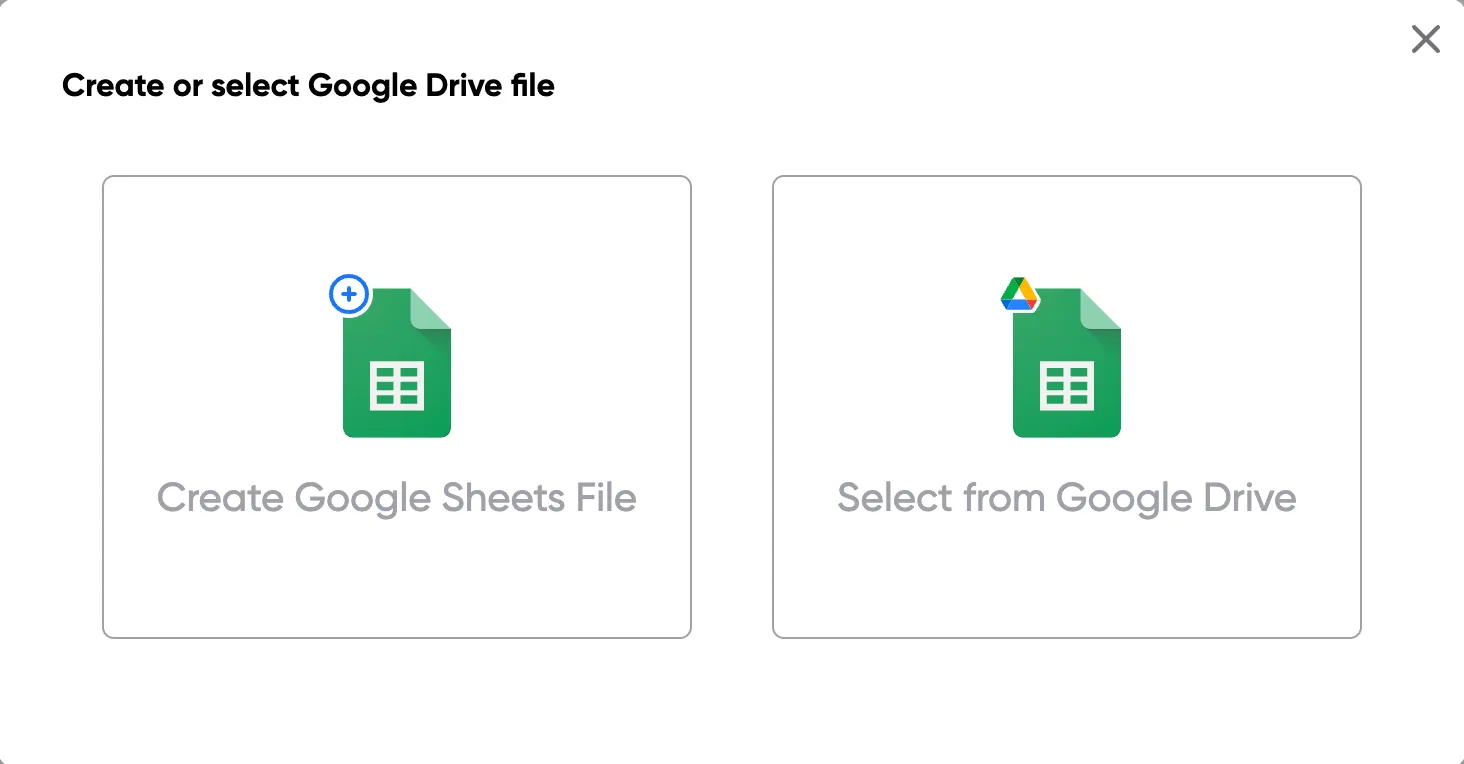
Step 1: Open a Google Sheet
Open a Google Sheet with your contract data. Include party names, terms, effective dates, and any other fields you need to merge into your contracts.
Step 2
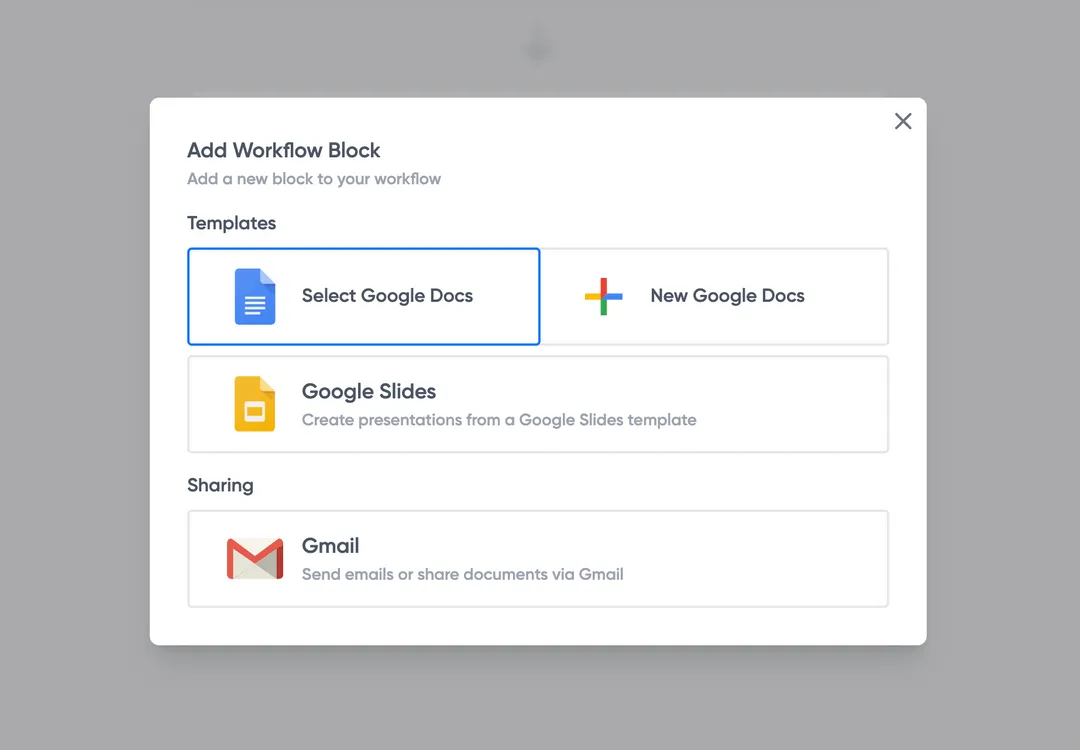
Step 2: Connect your contract template
Open the Portant add-on and connect your Google Docs contract template. Portant scans for merge tags and maps them to your spreadsheet columns.
Step 3
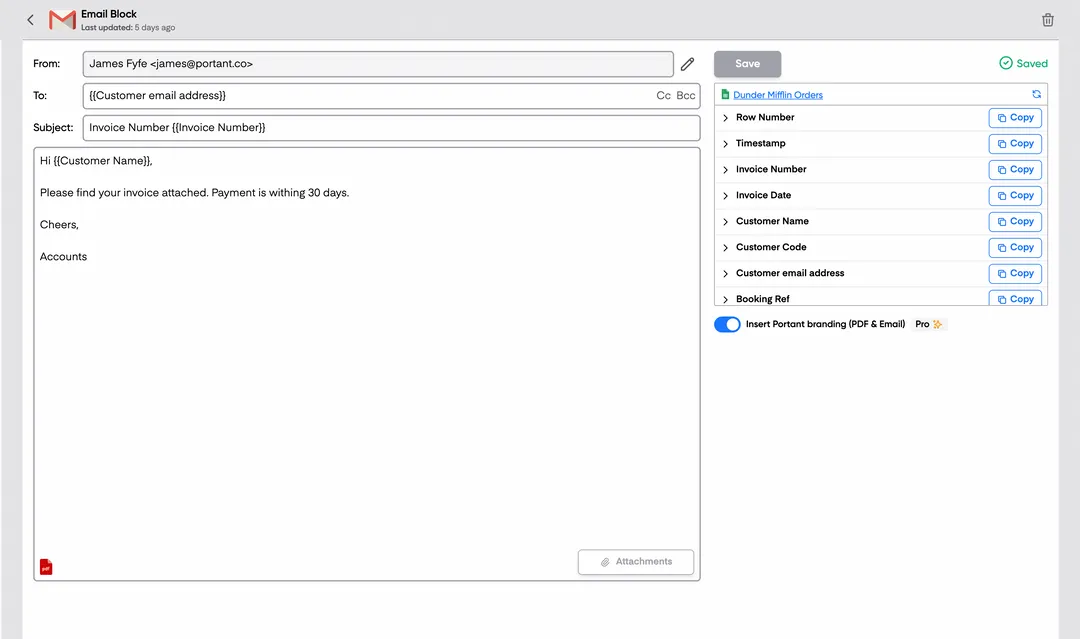
Step 3: Customize your output
Set up your delivery method. Email contracts to signers, save as PDFs in Google Drive, or request eSignatures directly through Portant. Use merge tags in emails too.
Step 4
Step 4: Automate your contracts
Turn on auto-create to generate contracts for every new row. Process rows in batches or schedule the workflow to run at set times.
Eliminate unnecessary manual work
Stop spending hours copying and pasting data from spreadsheets into documents. Portant automates the entire process, pulling data directly from your source and generating completed documents in seconds. Focus on the work that matters, not repetitive formatting tasks.
Make your documents more accurate
Manual document creation leads to errors, from wrong names to outdated figures. Portant maps data fields directly to your template, eliminating typos and ensuring every document is accurate and consistent. Your team sends fewer corrections and your clients get the right information every time.
Built into Google Workspace
Portant works natively with Google Docs, Sheets, Slides, and Gmail. There is no new interface to learn, no data to export, and no switching between tools. Your team stays in the apps they already use while Portant handles the document generation in the background.
What teams say about Portant
“Portant has been a game-changer for Clipboard! It's saved our sales team countless hours every week by generating order forms, proposals and contracts with info from HubSpot automatically filled in.”
“This product is a gamechanger for all of those painful manual document merges. Love what you and the team have built!”
“This software brilliantly takes over the tedious process of creating and sending invoices. This not only saves time but massively reduces errors of data entry.”
“Love this product. Have been using it for over a year and the integration to Google Workspace is awesome. Lots of credit for listening to your users!”
“Truly a gamechanger! Portant streamlines these tasks and allows me to focus on the things that require my attention and problem-solving!”
“Portant has been a game-changer for Clipboard! It's saved our sales team countless hours every week by generating order forms, proposals and contracts with info from HubSpot automatically filled in.”
“This product is a gamechanger for all of those painful manual document merges. Love what you and the team have built!”
“This software brilliantly takes over the tedious process of creating and sending invoices. This not only saves time but massively reduces errors of data entry.”
“Love this product. Have been using it for over a year and the integration to Google Workspace is awesome. Lots of credit for listening to your users!”
“Truly a gamechanger! Portant streamlines these tasks and allows me to focus on the things that require my attention and problem-solving!”
Frequently asked questions
Yes, electronic signatures are valid and legally recognized in many jurisdictions for sales contracts and can be used for agreements, including binding purchase agreements and real estate transactions. These electronically signed contracts hold the same legal force as traditional signatures. An electronic signature ensures that each party agrees to the specified terms, including risk of loss, buyer’s rights, and responsibility to notify the seller in the event of non-delivery or late payments. Using a secure platform for the agreement ensures both buyer and seller meet all requirements and provides legal protection for both parties.
A sales contract template is a legally binding contract used for real estate transactions, the sale of goods, and services, ensuring clarity of terms and minimizing disputes over items like buyer’s failure, payment, and delivery terms. Such templates outline the entire agreement between parties, including the buyer’s and seller’s responsibilities, risk of loss, purchase price, payment terms, and inspection rights, making sure the buyer agrees to all applicable warranties. In cases of complex transactions, this document can serve as both a bill of sale and a written notice of each party’s rights and obligations.
If a buyer or seller defaults on a legally binding sales agreement, the defaulting party may be required to cover damages, closing costs, and other associated fees, including attorneys fees if necessary. Both parties should refer to the agreed terms in the contract, especially the clauses regarding payment, risk of loss, warranties, and any agreed-upon conditions. It's important to have written notice for any defaults to facilitate resolution through mediation or competent jurisdiction if disputes arise. This helps both parties maintain their rights under the agreement while adhering to governing law.
A sales contract should be used for significant transactions involving large sums, ongoing obligations, or situations requiring buyer’s rights to inspection and warranties, like in real estate or the sale of goods. Unlike a simple invoice, a legally binding sales contract or purchase agreement clearly defines the buyer’s address, specific closing date, and any contingencies related to risk of loss. It provides greater legal security by ensuring that terms are enforced and parties meet their responsibilities as per the binding contract, with any non-delivery explicitly covered under the contract.
To make a sales contract enforceable, include key provisions like closing costs, warranty disclaimers, risk of loss, and the buyer’s inspection rights. Each party should sign the contract, acknowledging their role and responsibilities. It’s also essential to specify governing law, notify seller in case of non-compliance, and outline payment terms and delivery timelines. This provides a clear outline of each party’s rights and obligations, ensuring that the contract holds up in any competent jurisdiction if disputes arise, particularly around buyer’s or seller’s failure to meet their obligations.
Avoid neglecting to customize terms specific to the transaction, such as payment terms, warranties, buyer’s inspection rights, and the risk of loss. Other common errors include failing to give written notice of default, not clarifying the buyer’s right to receive goods in a particular condition, and ignoring the timeline for delivery. Failing to include all necessary terms in the legally binding document can lead to disputes, especially regarding the buyer’s address, applicable warranties, or the enforceability of the contract in case of issues with delivery, defects, or payment obligations.
Sales contract templates are suitable for a wide range of transactions, from real estate to goods and services. These templates may include specific terms related to buyer’s rights, written notice requirements, risk of loss, and payment schedules. For instance, in real estate, the contract might detail closing costs and buyer’s inspection rights, while a goods agreement might specify conditions under which the buyer’s rights to reject defective goods apply. Including terms for these contingencies helps mitigate disputes and ensures a smooth transaction between buyer and seller.
Include dispute resolution clauses, such as arbitration or litigation, and specify the governing law to handle disputes effectively. It’s crucial to outline buyer’s rights, seller’s disclaimers of implied warranties, and provide for written notice requirements to notify the other party of any issues. Additionally, specifying the risk of loss and responsibilities related to defect claims or transportation shortages protects each party’s interests. Defining these terms helps in enforcing the contract in competent jurisdiction, reducing the risk of future disputes and ensuring all terms are clear.
Explore related templates
Vendor NDA Template
Automatically create vendor ndas with this NDA template.
View template Contract templateUnilateral NDA Template
Automatically create unilateral ndas with this NDA template.
View template Contract templateStartup NDA Template
Automatically create startup nda templates with this NDA template.
View template Contract templateEmployee NDA Template
Automatically create employee ndas with this NDA template.
View template Contract templateNDA Template (Non-Disclosure Agreement)
Create, customize, and e-sign a non-disclosure agreement in minutes. Free NDA template, automated with Google Docs, exportable to Word or PDF.
View template Contract templateMutual NDA (mNDA) Template
Create, customise, and e-sign a mutual non-disclosure agreement (mNDA) in minutes. Free template, automated with Google Docs.
View template