
Contract template
Contract Termination Letter Template
End a contract on clear terms. Customize the termination reason, effective date, and outstanding obligations, then send the letter for signature in minutes.
Trusted by teams at










Contract Termination Letter Template
A contract termination letter is the formal way to end a contract. It states which contract is being terminated, the effective date, the reason (if you choose to give one), and any outstanding obligations both sides need to settle. Whether you are ending a service agreement, a consulting contract, a vendor relationship, or an employment arrangement, a clean termination letter creates a written record that protects both parties and prevents misunderstandings later.
Our free contract termination letter template gives you a structured starting point. Drop in the contract details, the parties involved, the effective date, the notice period, and any final-payment or handover terms. Use it as a one-off Google Docs template, or pair it with Portant to automate the whole process. Connect a Google Sheet of contracts you are ending, link the template, and Portant generates a personalised termination letter for each row, ready to send for signature.
The template covers the essentials of a termination letter: a clear statement of intent to terminate, the contract being referenced, the effective date, the basis for termination (notice period, breach, mutual agreement, or end of term), any final payments or deliverables outstanding, and signatures. Add or remove clauses based on your situation and the original contract terms.
Termination letters work best when paired with a written contract that explains the termination process. If you do not yet have one, start with a business contract template or service contract template that includes a termination clause. Future terminations will then follow a process both sides agreed to up front.
How to automate your contract termination letters

Step 1
Open Sheet
Select the Google Sheet you want to use as the data source for your termination letters. Portant pulls in contract names, party details, effective dates, and outstanding obligations.

Step 2
Connect Template
Connect your Google Docs contract termination letter template. Portant links it to your spreadsheet so it knows which fields to merge into each letter.

Step 3
Customize
Customize your termination letter with merge tags like {{Contract Name}}, {{Termination Date}}, and {{Outstanding Obligations}}. Format it with your branding, colours, and layout.

Step 4
Create
Create termination letters automatically when new rows are added to your sheet, or generate them in batches. Send via email or save to Google Drive.
How to automate your contract termination letters with a template
Step 1
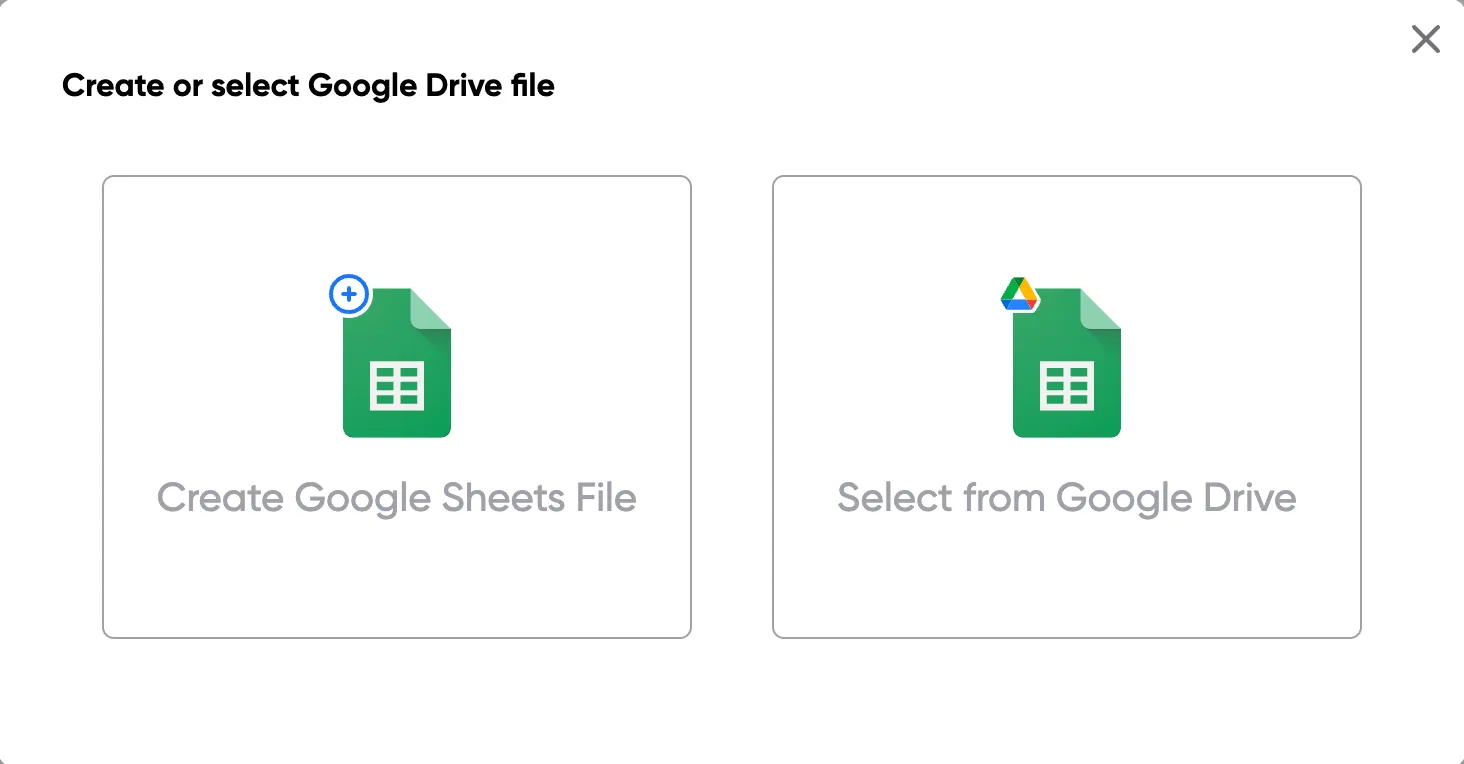
Step 1: Open a Google Sheet
Open a Google Sheet with the contract details you need to terminate. Include the contract name, the other party, the effective termination date, and any final-payment or handover items.
Step 2
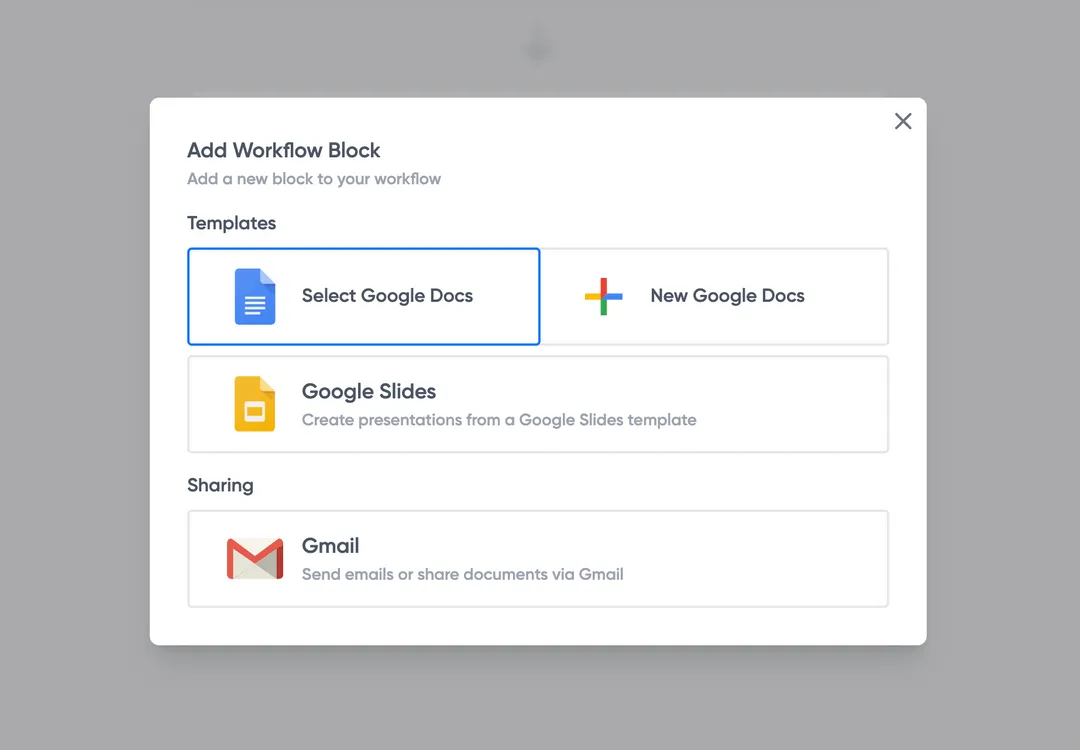
Step 2: Connect your termination letter template
Open the Portant add-on and connect your Google Docs contract termination letter template. Portant scans for merge tags and maps them to your spreadsheet columns automatically.
Step 3
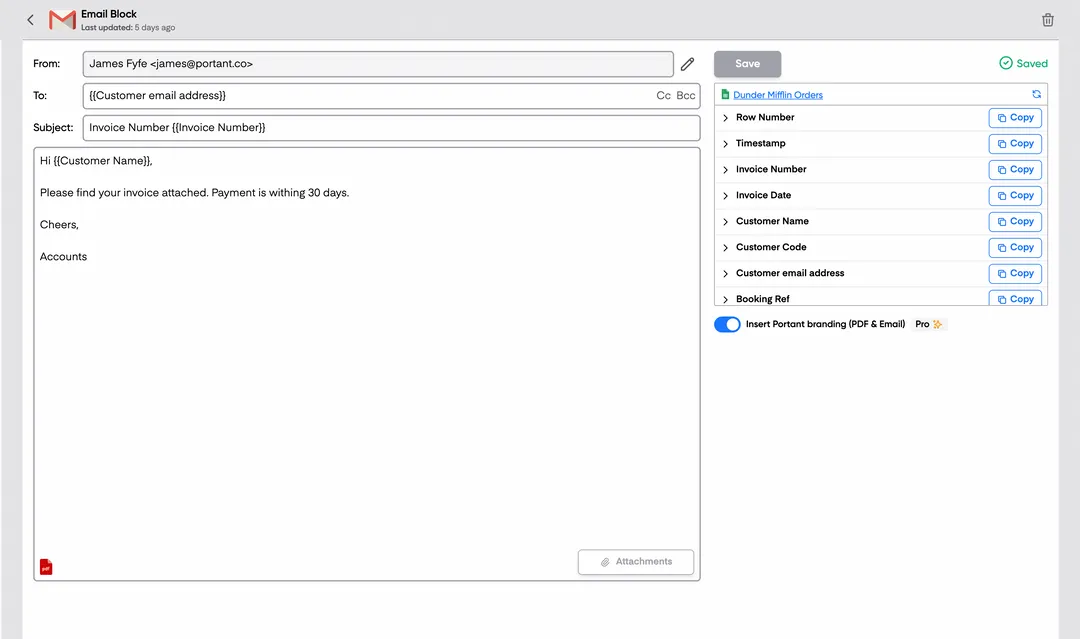
Step 3: Customize your output
Set up your delivery method. Email termination letters directly, save as PDFs in Google Drive, or request eSignatures via Portant so the receipt and signed copy are filed automatically.
Step 4
Step 4: Automate your terminations
Turn on auto-create to generate a termination letter for every new row. Process rows in batches at the end of a quarter, or trigger the workflow when a contract is marked for termination in your CRM.
Eliminate unnecessary manual work
Stop spending hours copying and pasting data from spreadsheets into documents. Portant automates the entire process, pulling data directly from your source and generating completed documents in seconds. Focus on the work that matters, not repetitive formatting tasks.
Make your documents more accurate
Manual document creation leads to errors, from wrong names to outdated figures. Portant maps data fields directly to your template, eliminating typos and ensuring every document is accurate and consistent. Your team sends fewer corrections and your clients get the right information every time.
Built into Google Workspace
Portant works natively with Google Docs, Sheets, Slides, and Gmail. There is no new interface to learn, no data to export, and no switching between tools. Your team stays in the apps they already use while Portant handles the document generation in the background.
What teams say about Portant
“Portant has been a game-changer for Clipboard! It's saved our sales team countless hours every week by generating order forms, proposals and contracts with info from HubSpot automatically filled in.”
“This product is a gamechanger for all of those painful manual document merges. Love what you and the team have built!”
“This software brilliantly takes over the tedious process of creating and sending invoices. This not only saves time but massively reduces errors of data entry.”
“Love this product. Have been using it for over a year and the integration to Google Workspace is awesome. Lots of credit for listening to your users!”
“Truly a gamechanger! Portant streamlines these tasks and allows me to focus on the things that require my attention and problem-solving!”
“Portant has been a game-changer for Clipboard! It's saved our sales team countless hours every week by generating order forms, proposals and contracts with info from HubSpot automatically filled in.”
“This product is a gamechanger for all of those painful manual document merges. Love what you and the team have built!”
“This software brilliantly takes over the tedious process of creating and sending invoices. This not only saves time but massively reduces errors of data entry.”
“Love this product. Have been using it for over a year and the integration to Google Workspace is awesome. Lots of credit for listening to your users!”
“Truly a gamechanger! Portant streamlines these tasks and allows me to focus on the things that require my attention and problem-solving!”
Frequently asked questions
A contract termination letter is a written notice from one party to another stating that a contract is being ended. It typically includes the contract being terminated, the effective date of termination, the reason (optional but often helpful), the notice period being honoured, and any outstanding obligations both parties need to settle. The letter creates a formal record of the termination, which can be important if there is a dispute later about when the contract ended or what obligations remained.
A clear termination letter includes seven elements: the date of the letter, the names and addresses of both parties, a reference to the original contract being terminated (with date and contract reference if available), a clear statement of intent to terminate, the effective date of termination, the basis for termination (notice period, breach, mutual agreement, or end of term), and any outstanding obligations or next steps. End with a signature block for both parties to acknowledge the termination.
The notice period depends on what the original contract says. Most contracts include a termination clause that specifies a notice period — typically 30, 60, or 90 days, but it can be anything the parties agreed to. If the contract is silent on notice, a reasonable notice period is usually expected, and what counts as reasonable depends on the type of contract, the length of the relationship, and the industry. Always check the original contract first; if you are unsure, get legal advice before serving a termination notice.
It depends on the contract. Some contracts include a "termination for convenience" clause that lets either party end the contract without cause, usually with a defined notice period. Others only allow termination for specific reasons — material breach, insolvency, or end of term. If the contract has no termination clause at all, you may be limited to terminating for breach or by mutual agreement. Read the original contract before drafting a termination letter, and if the contract requires a reason, state it clearly in the letter.
Not always required, but strongly recommended. A signed letter from both parties acts as a mutual acknowledgement that the contract has ended, which makes it much harder for either side to claim later that the termination was invalid. If the other party will not sign, send the letter via a tracked method (registered post or email with read receipt) so you have proof of delivery. Use eSignatures via Portant to send for signature directly from the document and have the signed copy saved automatically.
Outstanding obligations should be addressed explicitly in the termination letter. Common items: final invoices for work completed, return of client materials or equipment, transfer of work-in-progress, return or destruction of confidential information, and any survival clauses (like non-compete or IP assignment) that continue beyond termination. List them in the letter so both sides agree on what still needs to happen, and set a target date for each. Anything ambiguous now is a future dispute waiting to happen.
No. A notice of breach is a formal communication that the other party has failed to meet a contractual obligation, usually with an opportunity to cure the breach within a set period. A termination letter ends the contract. The two often work together: you send a notice of breach first, give the cure period, and if the breach is not remedied, you then send a termination letter referencing the unremedied breach as the basis for termination. Sending a termination letter without first following the notice and cure process the contract requires can itself be a breach.
Explore related templates
Statement of Work (SOW) Template
Generate professional statements of work in minutes. Define scope, deliverables, and timelines, then automate the whole process from a Google Sheet.
View template Contract templateService Contract Template
Copy our Service Contract Template, and automate your contract process.
View template Contract templateConsulting Contract Template
Copy our Consulting Contract Template, and automate your contract process.
View template Contract templateBusiness Contract Template
Simplify your contract process with our contract template for business agreements. Customize with ease and save time.
View template Contract templateFreelance Contract Template
Copy our Freelance Contract Template, and automate your contract process.
View template Contract templateContractor Contract Template
Copy our contractor agreement template and automate your contract process seamlessly.
View template Contract templateIndependent Contractor Agreement Template
Download a free independent contractor agreement template, set the scope, pay and IP terms, and e-sign it in minutes.
View template Contract templateCommercial Contract Template
Copy our commercial contract template to simplify invoices, manage payment terms, and ensure business obligations are met.
View template Contract templateGoogle Docs Contract Template
Create, customize, and send contracts directly from Google Docs.
View template Contract templateGoogle Sheets Contract Template
Copy our Google Docs contract template and automate your contracts. Save time with customizable free contract templates, perfect for service contracts or rental agreements.
View template Contract templateDesign Contract Template
Copy our Graphic Design Contract Template to automate client projects seamlessly. Includes payment terms, intellectual property rights, and more to streamline your contract process.
View template Contract templateConstruction Contract Template
Copy our Construction Contract Template, and automate your contract process.
View template