
Most sales proposals read like the seller's annual report, not the buyer's decision brief. That framing difference is why research from RAIN Group shows only 47% of sellers win the deals they formally propose: more than half of all carefully written proposals end in a no. The fix is not a longer document or a fancier PDF. It is a cleaner structure, a sharper problem statement, and a system for getting the proposal out the door without rebuilding it from scratch every time. This guide covers all three.
What is a sales proposal?
A sales proposal is a written document you send to a prospect after discovery. Its purpose is to make the decision easy: here is your problem, here is how we solve it, here is what it costs, and here is what you need to do next.
It is not a brochure, a case for your company, or a collection of product slides. It is a buyer-specific argument, built from what you learned in discovery calls.
Most B2B proposals run 5 to 10 pages. Shorter than that and you probably have not addressed the prospect's specific concerns. Longer and the decision-maker who only reads the executive summary stops there, and nearly all of them stop there.
A proposal follows discovery, not a cold pitch. If you are sending proposals to people who have not yet agreed they have a problem worth solving, you are sending the wrong document. Those conversations need a pitch deck or a discovery call, not a formal proposal.
Sales proposal vs. quote vs. pitch deck
These three documents serve different moments in the sales cycle:
| Document | When you use it | What it answers |
|---|---|---|
| Pitch deck | Early stage, before scope is defined | Why should we talk to you? |
| Sales proposal | After discovery, before commitment | How do you solve our specific problem? |
| Quote | Scope confirmed, moving to price | What does it cost, exactly? |
A proposal sits in the middle. It does the heaviest lifting: it takes everything you learned in discovery and translates it into a case for why your solution is the right one at a specific price. A quote is what comes after the prospect has already accepted your proposal in principle. Sending a quote in place of a proposal skips the persuasion step entirely.
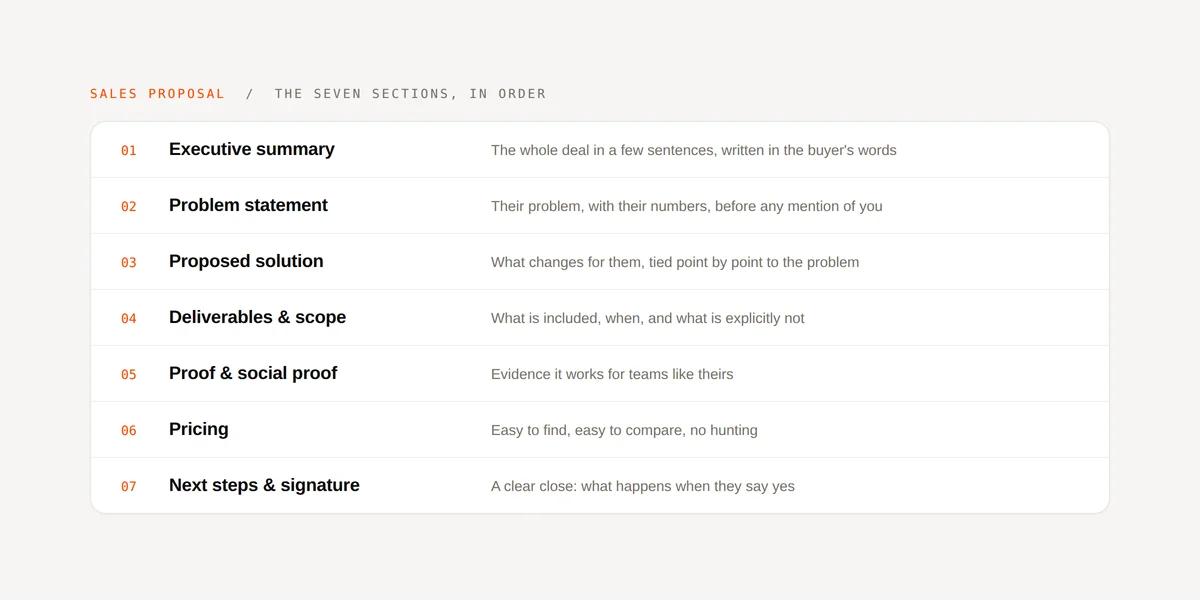
The seven sections of a winning sales proposal
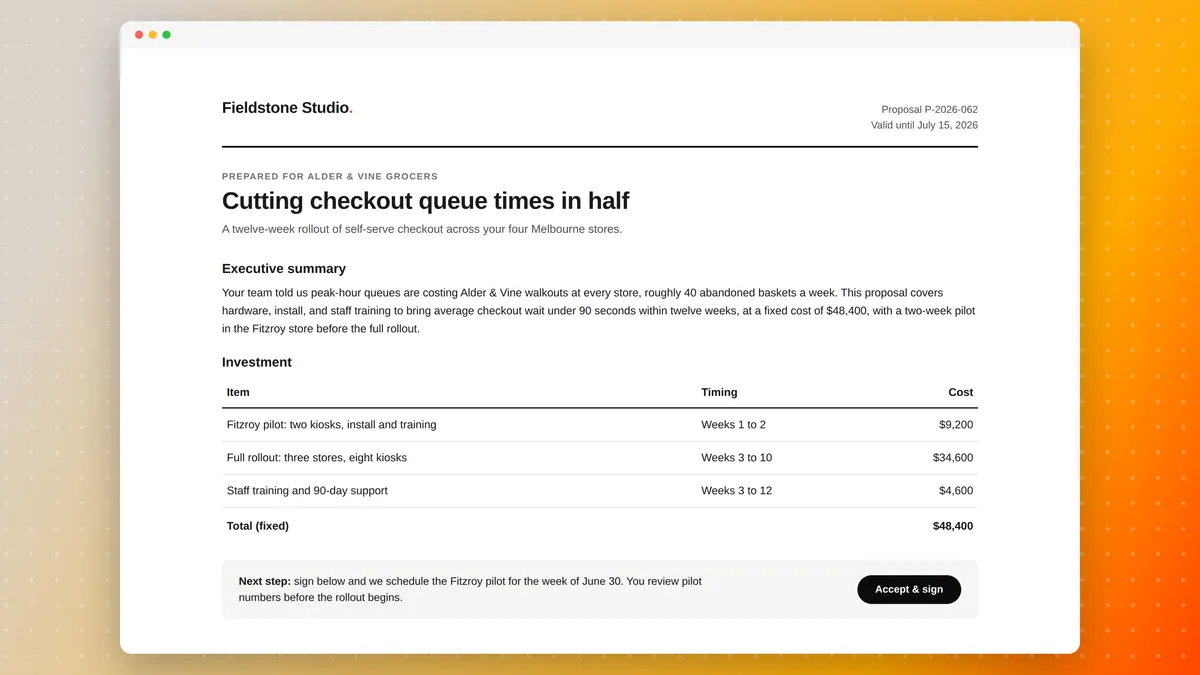
Strong proposals follow a consistent structure. Here is what belongs in every one, and what to put in each section.
1. Executive summary
The executive summary is the only section every decision-maker will read, so it needs to stand on its own. Limit it to one page. Cover three things: the prospect's core problem as you heard it in discovery, your proposed solution in two sentences, and the outcome they can expect. Do not start with your company's history. Lead with the buyer.
2. Problem statement
Restate the prospect's problem in their own words, not yours. Reference what they told you in discovery: the missed revenue target, the proposal bottleneck, the compliance gap. If you can quote them back to themselves, do it. This section proves you were listening, and it separates your document from every generic proposal they have received this quarter.
3. Proposed solution
Describe what you will do, how it works, and why it fits their situation. Be specific. Name the deliverables, the timeline, and any dependencies. Avoid features lists. Stick to what the solution does for them. "Your team will generate a signed proposal from HubSpot in under two minutes" lands better than "Automated document generation with CRM integration."
4. Deliverables and scope
List exactly what is included, and what is not. Scope creep starts here. A clear deliverables section protects both sides: the prospect knows what they are buying, and your team knows what it is committing to. If the engagement has phases, break them out. If there are add-ons you commonly sell later, name them explicitly as out of scope now so the conversation happens on your terms, not in a dispute after kickoff.
5. Proof and social proof
One well-chosen case study is worth three pages of feature descriptions. Pick a customer who faced the same problem the prospect described. Summarize it in three to four sentences: the problem, the approach, the outcome, and a number if you have one. If you have a recognizable logo from a company the prospect respects, include it. Logos carry more weight than paragraphs.
6. Pricing
Put the price in the proposal. Not in a follow-up email, not in a separate conversation, not in a note that says "we will discuss this on the call." Withholding price creates friction and signals that you are uncertain about your own value. Present it as a clean table: what is included, what it costs, what payment terms apply. If you are offering tiered options, show two or three tiers. More than that and you have created a decision problem instead of a buying decision.
7. Next steps and signature
Close the proposal with a specific, low-friction action. "Sign below to kick off onboarding" beats "Let us know if you have any questions." If you use an eSignature tool, link directly to the signature block. If you offer a call to review the proposal together, include a booking link. Make the easiest path forward obvious, and make it require exactly one click.

Four mistakes that sink proposals
Starting with your company
Opening with "About Us" is the fastest way to lose a deal before the second page. Decision-makers want to know you understand their problem, not how many years you have been in business. Move the company background to an appendix, or cut it entirely. The only time your history matters is after the prospect already believes you can solve their problem.
Sending a generic document
Customers notice a copy-pasted proposal instantly. When the copy sounds generic, when nothing matches what they told you in the call, when even the problem statement could belong to anyone, the proposal signals that you are not paying attention. Personalize in at least three specific places: the problem statement, the solution section, and the case study you select. Generic proposals lose to personalized ones even when the product is better.
Missing a clear close
Proposals that end with "please let us know if you have questions" have no close. The prospect finishes reading, feels no urgency, and puts the document in their inbox where it dies over the following two weeks. End every proposal with a single, specific action. One click. One call. One signature.
Making the price hard to find
Some sellers bury the price at the back or withhold it entirely to hold leverage. Prospects have seen this before, and it reads as a lack of confidence. Upfront, clear pricing reduces the back-and-forth that drags out sales cycles, and it signals that you believe your price is fair. Put it where it belongs: in the proposal, with context around what it includes.
Stop rebuilding every proposal from scratch
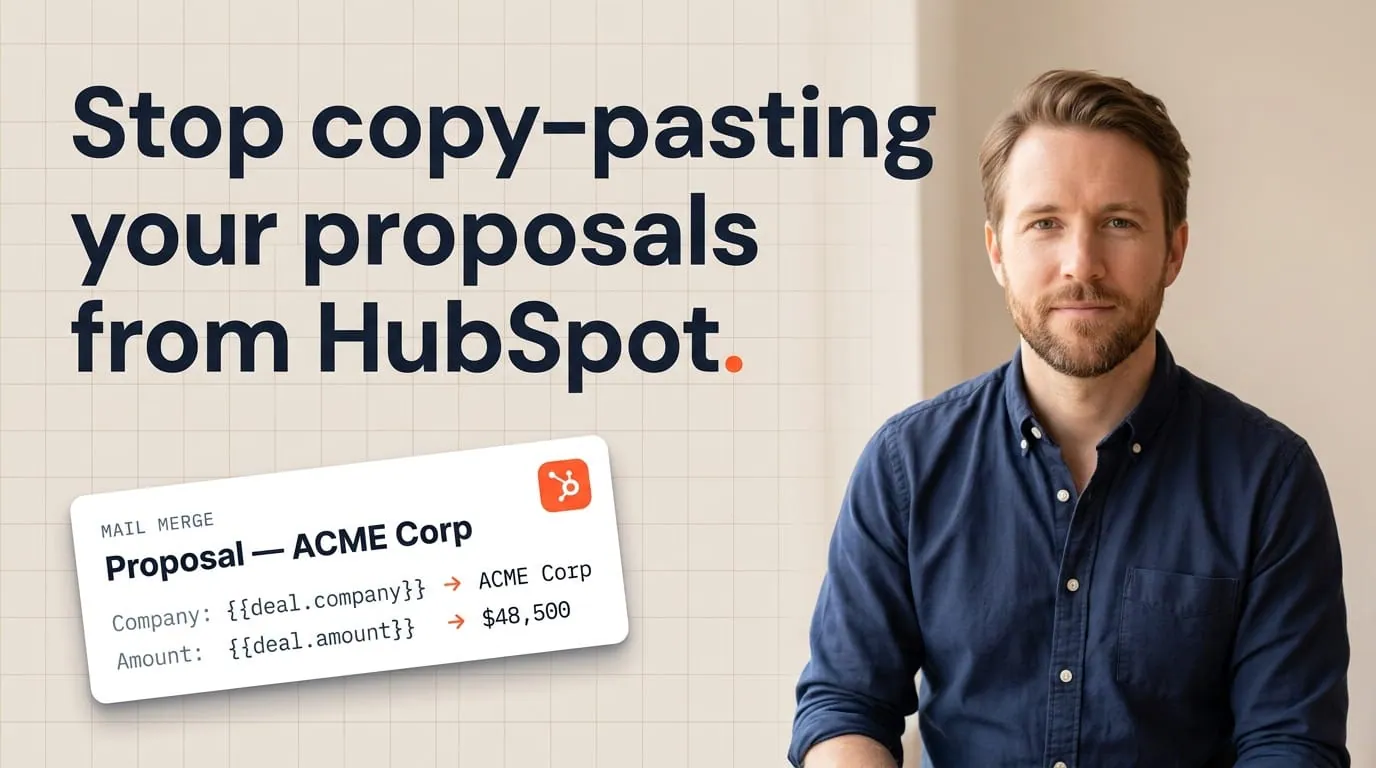
A well-structured sales proposal template solves the content problem. The remaining friction is the data: every proposal requires copying the prospect's name, company, deal value, and custom terms from your CRM into the document. For a team sending 30 proposals a quarter, at 45 minutes of manual assembly each, that is more than 22 hours of copy-paste work per quarter per rep.
Teams using HubSpot can eliminate that step. Connect your Google Docs or Word sales proposal template to HubSpot with Portant, map deal fields to the template tags, and the document generates in seconds from the deal record with every field already filled in. No copy-paste. No version confusion. No errors from a deal value that changed after you sent the proposal.
For a step-by-step setup, see the proposal automation playbook or the full guide on how to automate proposals in HubSpot. If your team also needs a manager to review and approve before the proposal goes out, the HubSpot document approval workflow guide covers that too.
For proposals that require a signature, Portant routes the finished document to eSignature directly from HubSpot. The whole cycle, from generating the proposal to collecting the signature, happens inside the CRM without switching tabs.
Frequently asked questions
What is a sales proposal?
A sales proposal is a written document sent to a prospect after discovery. It covers their specific problem, your proposed solution, deliverables and scope, proof, pricing, and a clear next step. Its goal is to make the buying decision as easy as possible.
How long should a sales proposal be?
Most B2B sales proposals run 5 to 10 pages. Shorter leaves important questions unanswered. Longer risks losing the decision-maker who only reads the executive summary. Match the length to the complexity of the sale: a simple service engagement needs 5 pages; a six-figure platform deal might warrant 10.
What is the difference between a sales proposal and a quote?
A sales proposal makes the case for your solution and addresses the prospect's specific problem. A quote provides a price breakdown and payment terms after the prospect has already accepted the proposal. A proposal comes first; a quote follows once the decision is effectively made.
How do you end a sales proposal?
End with a single, specific action: a signature block, a calendar link, or a call to action such as "Sign to confirm and we start Monday." Avoid vague closes. Give the prospect one clear, easy path forward. Every extra step between "I want this" and "I signed" costs you deals.