
Proposal template
Proposal Invoice Template
Copy our Proposal Invoice Template, and automate your proposal process.

Trusted by teams at










Proposal Invoice Template
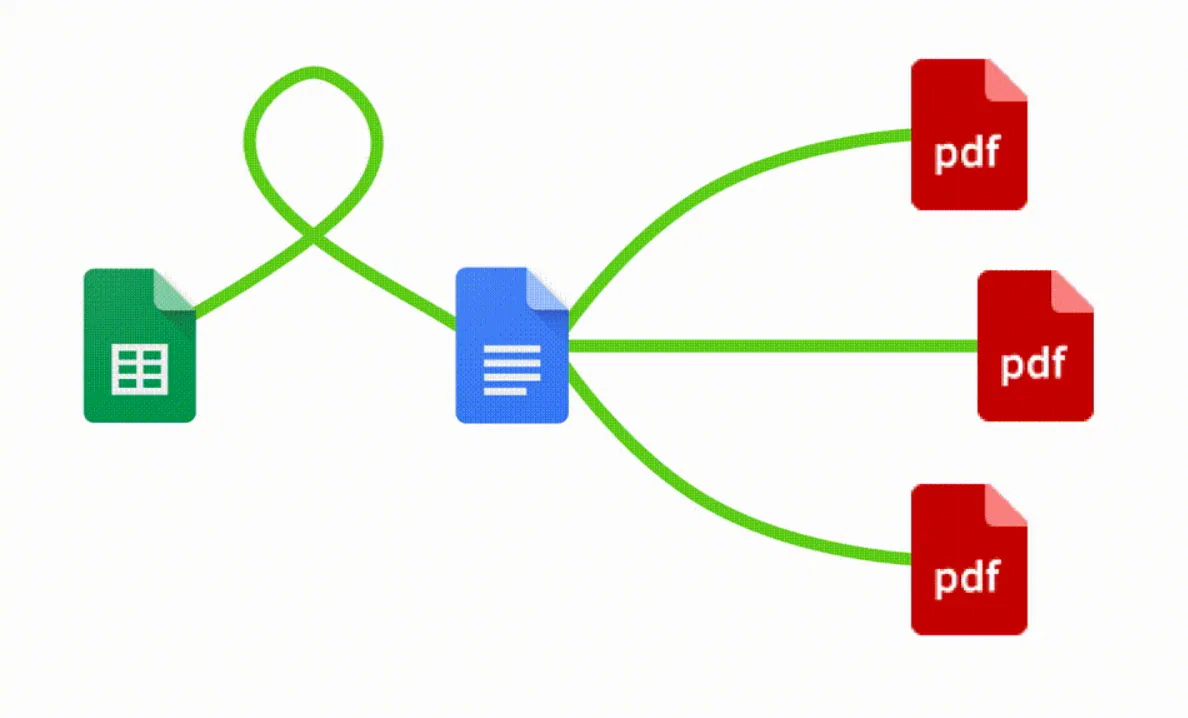
You can create proposal invoice templates automatically from Google Sheets in a few easy steps. It is simple to use Portant as a free proposal invoice template which contains all kinds of different elements including your logo, unique proposal numbers, payment terms and contact information. After you've opened Portant Workflow, select your Google Sheet, then connect a Google Docs proposal template, customise your proposal invoice template with column tags, attach it to an email and finally click 'Start automation', and voila!, you’ve automated your proposal invoice process from Google Sheets!
We know how painful and monotonous it can be to copy and paste data into proposal invoice templates, double check all the information is correct, save it as a pdf and then send the proposal invoices to your customers. That’s why we’ve come to the rescue.
With Portant, you can connect a Google Sheet to a proposal invoice template, click a few buttons and proposals will be magically generated and sent whenever you need to. You can also customise the email and who it's sent from (e.g accounts@portant.co). It's easy to place your proposal invoice on autopilot.
How to automate your proposal invoices

Step 1
Open Sheet
Select the Google Sheet you want to use as the data source for your proposals. Portant connects directly to your spreadsheet to pull in the data it needs.

Step 2
Connect Template
Connect your Google Docs, Slides, or Sheets proposal template. Portant will link it to your spreadsheet data source so it knows which fields to merge.

Step 3
Customize
Customize your proposal with merge tags like {{Client Name}}, {{Project Scope}}, and {{Pricing}}. Format it with your branding, colours, and layout.

Step 4
Create
Create proposals automatically when new rows are added to your sheet, or generate them manually in batches. Send via email or save to Google Drive.
How to automate your proposal invoices with a template
Step 1
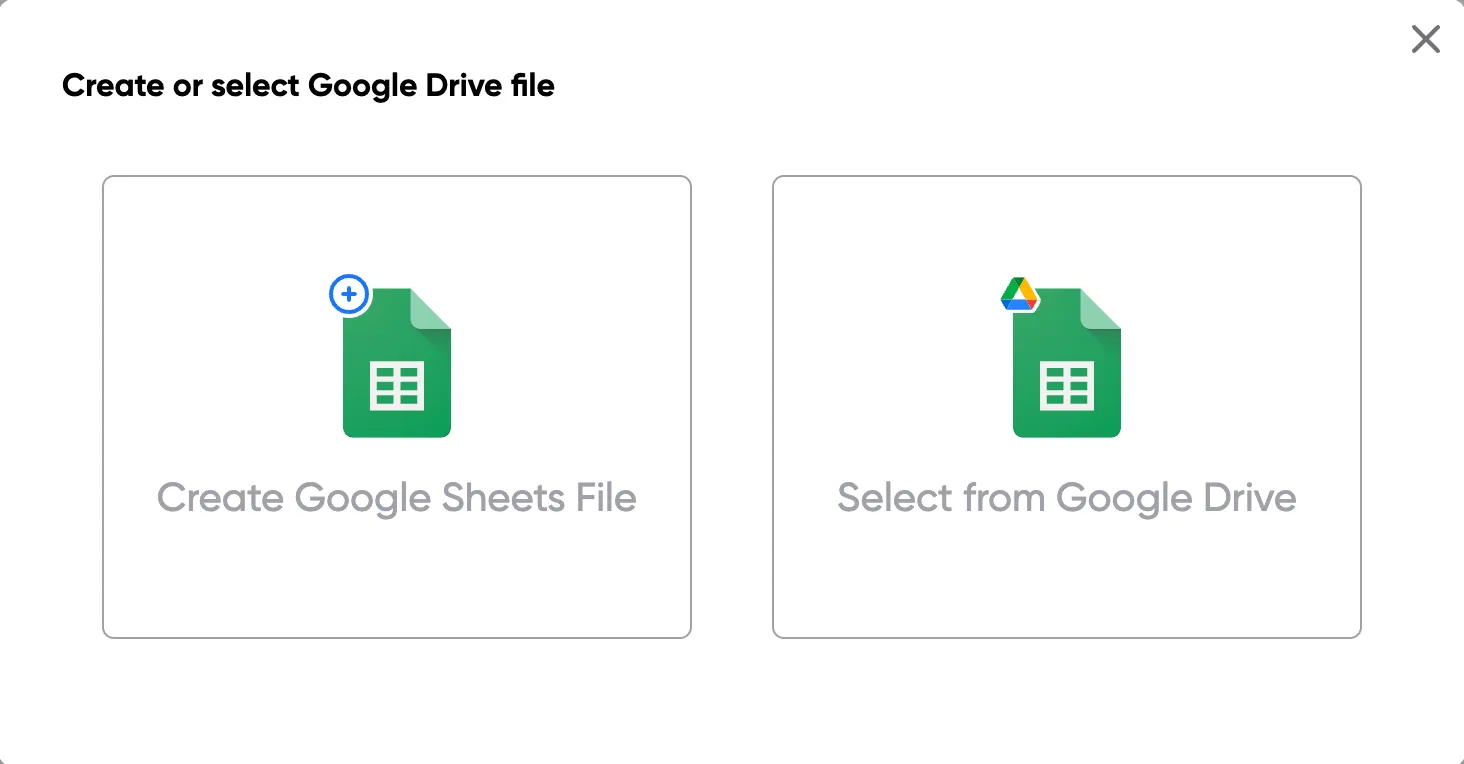
Step 1: Open a Google Sheet
Open a Google Sheet with your proposal data. Include client details, project scope, deliverables, timelines, and pricing. Create a new sheet if you need one.
Step 2
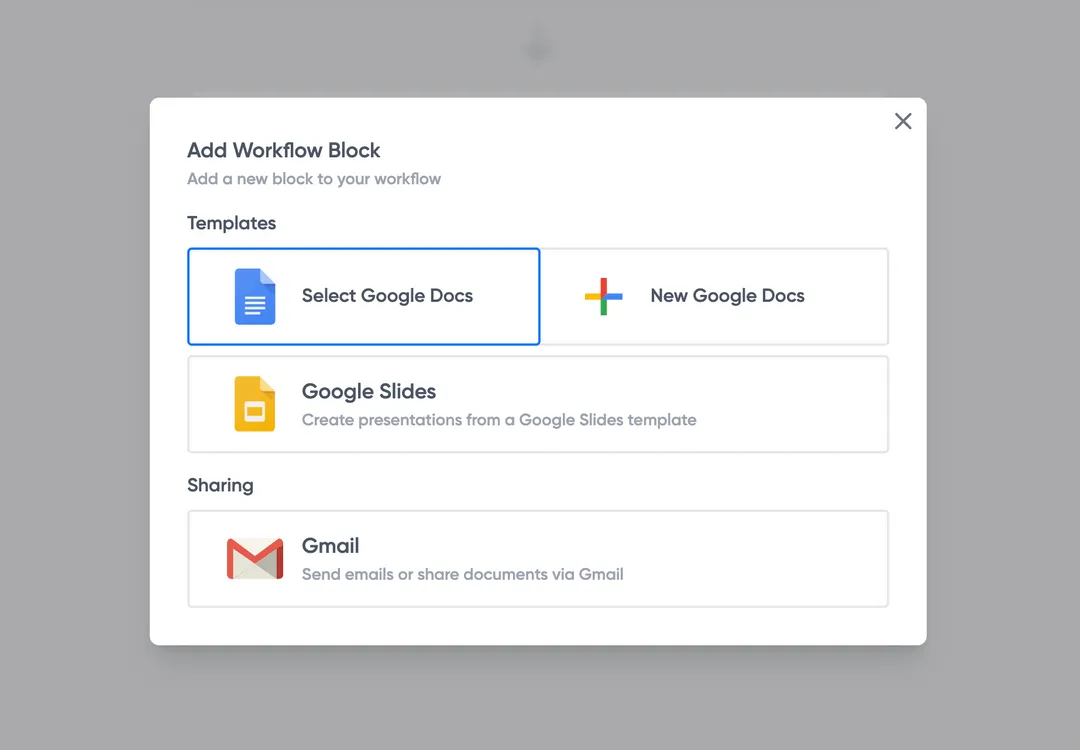
Step 2: Connect your proposal template
Open the Portant add-on and connect your Google Docs or Slides proposal template. Portant scans for merge tags and maps them to your spreadsheet columns.
Step 3
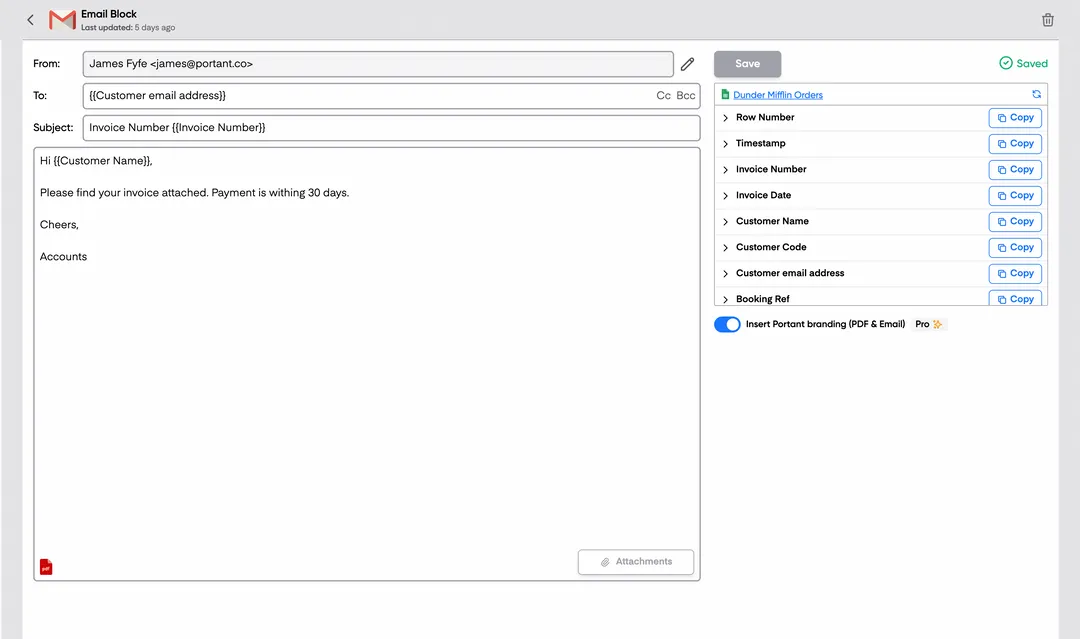
Step 3: Customize your output
Set up your delivery method. Email proposals directly to clients, save as PDFs in Google Drive, or request eSignatures. Use merge tags in email subjects and bodies.
Step 4
Step 4: Automate your proposals
Turn on auto-create to generate proposals for every new row. Process rows in batches or schedule the workflow to run at set times.
Eliminate unnecessary manual work
Stop spending hours copying and pasting data from spreadsheets into documents. Portant automates the entire process, pulling data directly from your source and generating completed documents in seconds. Focus on the work that matters, not repetitive formatting tasks.
Make your documents more accurate
Manual document creation leads to errors, from wrong names to outdated figures. Portant maps data fields directly to your template, eliminating typos and ensuring every document is accurate and consistent. Your team sends fewer corrections and your clients get the right information every time.
Built into Google Workspace
Portant works natively with Google Docs, Sheets, Slides, and Gmail. There is no new interface to learn, no data to export, and no switching between tools. Your team stays in the apps they already use while Portant handles the document generation in the background.
What teams say about Portant
“Portant has been a game-changer for Clipboard! It's saved our sales team countless hours every week by generating order forms, proposals and contracts with info from HubSpot automatically filled in.”
“This product is a gamechanger for all of those painful manual document merges. Love what you and the team have built!”
“This software brilliantly takes over the tedious process of creating and sending invoices. This not only saves time but massively reduces errors of data entry.”
“Love this product. Have been using it for over a year and the integration to Google Workspace is awesome. Lots of credit for listening to your users!”
“Truly a gamechanger! Portant streamlines these tasks and allows me to focus on the things that require my attention and problem-solving!”
“Portant has been a game-changer for Clipboard! It's saved our sales team countless hours every week by generating order forms, proposals and contracts with info from HubSpot automatically filled in.”
“This product is a gamechanger for all of those painful manual document merges. Love what you and the team have built!”
“This software brilliantly takes over the tedious process of creating and sending invoices. This not only saves time but massively reduces errors of data entry.”
“Love this product. Have been using it for over a year and the integration to Google Workspace is awesome. Lots of credit for listening to your users!”
“Truly a gamechanger! Portant streamlines these tasks and allows me to focus on the things that require my attention and problem-solving!”
Frequently asked questions
Unlike a standard invoice, which is issued after the completion of services to request payment, a proposal invoice is sent before the work begins. Using invoice templates (1) and customized invoices (1-2), it serves as a customized template invoice (2-4) to detail the proposed services, costs, and other essential payment details. This proposal invoice establishes a mutual understanding between the service provider and client, setting out business details (1-2) like the company name (1) and due date.
While a proposal invoice outlines financial and service details using a customized free invoice template (1-2), it typically doesn’t have the same binding legal power as a formal contract. However, this proposal invoice can be a vital part of the contracting and billing process, allowing businesses to include important details (1) like invoice number (1), credit card required (1-4) for payment, and other essential invoicing software information. In some cases, both a proposal invoice and a formal professional contract may be used to establish expectations with clients.
Yes, including payment terms and other special instructions (1) in a proposal invoice is crucial. An essential part of any invoice generator (3-22) process, including clear terms ensures that the billing process runs smoothly. Businesses often set up payment reminders (1-2) in their invoicing software and include payment schedules to organize and track payments. It also helps to include online payment options, like Paypal, to make it easy for clients to pay and ensure paid online (1-2) invoices.
If there are changes to the scope of work or costs after sending the template invoice (2-4), it's best to issue a revised invoice or addendum using your invoicing software and an updated custom invoice template. These adjustments (1-3) ensure that the important details (1) such as the project (1) scope and costs remain accurate. Invoice templates (1-14) make it easier to customize simple invoices (1-2) that reflect the new terms and maintain transparency.
Yes, a custom invoice can be tailored for various industries, from freelancing and consulting to construction, helping all kinds of businesses use customized invoices (1-2) for recurring services and free invoice templates (1). Many invoicing (1-8) template (2-9) options provide flexibility, allowing small businesses (2-6) and larger enterprises to handle customer (2-5) billing and invoice generator (3-22) needs efficiently. Adding a business logo (1) to each invoice can enhance branding (1-2) and professional invoices.
When creating a custom invoice for recurring services, it’s essential to clearly state the frequency, such as weekly or monthly, and specify the recurring payment and due date. Consider including payment reminders (1-2) and instructions for payment methods. Invoice templates (1-14) are helpful in setting up a track payments (1-2) structure to ensure customers (3-7) understand their obligations and any credit card required (1-4) payment options, reducing missed payments and making the invoicing process smoother.
If your business requires a deposit or partial payment before starting work, clearly specify this on the invoice generator (3-22) and include the credit card required (1-4) and paid faster option. Use custom invoices (1) to set up online payments through methods like Paypal and make sure the payment terms are clear. This saves time in billing and helps clients understand invoice templates (1-14) requirements.
Yes, most invoice templates (1-14) can be customized to include various payment methods, from credit cards to online payments through Paypal. This flexibility, available through invoicing software, lets businesses provide client-friendly payment choices, which makes it easier to track payments (1-2) and helps clients pay promptly. These options not only reduce the time-consuming billing process but also enhance the client experience by allowing them to choose convenient methods.
Explore related templates
Design Proposal Template
Copy our design proposal template to simplify your invoice process, ensuring clarity on project scope, deadlines, and client needs.
View template Proposal templatePrice Proposal Template
Copy our Price Proposal Template, and automate your proposal process.
View template Proposal templateWord Proposal Template
Copy our Word Proposal Template, and automate your proposal process.
View template Proposal templateExcel Proposal Template
Copy our Excel Proposal Template, and automate your proposal process.
View template Proposal templateGoogle Docs Proposal Template
Copy our Google Docs Proposal Template, and automate your proposal process.
View template Proposal templateGoogle Sheets Proposal Template
Copy our Google Sheets Proposal Template, and automate your proposal process.
View template Proposal templateSales Proposal Template
Copy our Sales Proposal Template, and automate your proposal process.
View template Proposal templateIndependent Proposal Template
Copy our Independent Proposal Template, and automate your proposal process.
View template Proposal templateRental Proposal Template
Copy our Rental Proposal Template, and automate your proposal process.
View template Proposal templateProforma Proposal Template
Copy our Proforma Proposal Template, and automate your proposal process.
View template Proposal templateBusiness Proposal Template
Copy our Business Proposal Template, and automate your proposal process.
View template Proposal templateConsulting Proposal Template
Copy our Consulting Proposal Template, and automate your proposal process.
View template