Your reps shouldn't be spending their evenings formatting proposals. But when every deal needs a custom document cobbled together from HubSpot data, a Google Doc, and three email threads, that's exactly what happens.
I've seen teams where a single proposal takes 45 minutes. Not because the deal is complex, but because the process is. Copy the company name. Check the pricing. Pull the right template. Fix the formatting. Double-check the numbers. Hope nothing changed since the call.
It's not just slow. It's demoralising. These are capable salespeople who should be selling, not wrestling with formatting at 9pm so a document can go out on time.
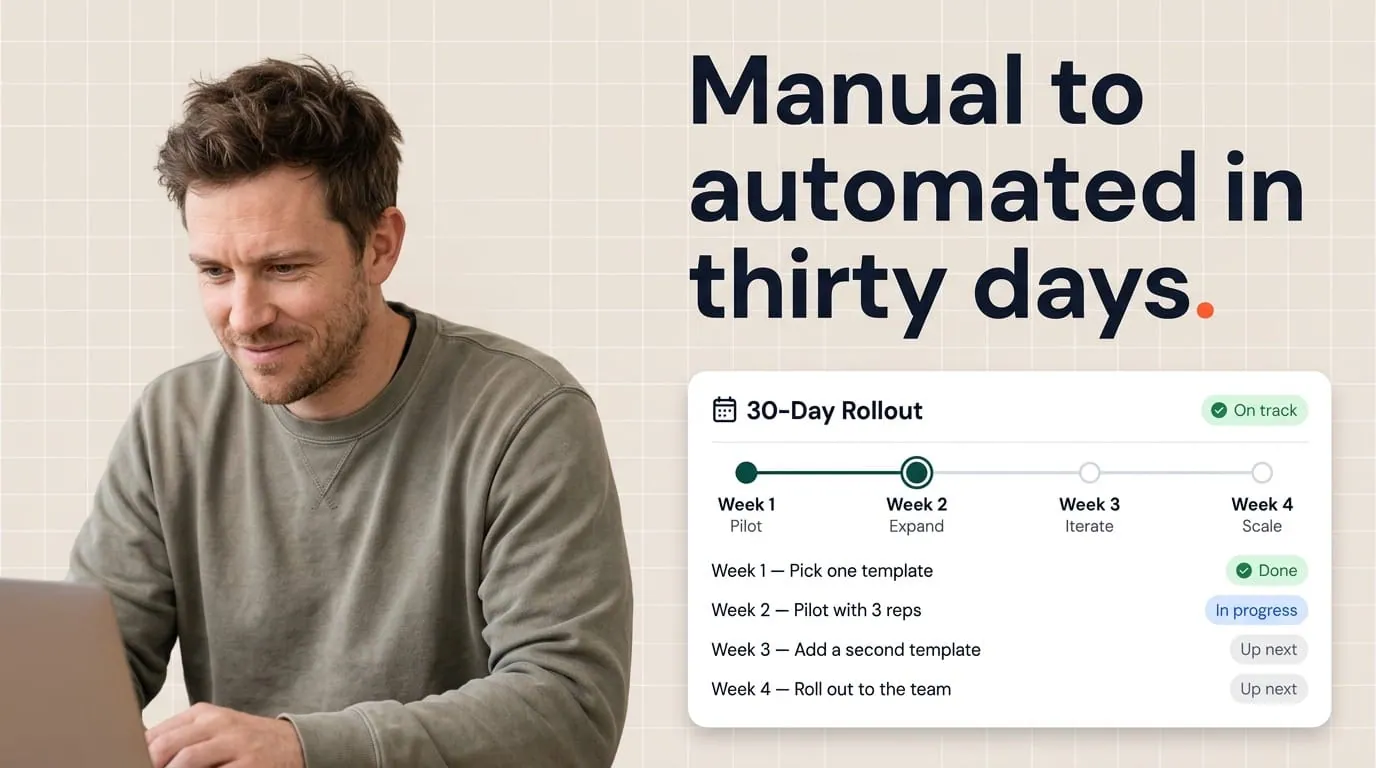
The good news: you can fix this in about 30 days, without pausing sales or launching a massive project. You pick one proposal type, clean up the data it needs, automate it, test it with a small group, and scale when you're confident.
This plan works best with HubSpot as your source of truth and Portant as the automation layer. If you want a deeper look at template patterns, start with the proposal playbook. And if your HubSpot data needs a clean-up first, here's how to audit it.
Week one: figure out what you're working with
Don't try to automate five proposal types at once. Pick the one that costs your team the most time or closes the most revenue. Just one.
Export a recent example your team is proud of. Look at every section and ask: where does this data come from? Who fills it in today? Is it pulled from HubSpot, typed from memory, or copied from an email?
You're building a map of what's dynamic (changes per deal) and what's static (same every time). That map tells you exactly which HubSpot fields need to be clean before automation can work.
Then open ten recent deals across different reps and check whether those fields are actually filled in. If billing address or signer name is empty half the time, you've found your first problem. Automation doesn't fix missing data. It just surfaces it faster.
By the end of week one, you should have a short list: the trigger that should start the proposal, the fields it needs from HubSpot, and what "correct" looks like for each one. Write it down somewhere your team can reference it.
Week two: build the template and connect HubSpot
This is the building week. Take the proposal you mapped in week one and recreate it in Google Docs or Word. Then add tags that pull data directly from HubSpot: product names, company details, pricing, contact information. Anything that used to be typed by hand.
Keep your tag names boring and consistent. Match them to the field names from your week one list. Clever abbreviations feel smart now, but they'll confuse whoever maintains this six months from now.
Connect Portant to HubSpot and run your first test. Generate proposals for three deals: one clean one with good data, one messy one that's typical of real life, and one edge case (like a deal with multiple contacts or unusual line items). Compare each output to what your reps would've sent manually.
Iterate until the result is boring. Boring is good here. It means the automation does exactly what you expect, every time. Exciting is when a customer gets a proposal with someone else's pricing.
Before you move on: generate ten proposals from recent deals and compare them side by side with what your reps sent manually. The differences you find now are much cheaper than the ones a buyer finds later.
Week three: test it with real reps
Pick three to five reps who'll give you honest feedback. Not the ones who'll nod politely. The ones who'll tell you when something's off.
Train them on one trigger. Maybe it's a deal stage change, a button in HubSpot, or a workflow that fires when certain fields are complete. Keep it simple. One trigger, one proposal type.
Set up a quick way for them to report problems. A Slack channel works. A shared doc works. What doesn't work is expecting feedback to arrive on its own.
Track the basics from day one: how long it takes from trigger to send, whether reps edit the proposal after it's generated, and whether they trust it enough to send without re-checking everything in a separate doc.
If legal or finance needs to review proposals before they go out, set that up now. Automation can generate the document instantly while keeping the send step gated by approval. That distinction matters. You're saving your reps the building time, not bypassing the review.
Week four: make it reliable, then expand
Week four is about making sure what you've built holds up under normal workload. Generate proposals on a busy day. Check what happens when a field is unexpectedly blank. Make sure error messages make sense to a rep who isn't technical.
Write down the three most common things that go wrong and how to fix them. Share that with the pilot group. Most issues won't be software bugs. They'll be HubSpot data that's missing or formatted differently than expected.
Only expand to more reps or more proposal types if your pilot numbers moved in the right direction. Did proposals get sent faster? Did reps stop editing them after generation? Did managers see fewer "wrong version" questions?
Pick the one metric your leadership cares about and tie your results to it. Sales wants speed. Legal wants control. Finance wants accuracy. Same rollout, different one-paragraph summary for each audience.
What day thirty should look like
You won't have a finished library on day thirty. You'll have something better: one proposal type that works reliably, a small group of reps who trust it, clean data feeding it, and baseline numbers you can compare at day sixty.
If you shipped a second template too, great. But the real win is proving the pattern works so you can repeat it with confidence.
If you're behind schedule, it's usually because the pilot was too broad or the data in HubSpot was messier than anyone expected. Narrow the group, fix the fields, and run week three again. A smaller scope teaches you more than a big launch nobody trusts.
Where to go deeper
Think of this as the calendar view. For template design and tag patterns, read the proposal playbook. For sending speed, this walkthrough covers the fastest path from HubSpot to buyer. And for the full product overview, Portant's proposals page has everything in one place.
Thirty days isn't about perfection. It's about proving that one proposal, for one segment, can go from 45 minutes of copy-paste to a few seconds of automation. Once your team sees that, they won't want to go back.
Frequently asked questions
What does a 30-day proposal automation plan achieve?
By day thirty, you'll have one proposal type generating from HubSpot data automatically, a small group of trained reps, and baseline metrics for time saved and error reduction. It's not a finished library. It's proof that the pattern works so you can repeat it with confidence.
Should I focus on templates or HubSpot data first?
Split your first week between both. Map your best manual proposal to see what data it needs, then check whether HubSpot actually has those fields filled in. Catching missing data early saves you from building something that looks great but prints blanks.
How many reps should be in the pilot group?
Three to five is the sweet spot. Big enough to surface real problems, small enough that you can respond to feedback quickly. Too many reps and nobody feels ownership. Too few and you won't see the edge cases that matter.
What's a good trigger for the first automated proposal?
A deal stage change, like moving to "proposal sent," or a workflow that fires when certain fields are filled in. The trigger should match how your team already thinks about readiness, not add a new step to remember.
What if legal needs to review every proposal before it goes out?
Add an approval step so the document generates automatically but doesn't send until someone signs off. Automation should handle the building, not bypass your governance.