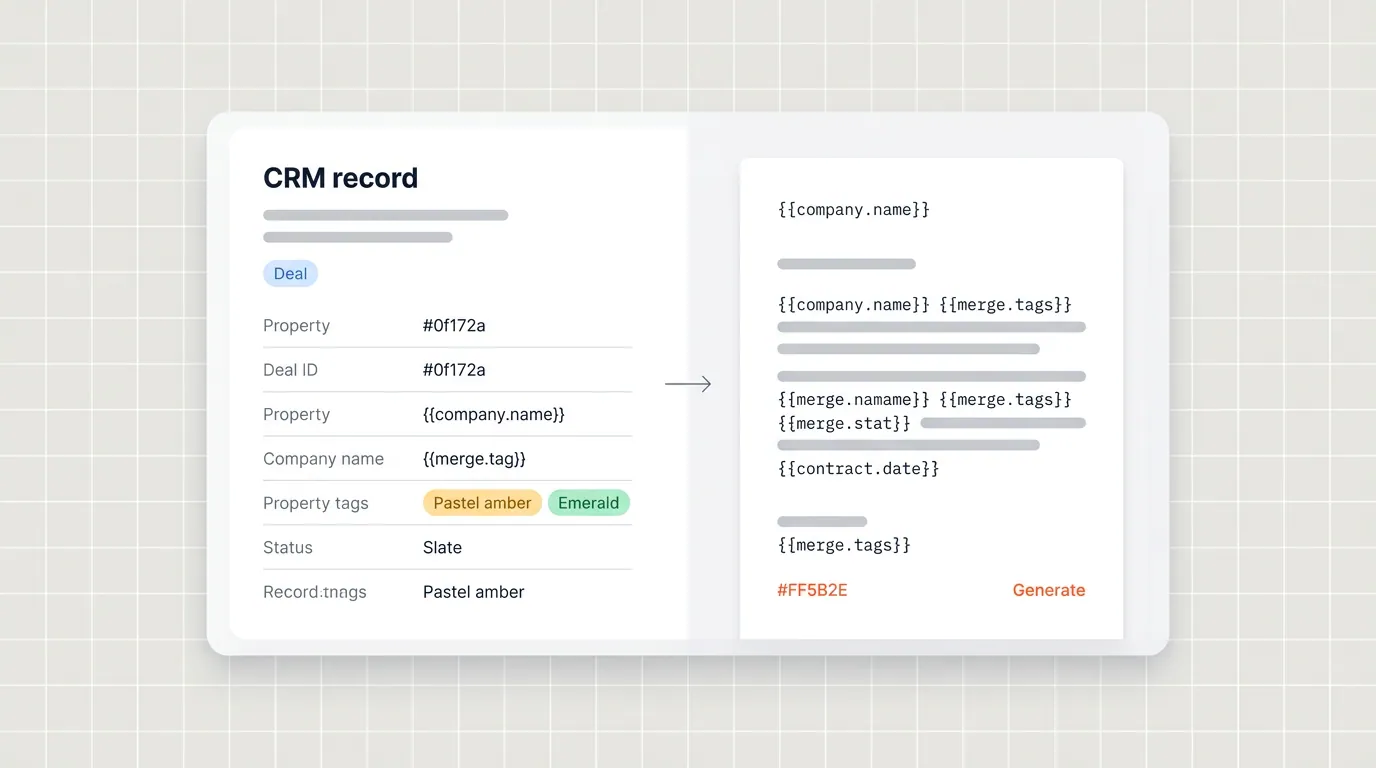

You built the template. The design looked great. Then the first real quote printed a blank total and the wrong company name. Not because the template was bad, but because the tags were wrong.
This is more common than you'd think. The tags are the wiring between your HubSpot CRM and the file your customer opens. Get them right, and documents fill themselves from live data. Get them wrong, and you'll send polished PDFs with embarrassing gaps that no one notices until the buyer does.
This is the checklist I run before I scale data merge across reps. Naming, objects, line items, custom properties, and testing. No theory, just what breaks in the wild and how to avoid it.
For the full picture of how document generation, data merge and eSignature fit together in HubSpot, see the complete guide to document automation in HubSpot.
Why tag naming is your first real decision
Every tag is a promise. It says "this slot in the document always maps to this field on this object." The moment you start inventing names per template, you lose the ability to reuse blocks, audit what merged, or onboard someone new without a treasure hunt.
I default to a simple rule. Use the object and the field's internal name in a predictable pattern, keep it lowercase where your tooling allows, and mirror what you see in HubSpot property settings. If your team says "deal dot close date" out loud, the tag in the file should read the same way, whether you're using Google Docs or Microsoft Word.
Keep one source of truth for your tags. A spreadsheet with three columns is enough: human label, internal property name, and an example value from a sandbox deal.
When marketing renames a label in HubSpot, the internal name usually stays put. Your document keeps working. But when someone creates deal_amount_v2 because they're in a hurry, your old templates don't update themselves. A shared list you actually maintain beats individual heroics every time.
Tip: Prefix experimental tags with tmp_ or keep them in a draft template until they're in the shared dictionary. Nothing should reach production with a tag nobody documented.
Mapping deal, contact, and company fields cleanly
Most customer-facing documents are really three stories stitched together. The deal carries the commercial truth: amounts, close dates, terms you negotiated. The company carries legal identity: registered name, billing address, tax IDs.
The contact carries the people: who signs, who gets the PDF, phone numbers for the cover letter.
I start templates by listing which object owns each paragraph. If two paragraphs need the company's legal name, both should point at the same company field, not a deal field someone typed by hand last quarter. Duplicate sources are how "Acme LLC" and "Acme Limited" end up in the same document pack.
Pay attention to primary company versus associated company on the contact, and which company is actually tied to the deal. HubSpot associations are powerful and easy to get subtly wrong.
When you're unsure, generate from the deal and pull the company through the association your ops team considers the correct one. If you haven't defined that yet, define it before you print amounts on letterhead.
For contacts, decide which role each tag assumes. Billing contact, signer, and champion aren't always the same person. If you only merge contact without thinking, you might address the invoice to whoever opened the record last. Use explicit fields or association-based logic so the template says who you actually mean.
Line items and repeatable rows in HubSpot-backed templates
Line items are where a nice-looking design meets operational reality. Your table might expect one bundle row with a long description, or ten SKU rows with tight columns. HubSpot stores structured rows with quantity, price, discount, and product metadata. Your template should assume that structure, not a paragraph someone pasted into a deal note.
Before you blame data merge, open five won deals and five open deals and compare line item completeness. You'll find manual entries, archived products still referenced, and discounts entered as notes instead of numbers.
Clean product data and rep training matter as much as tag syntax. Portant pulls live CRM data, which means it also exposes messy CRM data faithfully. That's a good thing, because it forces you to fix the source.
When you design the table, leave room for long product names and wrap-friendly cells. Test with your longest SKU title. Test with a single line item and with twenty.
Empty tables should fail loudly in your process, not quietly ship to a customer. Some teams add a workflow gate so deals without line items can't generate a quote. That's a product decision, but it starts with honest testing.
Custom properties and internal labels
Custom properties work the same way in data merge as long as you use internal names and you know which object they live on. A field created on the deal doesn't exist on the contact. Full stop.
The most common bug I see is a beautifully named "Signer title" property that lives on the contact while the template tries to read it from the deal. That merge will always be blank, and nobody notices until a customer does.
Picklists need discipline. If legal expects "Net 30" but a legacy value "Net30" still exists on old deals, your conditional rules and your tags will disagree. Run a property cleanup, migrate the values, and block new junk at the source. For a full CRM pass, read How to audit your HubSpot data so every sales document goes out right. It pairs well with template work.
Integrated systems that write HubSpot properties can lag or overwrite. If a field is owned by your ERP, agree on whether sales can edit it and what the document should do when the sync is blank.
Sometimes the right answer is "don't generate until it's populated." Sometimes it's "show a fallback line." Either is fine. A surprise isn't.
Testing output before you scale
Testing isn't generating one perfect demo deal from the kickoff workshop. Testing is a small matrix of ugly reality.
I keep a set of sandbox deals with: a long international company name, a missing optional field I know reps skip, a heavy discount line, a bundle with attachments, and a deal that uses every custom property the template references.
For each case, generate the PDF or Doc output and read it like a customer. Not like the person who built the template. Check headers and footers, page breaks inside tables, currency formatting, and blank lines where a null slipped through.
If something looks off, fix the CRM rule or the tag. Don't fix the customer's expectations.
Log defects in plain language tied to record IDs. Future you won't remember why you changed a tag on a Tuesday. A one-line note like "switched billing city to associated company address field, deal 12345" saves hours.
If you want a broader view of what trips teams up during rollout, read Document automation setup mistakes I see over and over. Half of them show up first in testing.
Conditional logic and when to branch in templates
Not every paragraph belongs on every deal. MSAs might need an exhibit only for enterprise tiers. Services language might depend on a picklist. That's where conditional logic earns its keep.
The pattern I like is simple. Drive visibility from explicit HubSpot fields, not from free-text guesses. Booleans and controlled picklists are easier to test than open-ended notes.
Document the rules beside the template. If deal.segment equals "Enterprise," show schedule A. If the field is empty, default to the standard schedule and flag the deal for review. Ambiguity in your logic becomes ambiguity in your revenue recognition later, not just a weird PDF.
Conditionals also expose bad data faster than standard tags, which is actually useful. If a branch never fires, you learn your field is always blank. Fix the field or remove the branch so reps don't think they sent something they didn't.
Google Docs, Word, and keeping one tag vocabulary
Most teams standardize on Google Docs or Microsoft Word for template authoring. The goal is the same: one vocabulary of tags your CRM fills in. Pick the editor your legal and marketing teams will actually maintain, then protect the tag list as a shared asset.
Whatever editor you choose, don't duplicate the same field under two different tag spellings across files. If pricing lives in deal.amount in one template and a typo variant in another, you'll ship both until someone catches it in a customer thread. Centralize starter docs so people copy approved blocks instead of inventing new ones.
Version control matters here too. When finance updates payment terms, you need to know which template versions are live and which historical PDF used which wording. Tags don't solve versioning by themselves, but consistent naming makes tracking changes far easier.
Frequently asked questions
How should I name tags in HubSpot document templates?
Use a consistent pattern like object dot internal name, for example deal.amount and contact.email. Keep casing stable across templates, document the list in a shared sheet, and avoid abbreviations only one person understands.
Which HubSpot objects do most sales templates merge from?
Most quotes and proposals pull deal fields for commercial terms, company fields for legal identity and address blocks, contact fields for signers and delivery details, and line items for SKU-level tables and totals.
How do HubSpot line items show up in automated documents?
Line items merge as structured rows so quantity, unit price, description, and discounts can populate tables. Accuracy depends on clean products, consistent units, and deals that actually contain the line items you expect at generation time.
Do custom properties work the same as standard HubSpot fields in tags?
Yes, when the property exists on the object you're merging and you use its internal API name. Watch picklist values, required rules, and fields owned by integrations that might be empty or stale on certain records.
What is the safest way to test tags before rolling out to the whole team?
Create a small matrix of test deals with edge cases like long company names, missing optional fields, discounts, and multi-line bundles. Generate documents from each and fix naming or CRM rules before you train reps at scale.