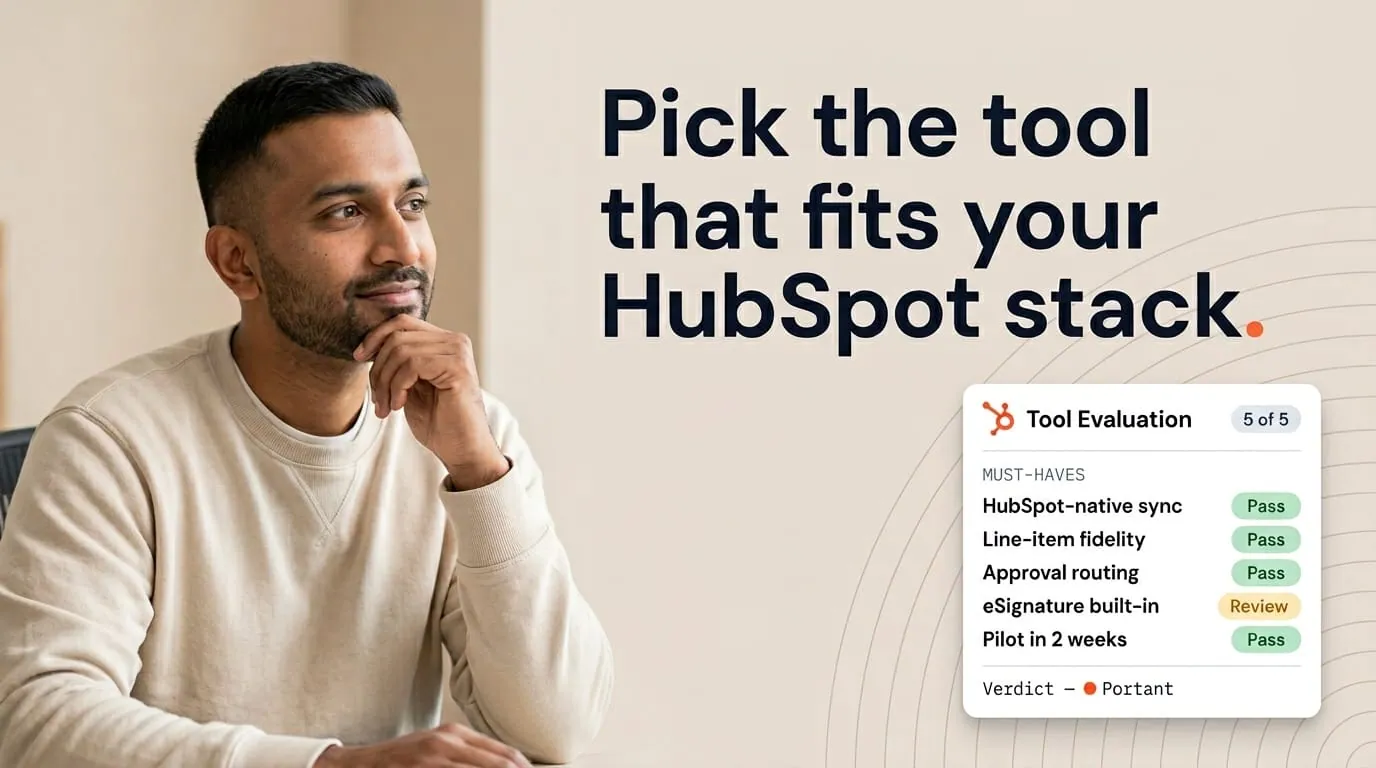

Every team I talk to has the same moment. Someone in engineering says, "We could build this ourselves." And they're right. A script that merges a Google Doc, a Zapier step that moves a PDF, a HubSpot workflow that emails a link. It's all doable.
The question isn't whether you can build it. It's whether you'll still want to own it twelve months later, when HubSpot ships changes, templates multiply, and someone has to be on call for document generation at quarter end.
I've sat on both sides of this decision. This post is my honest take on when building makes sense, when buying saves you more, and how to figure out which one you're actually looking at. If your team also runs into setup problems regardless of the path, this piece on common setup mistakes is worth reading alongside it.
For the full picture of how document generation, data merge and eSignature fit together in HubSpot, see the complete guide to document automation in HubSpot.
What building actually looks like
Building usually starts small. A script merges a template. A zap moves a file. Someone adds a HubSpot workflow that emails a link. Then you need line items. Then approvals. Then signature events written back to the deal. Then audit logs for a security review. Each layer is manageable on its own. The weight is in the combination, and in keeping it all running.
Internal builds work well when the scope stays narrow. One document type, one team, one engineer who enjoys owning it. You can move fast.
The trouble shows up when sales asks for ten templates, legal asks for version control, and IT asks how you stop a rep from sending the wrong master file. That's not one project any more. That's a product.
I don't think building is always wrong. But building is a product decision with a long tail. If you wouldn't fund that tail like a product line, you're already drifting toward buying without admitting it.
The costs your spreadsheet won't show you
Most ROI sheets count initial development hours and stop. They skip the ongoing cost of HubSpot property changes, broken mappings when someone renames a field, signer problems on mobile, and the Friday afternoon when document generation fails during a quarter close.
They also skip what your engineers aren't building while they're patching document glue. Every week spent on maintenance is a week not spent improving whatever your customers pay you for. That tradeoff is invisible until leadership asks why the core roadmap slipped.
Security and compliance add another layer. Who can access which templates? How are signed documents stored? What logs exist when a customer disputes what they signed? A vendor carries part of that weight. A build puts all of it on your team.
Before you commit to building: ask your engineering lead for a three-year maintenance estimate in hours per quarter, not just a ship date for v1.
What you're really buying when you buy
We built Portant for teams that want HubSpot to stay the center of everything. That means generating documents from live CRM data, workflows that react to document events, and lifecycle fields that make reporting native instead of exported.
Buying isn't about giving up control of your templates. It's about not reinventing the integration and reliability layer that keeps everything running.
A product that works across many portals has already hit edge cases you haven't. That doesn't remove your responsibility for template quality. But it does mean a HubSpot API change is less likely to become an emergency for your internal queue.
If you want a clear look at where teams trip during setup, this piece on setup mistakes covers it. Many items apply whether you build or buy. The difference is who fixes them when they show up at scale.
Four questions I ask before recommending anything
When a founder asks me what I'd do in their position, I ask four things.
Do you have dedicated owners for CRM schema, templates, and security? Will leadership protect the maintenance budget after launch? Is your document scope stable for at least two quarters? Do you need audit trails for signed documents?
If the answers are mostly yes, building can stay on the table. If owners are part-time and scope is expanding, buying is usually cheaper overall and faster to get running. The worst path is a half-maintained build that reps work around with their own workarounds.
And compare outcomes fairly. A build that produces a PDF isn't the same as a product that writes signature status back to HubSpot, unless your team implements the same depth. Match what you're actually comparing.
When to layer an app on top of native HubSpot
Sometimes the right answer isn't a pure build or a big platform swap. You keep HubSpot as the system of record and add an app that specializes in documents.
The question is whether you need document records, approvals, and status tracking to work like real data inside HubSpot, not just attachments sitting on the timeline.
Look at the HubSpot integration overview with that in mind. You're evaluating how deep the sync goes, not checking a box. If your team only needs lightweight files, native options or a thin build might be enough. If your team runs revenue reviews off document status, anything shallow will frustrate everyone within a month.
Workflows matter because they close the loop. Automation that stops at "send" leaves managers guessing. Automation that updates deal properties when customers view and sign gives you coaching signals without another meeting.
How to run a fair test if you're torn
Pick the hardest document in your library. Spend two weeks attempting your internal approach while piloting a product like Portant on the same deal shape in parallel. Measure how long it takes to get a reliable send, the error rate, and how painful updates are when pricing changes.
Pick the winner by behavior, not philosophy. If engineers love the build but reps avoid it, you chose wrong. If finance loves the subscription price but ops drowns in support tickets, you also chose wrong.
At Portant, we're biased toward buying because we believe the integration layer deserves full-time attention. But I still respect thoughtful builds when the scope and ownership match the ambition.
When building is genuinely the right call
Some companies have proprietary pricing logic, custom quoting hooks, or regulatory steps that no general-purpose tool will model cleanly. In those cases, building makes strategic sense.
Even then, I'd recommend isolating the smallest unique layer and buying the standard parts around it. Generate from HubSpot with a vendor, then run your custom processing on top if needed, rather than rebuilding signature infrastructure from scratch.
If your engineering culture already ships internal admin tools quickly, you'll probably enjoy the build. If your culture treats internal tools as second-class projects, your sales team will feel that in every rough edge. Be honest about which culture you actually have.
Maintenance is the part nobody budgets for
Total cost includes vendor management time if you buy, and recruiting plus retention if you build. It includes security review cycles, documentation for IT, and the quarterly hours someone spends updating merge fields when marketing rebrands. None of those lines fit neatly in a sprint plan, but they all show up on someone's calendar.
When I compare paths, I ask for a twelve-month view and a thirty-six-month view. Builds often look cheaper at month three and more expensive at month eighteen as requirements pile up.
Workflows close the loop either way
Whether you build or buy, workflows are how HubSpot closes the loop. If your custom pipeline can't update deal properties when a customer views or signs, you've recreated the speed of sending without any of the visibility that makes it useful. Workflow integration isn't optional for revenue teams.
Buying gives you pre-built triggers and field mappings that have survived many HubSpot updates. Building means your team owns every trigger, including the ones that break when HubSpot changes behavior in a beta feature your admin turned on without telling engineering. Neither path is free. Pick the one you understand better.
Setup mistakes that break both paths
Many failures aren't architecture failures. They're setup failures. Dirty properties, unclear deal stages, and templates nobody owns will sink a polished product just as quickly as they'll sink a custom build. Read this piece on setup mistakes before you assume your stack is the problem.
I usually recommend a one-week cleanup sprint on HubSpot data before you invest in either path. That sprint pays for itself in fewer emergency fixes during rollout.
HubSpot's integration surface keeps moving
The HubSpot integration layer isn't static. APIs change, app marketplace expectations change, and customer permissions change. A vendor whose business depends on staying certified feels that pressure every day. An internal team feels it only when something breaks during quarter end.
If you build, budget explicit time each quarter to retest critical flows against HubSpot's release notes. If you buy, hold your vendor to the same tests. The difference is who does the work when the deadline hits.
Frequently asked questions
When does building document automation in house for HubSpot make sense?
Build when you've got a narrow use case, strong internal engineering capacity, and willingness to own maintenance through HubSpot API changes, template updates, and eSign standards. If those conditions aren't true, buying tends to win on total cost and how quickly your team is up and running.
What are the hidden costs of a custom build?
The ongoing mapping work when properties change, signer experience polish, audit trails, security reviews, on-call reliability, and the opportunity cost of engineers not shipping your core product. Most spreadsheets underestimate that tail.
How does vendor-maintained integration compare to maintaining it yourself?
A vendor whose business lives on HubSpot's marketplace invests in compatibility as the platform evolves. Internal teams can do the same, but only if leadership protects that roadmap quarter after quarter instead of treating it as a one-off project.
What's the simplest buying approach that still works?
Pick a product with deep HubSpot sync, clear template ownership, approvals that match your risk level, and reporting inside the CRM. Buy the smallest setup that covers your hardest document, then expand once adoption sticks.
How should I choose between stretching native HubSpot and adding an app?
Stretch native features when your needs are simple and your volume is low. Add an app when line items, approvals, signature tracking, and document records need to work like proper HubSpot objects rather than attachments.