An invoice payment is the transaction that settles an invoice: the buyer sends the seller the amount owed, using the method and payment terms the invoice specifies, such as a bank transfer under Net 30 terms or a card payment due on receipt. The invoice is the request; the payment is what closes it out.
Late or mismatched invoice payments are why accounts payable teams chase vendors and vendors chase clients. This guide covers the common payment methods, the standard terms you'll see on an invoice, the specific problems (missing invoices, mismatched PO numbers, manual chasing) that trip up invoice payment in practice, and how to keep your own payments on time.
Need to create an invoice?
Add your logo and line items, set tax and currency, and download a clean PDF. Free, no signup, no watermark.
What are the Most Common Invoice Payment Methods
Which method makes sense depends mostly on the size of the invoice and whether the payment crosses a border:
| Method | Typical use | Speed | Cost to the seller |
|---|---|---|---|
| Bank transfer | Larger invoices, B2B | 1 to 3 business days | Low |
| Credit or debit card | Smaller or recurring invoices | Instant to 1 business day | Processing fee, typically 1.5% to 3% |
| Digital wallet (PayPal, Google Pay, Apple Pay) | Online businesses, one-off invoices | Instant | Processing fee, similar to card |
| Wire transfer | International invoices | Same day to 2 business days | Highest, plus currency conversion |
| Cash | Local, in-person transactions | Instant | None |
- Bank transfer is the default for larger invoices: a bank transfer costs a flat, low fee regardless of the invoice amount, while a card payment costs the seller a percentage of it, typically 1.5% to 3%.
- Card payments trade a higher fee for speed and a paper trail your accounting software can reconcile automatically.
- Digital wallets add buyer protection and near-instant confirmation, which matters most for one-off invoices from a new client.
- Wire transfers are the standard for cross-border invoices despite the cost, because bank transfer rails do not reliably clear between countries.
- Cash still shows up for local, in-person work, but it leaves no automatic record, so it needs its own manual entry into your books.
What are the Payment Terms in an Invoice Payment
Net 30
Net 30 terms indicate the payment is due within 30 days of the invoice date. This standard payment term provides the buyer with a reasonable period to process and pay the invoice.
Due on Receipt
Invoices marked "Due on Receipt" require immediate payment upon receiving the invoice. This term is often used by freelancers and small businesses to ensure quick payment and maintain cash flow.
End of Month (EOM)
EOM terms specify that the payment is due at the end of the month the invoice was issued. This term helps align invoice payments with monthly accounting cycles.
What Are the Most Common Invoice Payment Challenges
- Missing invoices: lost or misplaced invoices delay payment and force a resend.
- Duplicate invoices: a client who receives the same invoice twice risks paying it twice.
- Missing data: an incomplete invoice, a blank field where a total or a PO number should be, stalls at the buyer's accounts-payable desk before anyone even looks at the due date.
- Errors on the invoice: a wrong amount or a misspelled client name gets the invoice sent back, and the payment clock resets.
- Matching invoices to purchase orders and receipts: without a PO number on the invoice itself, an accounts-payable team has to track it down before they can approve payment.
- Making timely payments: consistently paying on time is hard without a system that surfaces due dates before they pass.
- Incorrect or missing contact information: a client who cannot reach you with a question sets the invoice aside instead.
- Many supplier inquiries: every unclear invoice becomes a support ticket for someone on your team to answer.
These problems compound each other: a missing PO number stalls the invoice at exactly the moment a late-payment reminder needs to go out. See common invoice problems and solutions for a closer look at each one, or our past-due invoice email templates if a reminder is the piece you're missing.
Overcome Invoice Payment Challenges with Portant
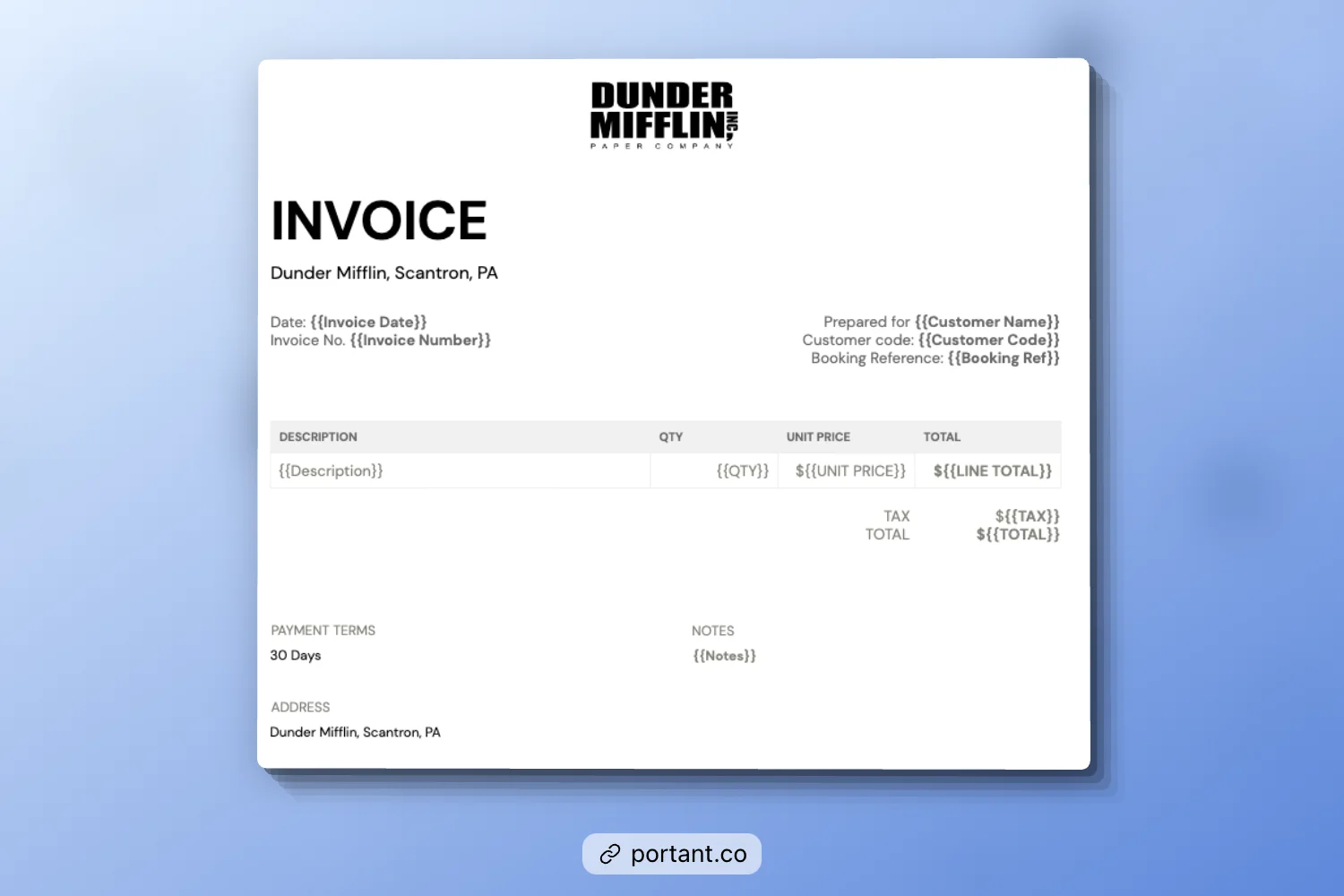
Every challenge above traces back to the same root cause: the invoice was assembled by hand, so it is missing a field, sitting in someone's downloads folder, or waiting on someone to remember to send it. Portant removes the manual step at each of those points:
- Missing invoices: Portant writes every invoice straight to Google Drive as it generates, so there is no separate archive to remember to update or a downloads folder to search through later.
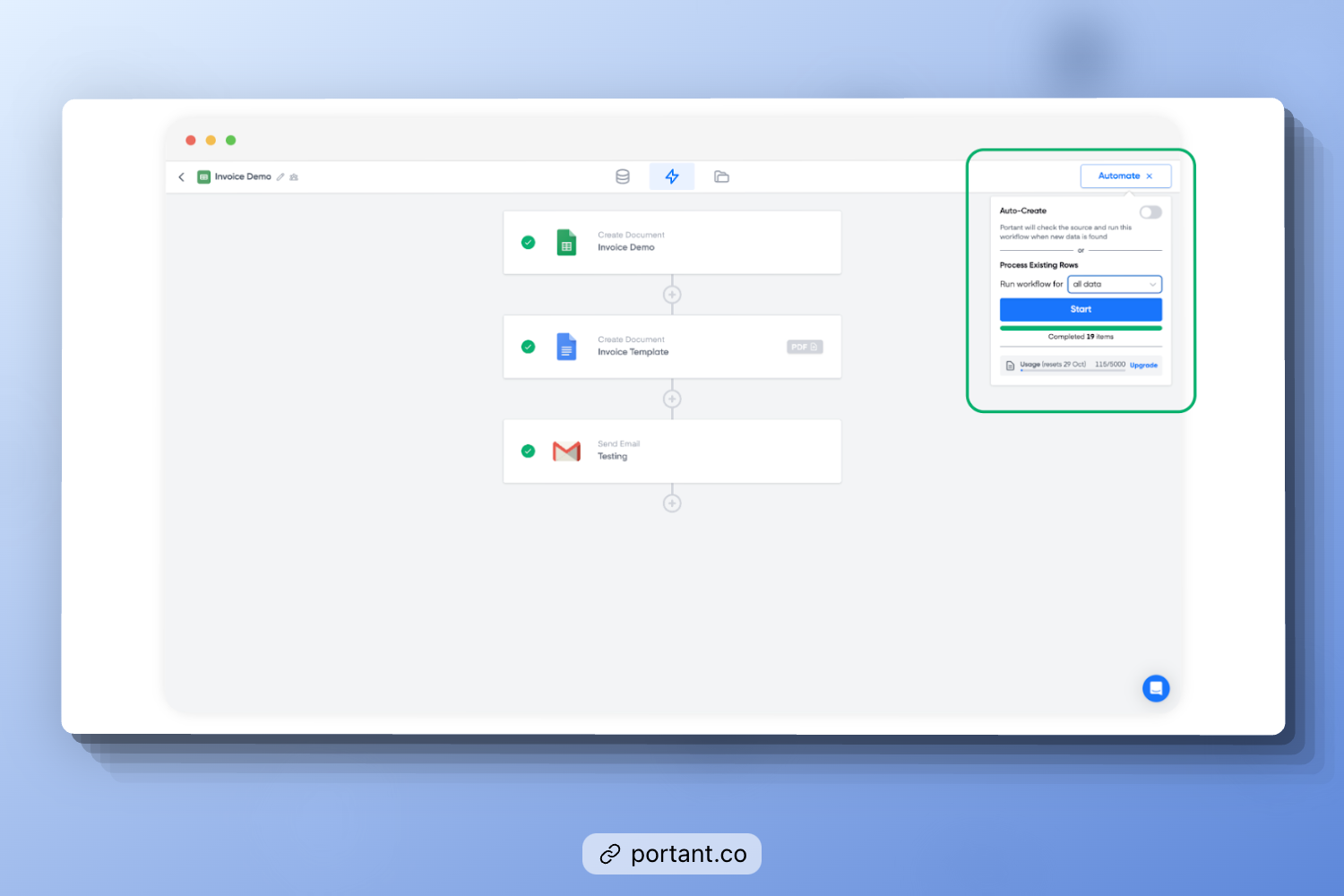
- Missing or error-prone data: Portant's invoice templates ship with every required field already placed. Point a template at a row in a Google Sheet and it fills in the client name, line items, and totals automatically, so a field is never blank because someone forgot to type it.
- Matching invoices to purchase orders: a PO number placeholder sits on the template itself, filled from the same sheet row as the rest of the invoice. The number an accounts-payable team needs to match your invoice to their purchase order is on the document from the start, not chased down after the fact.
- Making timely payments: connect your email once and Portant sends the finished invoice the moment it generates, with no separate step to remember. For repeat clients, each new row in the sheet becomes a new invoice automatically, on the same schedule every time.
How Do You Pay Invoices on Time
Paying invoices promptly is essential for maintaining smooth business operations and fostering strong relationships with suppliers. Timely payments enhance business credibility, prevent late fees, and ensure a steady supply of goods or services.
Review Your Invoices
Upon receiving an invoice, it's crucial to review it immediately. Check the due date, payment terms, total cost, and payment method to ensure everything is correct. This helps avoid any discrepancies or delays in the payment process.
Set Reminders
Set reminders using calendar alerts or invoicing software to avoid missing payment deadlines. This proactive approach ensures you stay on due dates and avoid late payments.
Create a Payment Schedule
Having a dedicated payment schedule can streamline your invoice management process. Organize invoices by due date and set aside specific weekly or monthly times to handle payments. This consistency helps in managing cash flow effectively.
Address Invoicing Issues Promptly
If you encounter issues with an invoice, address them immediately. Contact the supplier to resolve errors and agree on the correct payment amount. Prompt action prevents delays and maintains good supplier relationships.
Choose the Right Payment Method
It is crucial to select the most suitable payment method for your business. Compare different methods, such as bank transfers, credit cards, and digital payments, to determine which offers the best balance of cost, convenience, and speed.
Cash in on Early Payment Discounts
Taking advantage of early payment discounts can save your business money. For instance, paying an invoice within 10 days might offer a 2% discount. These savings can add up significantly over time.
Organize and File Invoices
Maintain a systematic approach to filing and tracking invoices. Create a digital or physical filing system to store invoices by date, supplier, or project. This organization ensures you can easily retrieve and review invoices when needed.
FAQs
Q. What happens if an invoice payment is late?
A. A late invoice payment usually triggers a late fee if the invoice states one, and it can strain the relationship with the vendor. If a payment stays unpaid past the agreed terms, the vendor may escalate to reminder emails, a collections process, or in serious cases, legal action. See tackling outstanding invoices for a proactive approach to preventing this.
Q. Can you dispute an invoice payment?
A. Yes. If an invoice has a billing error, reflects the wrong amount, or covers work you did not receive, contact the vendor in writing before the due date and explain the discrepancy. Paying only the undisputed portion while the issue is resolved is common practice, but confirm that approach with the vendor first.
Q. What is the difference between an invoice payment and a receipt?
A. An invoice payment is the act of paying what an invoice requests. A receipt is the proof that the payment was received. See invoice vs receipt for the full comparison.
Q. Can you make a partial invoice payment?
A. Yes, if the vendor agrees to it. Partial payments are common for large orders or milestone-based work, and the remaining balance and its due date should be documented on the invoice or in a separate payment plan.
Q. How long do you have to pay an invoice?
A. It depends on the payment terms stated on the invoice, commonly Net 30, Due on Receipt, or End of Month. If an invoice states no terms, 30 days is the most common default assumption in the US, but confirm with the vendor rather than assume.
Conclusion
Invoice payments run smoothly when the invoice itself has no gaps: every field filled in, the PO number where the buyer expects it, and no manual step standing between "generated" and "sent." Review invoices as they arrive, set reminders for what you owe, and take advantage of early payment discounts where they're offered. On the sending side, an automated invoice removes most of the failure points above before they happen.