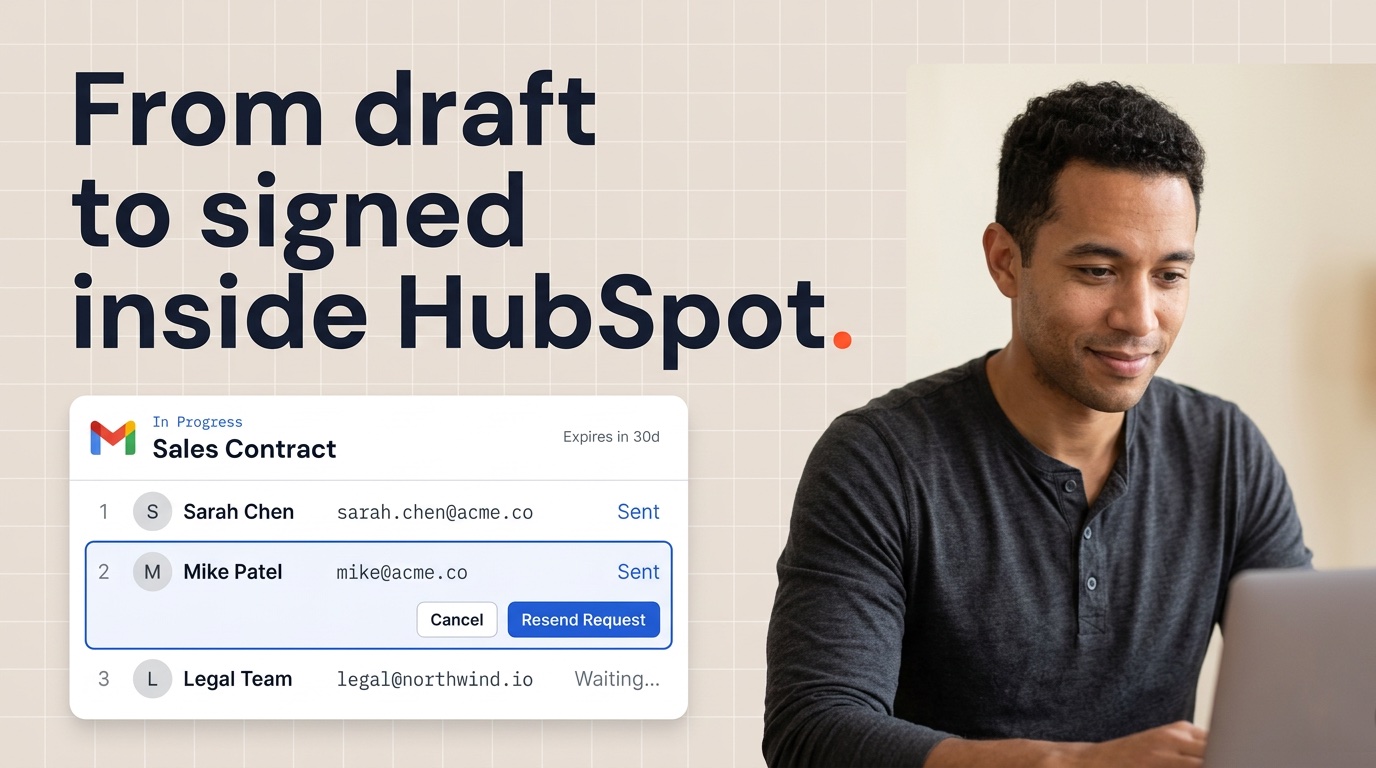

Die Zeiten des Druckens, Unterzeichnens, Scannens und Versendens von Verträgen verschwinden schnell. Der Begriff „e sign“ wird oft synonym mit „esign“ verwendet und bezieht sich auf Lösungen für digitale Signaturen, die es Benutzern ermöglichen, Dokumente geräteübergreifend elektronisch zu signieren, zu bearbeiten und zu teilen. Im Jahr 2026 unterstützen elektronische Signaturen alles, von SaaS-Abonnements am selben Tag bis hin zu globalen Unternehmensvereinbarungen. Ganz gleich, ob Sie neue Mitarbeiter einarbeiten, Verkaufsangebote abschließen oder Vertraulichkeitsvereinbarungen mit Partnern über Zeitzonen hinweg abschließen: Wenn Sie wissen, wie eSign funktioniert und wie Sie es sicher verwenden, können Sie Ihrem Unternehmen jede Woche stundenlangen Verwaltungsaufwand ersparen.

Aufgrund der Effizienz und Sicherheit elektronischer Signaturen wird heutzutage bei den meisten Geschäftstransaktionen erwartet, dass Dokumente elektronisch unterzeichnet werden. Tatsächlich sind elektronische Signaturen ab 2026 zur Standarderwartung für die Durchführung von Geschäftstransaktionen geworden.
Dieser Leitfaden führt Sie durch alles, was Sie über elektronische Signaturen wissen müssen: die rechtlichen Rahmenbedingungen, die sie verbindlich machen, die technischen Grundlagen, die sie sicher halten, und die praktischen Funktionen, die moderne eSign-Plattformen für Remote- und Hybridteams unverzichtbar machen. Wenn Sie jetzt nur ein PDF unterschreiben müssen, können Sie mit dem kostenlosen Tool von Portant ein PDF online signieren, ganz ohne Konto.
PDF unterschreiben?
Laden Sie Ihr PDF hoch, fügen Sie Ihre Unterschrift hinzu und laden Sie die signierte Datei herunter. Kostenlos, ohne Anmeldung und ohne Wasserzeichen.
Was ist eSign (elektronische Signatur)?
Eine E-Signatur oder elektronische Signatur ist jede elektronische Methode, die verwendet wird, um die Absicht zum Signieren eines Dokuments anzuzeigen. Dies kann von der Eingabe Ihres Namens am Ende einer E-Mail, dem Zeichnen einer Signatur auf einem Touchscreen, dem Klicken auf die Schaltfläche „Ich stimme zu“ auf einer Website oder der Verwendung eines zertifikatbasierten Prozesses mit kryptografischer Überprüfung reichen. Das Grundprinzip ist einfach: Wenn Sie Ihre Absicht zur Unterschrift in einem elektronischen Verfahren nachweisen, hat diese Unterschrift rechtliche Bedeutung.
Der Begriff „eSign“ fungiert sowohl als allgemeines Konzept als auch als Branding für bestimmte Produkte. Der Begriff „E-Signatur“ wird häufig auch für digitale Signaturlösungen und -tools verwendet, die es Benutzern ermöglichen, Dokumente auf verschiedenen Geräten und Dateitypen elektronisch zu signieren, zu bearbeiten und zu teilen, wobei der Schwerpunkt auf Benutzerfreundlichkeit, Sicherheit und Zugänglichkeit liegt. Wenn jemand von „eSign“ spricht, meint er möglicherweise die breite Kategorie der elektronischen Signaturen oder verweist auf Tools wie Adobe Acrobat Sign, DocuSign, PandaDoc, Smallpdf oder Sign.com. Das Verständnis dieser Unterscheidung hilft bei der Bewertung von Plattformen. Sie wählen zwischen Implementierungen derselben zugrunde liegenden Technologie und nicht zwischen grundlegend unterschiedlichen Ansätzen.
Elektronische Signaturen wurden nach dem Internetboom Ende der 1990er Jahre zum Mainstream, und die gesetzlichen Rahmenbedingungen holten Anfang der 2000er Jahre auf. Heutzutage sind sie gängige Praxis für Remote-Arbeit und die meisten Unternehmen nutzen sie für mindestens die Hälfte ihrer Verträge. Der Wandel hat sich durch globale Ereignisse, die Unternehmen dazu zwangen, online zu gehen, dramatisch beschleunigt, und der Komfortfaktor bedeutet, dass es kein Zurück mehr zu papierlastigen Arbeitsabläufen gibt.
Um zu verstehen, wo eSign in die Signierlandschaft passt, betrachten Sie das Spektrum: Herkömmliche Tintenunterschriften erfordern physische Anwesenheit und Papierhandhabung, was sie für verteilte Teams langsam und kostspielig macht. Einfache elektronische Signaturen wie eingegebene Namen oder angeklickte Kontrollkästchen sind schnell und zugänglich, basieren jedoch zur Überprüfung auf Kontext und Prüfpfaden. Digitale Signaturen nutzen kryptografische Zertifikate und eine Public-Key-Infrastruktur, um ein Höchstmaß an Sicherheit, Authentifizierung und Manipulationsnachweis zu bieten, ideal für Verträge mit hohem Risiko und regulierte Branchen. Die meisten alltäglichen Geschäftstransaktionen liegen je nach Risikograd und rechtlichen Anforderungen irgendwo zwischen einfachen elektronischen Signaturen und vollständig zertifizierten digitalen Signaturen. eSign-Plattformen sind mit Mac-Geräten kompatibel und Sie können Dokumente über Ihren Browser auf Mac, Windows, Linux, iOS oder Android signieren, ohne dass Downloads erforderlich sind.
Beispielsweise könnte ein Freiberufler einen Projektvertrag unterzeichnen, indem er seine Unterschrift auf einem Tablet zeichnet und auf „Akzeptieren“ klickt. Ein Vermieter und ein Mieter können einen Mietvertrag abschließen, indem sie jeweils ein PDF prüfen, ihre Unterschriften über eine eSign-App hinzufügen und ein unterzeichnetes Dokument mit Zeitstempeln erhalten. In beiden Fällen ersetzt der Prozess frühere persönliche Besprechungen, den Versand über Nacht oder Faxgeräte und dauert nur wenige Minuten statt Tage.

Rechtliche Grundlagen von eSignaturen
Elektronische Signaturen sind in den Vereinigten Staaten, der Europäischen Union, dem Vereinigten Königreich, Indien und den meisten entwickelten Märkten rechtsgültig, sofern bestimmte Bedingungen erfüllt sind. Die Rechtmäßigkeit elektronischer und digitaler Signaturen wird durch Bezugnahme auf einschlägige Gesetze und Vorschriften festgestellt, die ihre Rechtsgültigkeit und Durchsetzbarkeit im Handel bestätigen. In allen Rechtsordnungen gilt das Grundprinzip, dass einer Unterschrift ihre Rechtswirkung nicht allein deshalb verweigert werden kann, weil sie in elektronischer Form vorliegt. Die spezifischen Anforderungen an die Durchsetzbarkeit einer elektronischen Signatur variieren jedoch je nach Land und Dokumenttyp.
In den Vereinigten Staaten ist der wichtigste föderale Rahmen der ESIGN Act, der Electronic Signatures in Global and National Commerce Act, der am 30. Juni 2000 in Kraft trat. Gesetze wie der U.S. ESIGN Act und das E-Sign Law verleihen elektronischen Signaturen den gleichen rechtlichen Status wie Nasstintensignaturen. Der Electronic Signatures in Global and National Commerce Act gewährleistet die Gültigkeit elektronischer Signaturen in den Vereinigten Staaten. In dieser Gesetzgebung wurde festgelegt, dass Verträgen und Unterschriften „die Rechtswirksamkeit, Gültigkeit oder Durchsetzbarkeit nicht nur deshalb verweigert werden darf, weil sie in elektronischer Form vorliegen“. Das Gesetz ist bewusst technologieneutral, das heißt, es schreibt keine spezifischen Werkzeuge oder Methoden vor. Unabhängig davon, ob Sie einen eingegebenen Namen, eine gezeichnete Unterschrift oder ein zertifikatbasiertes Verfahren verwenden, kann die Unterschrift rechtsverbindlich sein, wenn die Parteien zustimmen und das Verfahren ihre Absicht zeigt.
Parallel zum bundesstaatlichen ESIGN Act haben die meisten US-Bundesstaaten den Uniform Electronic Transactions Act (UETA) verabschiedet, der einheitliche Regeln für innerstaatliche Transaktionen vorsieht. UETA bekräftigt, dass elektronische Aufzeichnungen und Signaturen den gleichen rechtlichen Status haben wie Äquivalente auf Papier, sofern die Parteien einer elektronischen Geschäftsabwicklung zustimmen. Die Kombination von ESIGN und UETA schafft eine solide rechtliche Grundlage für Unternehmen, die über Staatsgrenzen hinweg tätig sind.
In der Europäischen Union ist der maßgebende Rahmen die eIDAS-Verordnung (Verordnung (EU) Nr. 910/2014), die drei Stufen elektronischer Signaturen festlegt. Einfache elektronische Signaturen (SES) decken grundlegende Methoden wie getippte Namen oder das Anklicken von Kontrollkästchen ab und sind rechtsgültig, aber mit begrenzter Beweiskraft. Fortgeschrittene elektronische Signaturen (AES) sind eindeutig mit dem Unterzeichner verknüpft, können ihn identifizieren, werden anhand von Daten erstellt, die unter der alleinigen Kontrolle des Unterzeichners stehen, und sind so mit den Daten verknüpft, dass alle späteren Änderungen erkannt werden. Qualifizierte elektronische Signaturen (QES) fügen ein von einem qualifizierten Vertrauensdienstanbieter ausgestelltes Zertifikat hinzu und werden mit einem qualifizierten Gerät zur Erstellung elektronischer Signaturen erstellt. Sie haben in allen EU-Mitgliedstaaten die gleiche Rechtswirkung wie handschriftliche Signaturen.
Andere Gerichtsbarkeiten haben ihre eigenen spezifischen Rahmenbedingungen. Das Vereinigte Königreich behielt die eIDAS-Grundsätze auch nach dem Brexit mit innerstaatlicher Gesetzgebung bei. Das indische Informationstechnologiegesetz von 2000 erkennt elektronische Signaturen an, wobei Aadhaar-basierte digitale Signaturen zusätzliche Verifizierungsoptionen bieten. Kanada, Australien, Singapur und die meisten entwickelten Volkswirtschaften verfügen über ähnliche Ermächtigungsgesetze.
Nicht alle Dokumente können in jeder Gerichtsbarkeit elektronisch unterzeichnet werden. Zu den üblichen Ausschlüssen gehören Testamente und testamentarische Dokumente, familienrechtliche Dokumente wie Adoptions- oder Scheidungspapiere, Gerichtsbeschlüsse und -bescheide sowie bestimmte Immobilienurkunden, je nach Staat oder Land. Einige Transaktionen erfordern eine notarielle Beglaubigung oder bestimmte Formen qualifizierter elektronischer Signaturen. Bevor Sie eSign für einen neuen Dokumenttyp implementieren, prüfen Sie die lokalen Anforderungen, insbesondere für Dokumente, die den Personenstand, Eigentumsübertragungen oder Gerichtsverfahren betreffen. Elektronische Signaturen sind rechtsverbindlich, solange sie authentifiziert sind.
Elektronische vs. digitale Signaturen
Um den richtigen Ansatz für Ihre Dokumente zu wählen, ist es wichtig, den Unterschied zwischen elektronischen und digitalen Signaturen zu verstehen. Elektronische Signatur ist der weit gefasste Überbegriff für jede elektronische Signaturmethode, während eine digitale Signatur eine spezifische, kryptographiebasierte Implementierung ist, die verbesserte Sicherheits- und Überprüfungsfunktionen bietet.
Elektronische Signaturen umfassen ein breites Spektrum an Methoden. Die Eingabe Ihres Namens am Ende einer E-Mail stellt eine elektronische Signatur dar, wenn Sie dies so beabsichtigen. Durch Klicken auf „Ich stimme zu“ in den SaaS-Nutzungsbedingungen wird eine rechtsverbindliche Vereinbarung erstellt. Das Zeichnen Ihrer Unterschrift mit dem Finger oder Stift auf einem Touchscreen, das Hochladen eines gescannten Bildes Ihrer handschriftlichen Unterschrift oder sogar das Aussprechen Ihrer Zustimmung in einer aufgezeichneten Audiobestätigung können allesamt als elektronische Signaturen gelten. Der rote Faden ist das elektronische Formular und die Absicht zur Unterzeichnung, nicht eine bestimmte Technologie.
Digitale Signaturen stellen eine spezielle Technologie innerhalb der Kategorie der elektronischen Signaturen dar. Sie nutzen die Public-Key-Infrastruktur (PKI), um eine kryptografische Verbindung zwischen dem Unterzeichner und dem Dokument herzustellen. Wenn Sie eine digitale Signatur anwenden, generiert die Software einen eindeutigen Hash des Dokumentinhalts und verschlüsselt ihn mit Ihrem privaten Schlüssel. Jeder, der Zugriff auf Ihren öffentlichen Schlüssel hat (der über ein von einer vertrauenswürdigen Zertifizierungsstelle ausgestelltes Zertifikat verteilt wird), kann diesen Hash entschlüsseln und zwei Dinge überprüfen: dass die Signatur von Ihnen stammt und dass das Dokument seit dem Signieren nicht verändert wurde. Dies ermöglicht die Authentifizierung der Identität, die Überprüfung der Dokumentenintegrität und die Nichtabstreitbarkeit, was bedeutet, dass der Unterzeichner die Unterschrift nicht glaubhaft leugnen kann.
Bedenken Sie, dass unterschiedliche Kontexte unterschiedliche Ansätze erfordern. Eine Bank, die Kreditverträge bearbeitet, erfordert möglicherweise digitale Signaturen mit vollständiger PKI-Verifizierung, um sicherzustellen, dass Dokumente bei Streitigkeiten Bestand haben. Regierungsportale, die Steuererklärungen oder Unternehmenserklärungen bearbeiten, verlangen häufig qualifizierte digitale Zertifikate für die Einreichung. Im Gegensatz dazu sind für eine interne Richtlinienbestätigung oder eine routinemäßige Lieferantenvereinbarung möglicherweise nur einfache elektronische Signaturen mit Standardprüfprotokollen erforderlich.
Für die meisten Geschäftstransaktionen bieten einfache elektronische Signaturen mit robusten Prüfprotokollen ausreichenden Rechtsschutz. Bestimmte Situationen erfordern jedoch die zusätzliche Sicherheit zertifizierter digitaler Signaturen: hochwertige Verträge, bei denen Streitigkeiten wahrscheinlicher sind, regulierte Branchen mit spezifischen Compliance-Anforderungen, grenzüberschreitende Vereinbarungen, bei denen die Durchsetzbarkeitsstandards möglicherweise höher sind, und jede Transaktion, bei der die Identitätsprüfung von größter Bedeutung ist. Im Zweifelsfall ist die Anpassung der Verifizierungsstärke an das Dokumentenrisiko der sicherste Ansatz.
So funktioniert eSign: Vom Upload bis zum Audit Trail
Wenn Sie verstehen, wie das elektronische Signieren tatsächlich funktioniert, können Sie den Prozess entmystifizieren und das Vertrauen in die Verwendung für wichtige Dokumente stärken. Moderne eSign-Plattformen folgen einem konsistenten Workflow, unabhängig davon, ob Sie DocuSign, Adobe Acrobat Sign, PandaDoc oder andere Tools verwenden.
Hochladen und Vorbereiten von Dokumenten
- Laden Sie die Datei hoch: Beginnen Sie mit dem Hochladen Ihrer Datei, normalerweise einer PDF-Datei. Die meisten Plattformen akzeptieren jedoch auch Word-Dokumente, Excel-Tabellen, PowerPoint-Dateien und sogar Bilder wie JPG oder PNG. Viele Tools konvertieren hochgeladene Dateien automatisch in das PDF-Format, um eine konsistente Darstellung auf allen Geräten sicherzustellen.
- Sichere Übertragung: Sobald Ihre Datei hochgeladen ist, wird sie über eine verschlüsselte Verbindung (TLS 1.2 oder höher) an die sicheren Server der Plattform übertragen, wo sie im Ruhezustand verschlüsselt gespeichert wird, bis der Signiervorgang abgeschlossen ist.
Unterzeichner und Workflow definieren
- Unterzeichner und Reihenfolge definieren: Geben Sie an, wer in welcher Reihenfolge unterschreiben muss. Sie könnten Folgendes haben:
- Ein einzelner Unterzeichner
- Mehrere Unterzeichner, die parallel signieren können
- Ein sequenzieller Arbeitsablauf, bei dem der zweite Unterzeichner das Dokument erst erhält, nachdem der erste Unterzeichner unterzeichnet hat
- Unterzeichnerdetails hinzufügen: Fügen Sie für jeden Unterzeichner seine E-Mail-Adresse und optional seinen Namen und seine Rolle hinzu.
- Ortsfelder: Platzieren Sie Unterschriftsfelder, Datumsfelder, Initialen, Textfelder für zusätzliche Informationen und Kontrollkästchen für Danksagungen mithilfe von Drag-and-Drop-Schnittstellen.
eSign-Plattformen helfen auch bei der Verwaltung verschiedener Dokumentversionen und optimieren Vertragsaktualisierungen und Dokumentrevisionen. Dadurch wird sichergestellt, dass alle Parteien mit der aktuellsten Version arbeiten, wodurch Verwirrung und Fehler vermieden werden.
Authentifizierung und Signierung
- Senden Sie das Dokument: Wenn Sie das Dokument senden, erhält jeder Unterzeichner eine Benachrichtigung, normalerweise per E-Mail, die einen sicheren Link zum Überprüfen und Unterzeichnen enthält.
- Authentifizieren Sie den Unterzeichner: Vor dem Signieren führen Unterzeichner oft einen Authentifizierungsschritt durch, wie zum Beispiel:
- Klicken auf einen Link in ihrem E-Mail-Konto
- Eingabe eines SMS-Codes
- Beantwortung wissensbasierter Fragen
- Anmeldung per SSO mit Firmenanmeldedaten
Diese Überprüfung stellt sicher, dass die unterzeichnende Person die Person ist, für die sie sich ausgibt.
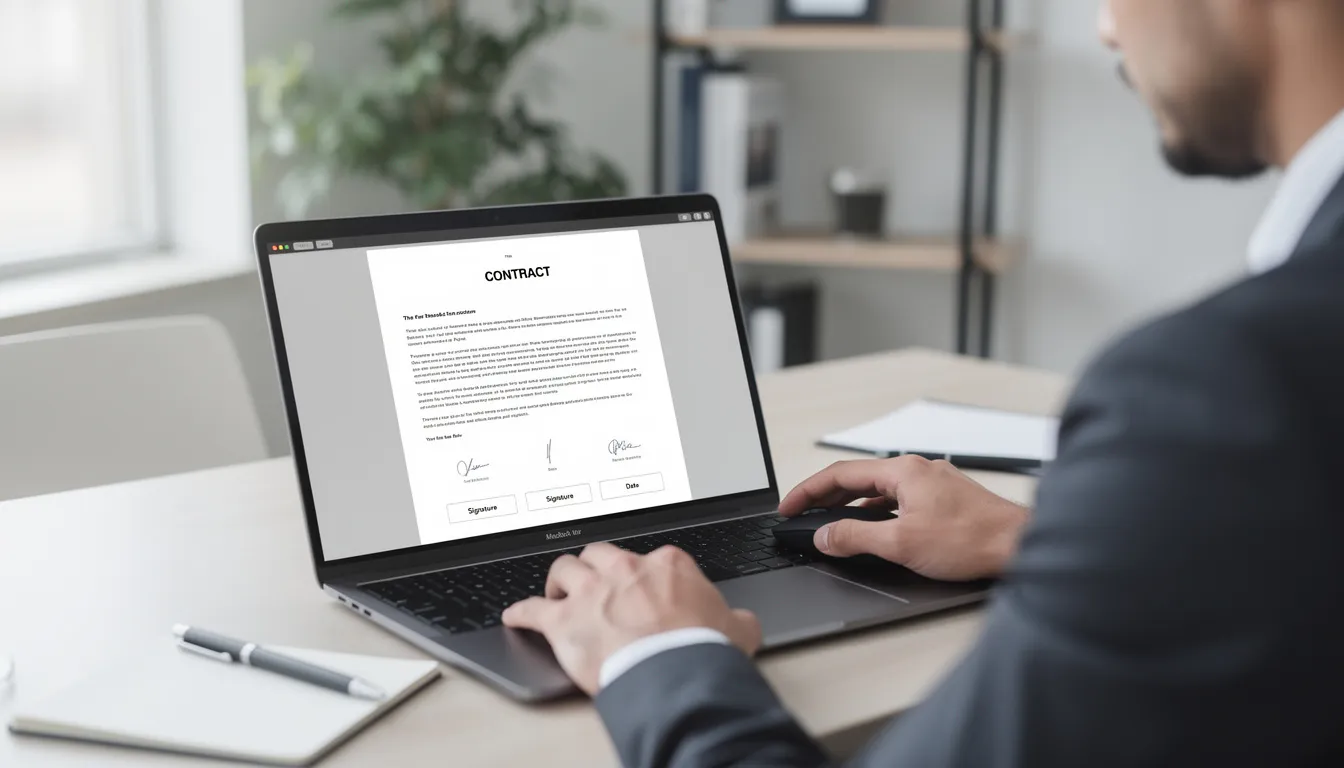
- Überprüfen und unterschreiben: Der Unterzeichner überprüft das Dokument, füllt die erforderlichen Felder aus und unterschreibt, indem er etwas eingibt, zeichnet oder eine vorab erstellte Unterschrift auswählt.
Audit Trail und Dokumentenspeicherung
- Metadaten erfassen: Nach Abschluss erfasst die Plattform detaillierte Metadaten:
- Zeitstempel jeder Aktion
- IP-Adresse des Unterzeichners
- Browser-Fingerabdruck
- E-Mail-Bestätigung
- Alle Authentifizierungsschritte abgeschlossen
Diese Daten bilden die Audit-Trail, ein vollständiges Protokoll darüber, wer was wann getan hat. Sie können an einem Dokument vorgenommene Änderungen nachverfolgen und Signaturen verlieren ihre Gültigkeit, wenn das Dokument nach dem Signieren bearbeitet wird.
- Verteilen und lagern: Sobald alle Parteien unterschrieben haben:
- Jeder erhält eine Kopie des unterzeichneten Dokuments zusammen mit einem Abschlusszertifikat oder einem ähnlichen Prüfprotokoll.
- Die Plattform speichert Dokumente in der Regel für einen konfigurierbaren Zeitraum, der von einer Stunde für datenschutzorientierte Tools bis zu 30 Tagen oder länger für Geschäftsplattformen reichen kann, wobei Unternehmenspläne häufig benutzerdefinierte Aufbewahrungsrichtlinien bieten.
- Einige Organisationen konfigurieren ihre eSign-Plattform so, dass abgeschlossene Dokumente automatisch mit Cloud-Diensten wie Google Drive, Dropbox oder ihrem Dokumentenverwaltungssystem synchronisiert werden.
Sicherheit und Compliance in eSign-Plattformen
Sicherheit ist bei eSign von enormer Bedeutung, da die über diese Plattformen übertragenen Dokumente häufig vertrauliche Informationen enthalten: Preisdetails, persönliche Daten, Bankinformationen und vertrauliches geistiges Eigentum. Seriöse Plattformen investieren viel in den Schutz. Wenn Sie wissen, worauf Sie achten müssen, können Sie sich für eine sichere Lösung entscheiden.
Transport- und Lagersicherheit
- Transportsicherheit: Alle modernen eSign-Tools verwenden TLS 1.2 oder TLS 1.3 für die Datenübertragung und verhindern so das Abfangen durch Dritte.
- Speichersicherheit:Achten Sie auf die AES-256-Verschlüsselung im Ruhezustand, den gleichen Standard, der auch von Banken und Regierungsbehörden verwendet wird.
- Regionale Datenresidenz: Plattformen der Unternehmensklasse bieten häufig Optionen für die regionale Datenresidenz, sodass Sie festlegen können, dass die Daten aus Compliance-Gründen innerhalb von EU-Rechenzentren oder anderen geografischen Grenzen bleiben.
Compliance-Zertifizierungen
- ISO/IEC 27001: Informationssicherheits-Managementsysteme.
- SOC 2 Typ II: Sicherheits-, Verfügbarkeits- und Vertraulichkeitskontrollen.
- DSGVO-Konformität: Achten Sie bei Organisationen, die personenbezogene Daten aus der EU verarbeiten, auf Datenverarbeitungsvereinbarungen (Data Processing Agreements, DPAs) und klare Datenverarbeitungsrichtlinien.
- HIPAA-Konformität: Gesundheitsorganisationen benötigen HIPAA-konforme Optionen mit Business Associate Agreements.
- 21 CFR Teil 11: Für stark regulierte Branchen wie die Biowissenschaften.
Authentifizierungsmethoden
- Grundlegende E-Mail-Verifizierung: Bestätigt, dass der Unterzeichner Zugriff auf die hinterlegte E-Mail-Adresse hat.
- SMS-Einmalpasswörter: Fügt einen zweiten Faktor hinzu.
- Out-of-Band-Passcodes: Wird für zusätzliche Kontrolle separat mit den Unterzeichnern geteilt.
- SSO/SAML-Integration: Stellt bei Unternehmensbereitstellungen sicher, dass sich Unterzeichner über die vorhandene Sicherheitsinfrastruktur Ihres Unternehmens authentifizieren.
Dokumentkontrollen
- Passwortgeschützte PDFs: Verhindern Sie unbefugtes Öffnen.
- Nur-Ansicht-Links: Lassen Sie die Beteiligten die Prüfung durchführen, ohne eine Vollmacht zu unterzeichnen.
- Rollenbasierte Berechtigungen: Kontrollieren Sie, wer Dokumente senden kann, wer nur signieren kann und wer administrativen Zugriff auf Prüfprotokolle und Einstellungen hat.
- Ablaufdaten der Links: Stellen Sie sicher, dass Signatureinladungen nicht unbegrenzt aktiv bleiben.
Aufbewahrungsrichtlinien
- Automatisches Löschen: Einige Plattformen löschen Dateien nach Abschluss automatisch. Dies ist aus Datenschutzgründen nützlich, aber problematisch, wenn Sie Langzeitaufzeichnungen benötigen.
- Konfigurierbare Aufbewahrung: Andere bewahren Dokumente je nach Planebene 30 Tage, ein Jahr oder auf unbestimmte Zeit auf.
- Benutzerdefinierte Aufbewahrung: Unternehmensvereinbarungen ermöglichen in der Regel eine benutzerdefinierte Aufbewahrung, die an den Richtlinien zur Datensatzverwaltung Ihres Unternehmens ausgerichtet ist.
Kernfunktionen moderner eSign-Software
Die meisten eSign-Plattformen im Jahr 2026 verfügen über eine Reihe gemeinsamer Funktionen, mit darüber liegenden Premium-Funktionen für Teams mit komplexeren Anforderungen. Wenn Sie die Funktionslandschaft verstehen, können Sie erkennen, worauf es für Ihre Arbeitsabläufe ankommt. Mithilfe von E-Sign-Tools können Benutzer Dokumente auf verschiedenen Geräten und Dateitypen elektronisch signieren, bearbeiten und teilen, wobei der Schwerpunkt auf Benutzerfreundlichkeit, Sicherheit und Zugänglichkeit liegt.
Dokumenterstellung und -bearbeitung
- Laden Sie vorhandene PDFs hoch und platzieren Sie Signaturfelder.
- Erstellen Sie Formulare von Grund auf.
- Bearbeiten Sie Text in Dokumenten.
- Führen Sie mehrere Dateien in einem einzigen Signaturpaket zusammen.
- Generieren Sie digitale Dokumente dynamisch aus Datenquellen.
- Verwenden Sie wiederverwendbare Vorlagen für häufig verwendete Vereinbarungen. B. eine Vorlage für ein Stellenangebotsschreiben, eine NDA-Vorlage oder eine Servicevertragsvorlage.
- PandaDoc ermöglicht es Benutzern Signieren Sie PDFs und Word-Dokumente in einem einheitlichen Workflowund bietet 60 kostenlose Dokumente pro Jahr zum elektronischen Signieren.
Workflow-Funktionen
- Sequentielles Signieren: Dokumente werden der Reihe nach von einem Unterzeichner zum nächsten übertragen.
- Paralleles Signieren: Mehrere Parteien können gleichzeitig signieren.
- Bedingte Logik: Leitet Dokumente basierend auf den Antworten des Unterzeichners weiter.
- Automatische Erinnerungen und Folgebenachrichtigungen.
Integrationen
- Native Integrationen mit Google Workspace und Microsoft 365.
- Smallpdf lässt sich in Cloud-Dienste wie Google Workspace und Microsoft OneDrive integrieren.
- CRM-Integrationen mit Salesforce und HubSpot.
- Cloud-Speicherverbindungen mit Google Drive, Dropbox, Box und OneDrive.
- Integrationen von Buchhaltungs- und HR-Systemen.
Mobiles und Offline-Signieren
- Mobile Apps für iOS und Android.
- Unterzeichner können Vereinbarungen von ihrem iPhone oder iPad aus überprüfen und ausführen.
- Offline-Signierung für Feldszenarien.
- Persönliche Unterzeichnungsmodi für Situationen mit physischer Anwesenheit.
APIs und Anpassung
- APIs und Webhooks für umfassende Anpassung.
- Integrieren Sie Signaturerlebnisse direkt in Ihre Website oder App.
- Automatisierte Auslöser für Vereinbarungen, wenn Geschäfte in Ihrem CRM abgeschlossen werden oder wenn neue Mitarbeiter als angenommen markiert werden.
- Webhooks benachrichtigen Ihre Systeme, wenn Dokumente signiert werden.
Geschäftsvorteile der Einführung von eSign
Elektronische Signaturen haben sich von einer praktischen Annehmlichkeit zu einer Standarderwartung für Unternehmen entwickelt, die mit Remote- oder Hybridteams arbeiten. Die Vorteile erstrecken sich auf Geschwindigkeit, Kosten, Sichtbarkeit und Erfahrung.
Geschwindigkeit
- Transaktionen, die früher Tage oder Wochen dauerten, werden jetzt in Minuten oder Stunden abgeschlossen.
- SaaS-Unternehmen können neue Abonnements noch am selben Tag abschließen, an dem ein Interessent den Bedingungen zustimmt.
- Personalmanager können innerhalb weniger Stunden unterschriebene Angebotsschreiben senden und empfangen.
- Immobilienschließungen können erfolgen, wenn alle Parteien von ihrem eigenen Standort aus unterzeichnen.
Kosteneinsparungen
- Eliminieren Sie Papier- und Druckkosten.
- Entfernen Sie die Versand- und Kuriergebühren über Nacht.
- Reduzieren oder eliminieren Sie die physische Lagerung von Papierverträgen.
- Branchenstudien deuten darauf hin, dass Unternehmen bei der Umstellung auf elektronische Signaturen 20 bis 40 US-Dollar pro Dokument einsparen.
Sichtbarkeit und Kontrolle
- Dashboards zeigen welche Vereinbarungen wurden gesendet, eingesehen, unterschrieben oder sind überfällig.
- Automatisierte Benachrichtigungen bei Vertragsverlängerungen oder ausstehenden Unterschriften.
- Verhindern Sie verpasste Fristen und verpasste Chancen, indem Sie Wert darauf legen vertragliche Verpflichtungen und die Bedeutung von Verträgen.
Kunden- und Mitarbeitererfahrung
- Neue Mitarbeiter erledigen die Einarbeitungsunterlagen bereits vor ihrem ersten Tag.
- Kunden unterzeichnen Serviceverträge, ohne Besprechungen zu vereinbaren oder Büros aufzusuchen.
- Spesengenehmigungen, Richtlinienbestätigungen und Routineformulare erfolgen mit minimalem Aufwand.
Umweltauswirkungen
- Durch den Verzicht auf Papier bei Tausenden von Transaktionen wird ein erheblicher Druckaufwand vermieden und die Emissionen beim Versand reduziert.
- Organisationen mit ESG-Zielen oder Nachhaltigkeitsberichten können diese Reduzierungen im Rahmen ihrer Umweltverpflichtungen quantifizieren.

Typische Anwendungsfälle für eSign im Jahr 2026
Elektronische Signaturen sind heute die Grundlage für Geschäftsprozesse in Organisationen jeder Größe, vom Einzel-Freiberufler bis zum globalen Konzern. Verschiedene Abteilungen und Branchen nutzen eSign für unterschiedliche Dokumenttypen und Arbeitsabläufe.
- Vertriebs- und Ertragsbetriebe: NDAs, Vorschläge, Kostenvoranschläge, Bestellformulare, Master Service Agreements (MSAs), Leistungsbeschreibungen (SOWs).
- HR und People Operations:Arbeitsverträge, Angebotsschreiben, Auftragnehmervereinbarungen, Versicherungsbestätigungen, Leistungsbeurteilungen, Anmeldeformulare für Sozialleistungen.
- Rechts- und Compliance-Teams: Vorstandsbeschlüsse, konzerninterne Vereinbarungen, Unternehmensunterlagen, Compliance-Bescheinigungen.
- Finanzen und Beschaffung: Lieferantenvereinbarungen, Bestellungen, Abonnementverlängerungen, Finanzierungsunterlagen, Zahlungsautorisierungsformulare, Budgetgenehmigungen, Spesenabrechnungen.
- Außendienst- und kundenorientierte Szenarien: Mietverträge, Arbeitsaufträge, Installationsberichte, Patienteneinverständniserklärungen, Dokumentation von Versicherungsansprüchen.
So wählen Sie eine eSign-Lösung aus
Das „beste“ eSign-Tool hängt ganz von der Größe, der Branche und den Arbeitsabläufen Ihres Unternehmens ab, nicht nur von den monatlichen Kosten. Durch die Bewertung von Plattformen anhand Ihrer spezifischen Anforderungen wird verhindert, dass Sie für nicht genutzte Funktionen zu viel bezahlen und die Funktionen, die Sie bei der Skalierung benötigen, zu wenig kaufen.
- Einzelpersonen und Freiberufler: Legen Sie Wert auf Benutzerfreundlichkeit, intuitive mobile Apps, kostenlose oder kostengünstige Pläne, Unterstützung gängiger Formate und einfache Vorlagen für Verträge, die Sie wiederholt versenden.
- Kleine Unternehmen: Suchen Sie nach Teamzusammenarbeit, Branding, Preismodellen, die zu Ihrem Transaktionsvolumen passen, Vorlagenbibliotheken, CRM- und Buchhaltungsintegrationen sowie Branding-Optionen.
- Unternehmensorganisationen: Erfordern erweiterte Funktionen wie SSO/SAML-Integration, erweiterte Administratorkontrollen, detaillierte Audit-Trails, regionale Datenresidenz, komplexe Workflow-Funktionen und API-Zugriff. Adobe Acrobat Sign ist eine eigenständige E-Signatur-Lösung für mittlere bis große Unternehmen, die robuste Integrationen und branchentaugliche Compliance-Funktionen bietet.
Bevor Sie eine Plattform auswählen:
- Überprüfen Sie die Sicherheits- und Compliance-Dokumentation (ISO 27001, SOC 2 Typ II, DSGVO, HIPAA).
- Testen Sie mit kostenlosen Testversionen und versenden Sie Testverträge intern (Smallpdf bietet eine 7-tägige kostenlose Testversion an).
- Lassen Sie Benutzer aus den Bereichen Vertrieb, Personalwesen und Recht die Plattform ausprobieren und Feedback geben.
- Bewerten Sie das mobile Erlebnis und den Prüfpfad.
Best Practices für die sichere und effektive Nutzung von eSign
Elektronische Signaturen sind leistungsstark, aber um ihren vollen Wert auszuschöpfen, sind gute interne Praktiken erforderlich, die Sicherheit, rechtliche Vertretbarkeit und betriebliche Effizienz gewährleisten.
- Passen Sie die Stärke der Identitätsüberprüfung an das Risiko an: Verwenden Sie die E-Mail-Verifizierung für Dokumente mit geringem Risiko. Fügen Sie SMS-Codes, wissensbasierte Authentifizierung oder staatliche Ausweisüberprüfung für Vereinbarungen mit höherem Risiko hinzu.
- Vorlagen standardisieren: Arbeiten Sie mit einem Rechtsberater zusammen, um genehmigte Vorlagen für NDAs, MSAs, Beschäftigungsangebote, Auftragnehmervereinbarungen und andere häufig verwendete Dokumente zu erstellen. Sperren Sie nicht variable Teile.
- Konfigurieren Sie klare Signaturrollen und -aufträge: Legen Sie fest, wer zuerst unterschreibt, wer gegenzeichnet und wer vor dem Senden genehmigen muss. Verwenden Sie bedingte Logik für bestimmte Umstände.
- Trainiere Teams: Stellen Sie kurze interne Leitfäden oder aufgezeichnete Demos zum Versenden von Dokumenten, zu den Erwartungen der Unterzeichner, zur Verwaltung von Vorlagen und zum Speicherort abgeschlossener Vereinbarungen bereit.
- Legen Sie Aufbewahrungs- und Zugriffsregeln fest: Legen Sie Aufbewahrungsfristen, Zugriffsberechtigungen und Prozesse für den Widerruf des Zugriffs fest, wenn Mitarbeiter das Unternehmen verlassen. Konfigurieren Sie die Aufbewahrungseinstellungen Ihrer eSign-Plattform entsprechend.
Zukunft von eSign: KI, Automatisierung und Regulierung
Elektronische Signaturen entwickeln sich parallel zu KI, Automatisierung und neuen digitalen Identitätsrahmen weiter. Das Verständnis kurzfristiger Trends hilft Unternehmen dabei, Plattformentscheidungen zu treffen, die auch bei der Entwicklung der Landschaft relevant bleiben.
- KI-gestützte Vertragsabläufe: Automatische Felderkennung, Klauselanalyse, Risikobewertung und Zusammenfassungserstellung werden zu Standardfunktionen.
- Erhöhte Automatisierung: APIs und Low-Code-Tools betten eSign in umfassendere Geschäftsprozesse ein und machen eSign zu einer unsichtbaren Infrastruktur.
- Neue Identitätsstandards: Digitale Identitätsbrieftaschen der EU und von der Regierung ausgestellte digitale Ausweise machen das Signieren verifizierter Identitäten zugänglicher und routinemäßiger.
- Regulatorische Rahmenbedingungen: Die eIDAS 2.0 der EU, die Leitlinien der USA und des Vereinigten Königreichs sowie laufende Aktualisierungen verlangen von Unternehmen, dass sie die Einhaltung sowohl von Anbietern als auch von lokalen Behörden überwachen.

Mit Blick auf die Zukunft werden elektronische Signaturen weiterhin von zentraler Bedeutung für papierlose, remote ausgerichtete Geschäftsabläufe sein. Die Kombination aus Rechtsgültigkeit, Sicherheitsfunktionen und Workflow-Effizienz macht eSign unverzichtbar, nicht nur für das Signieren von Dokumenten, sondern als Grundlage für reibungslose digitale Transaktionen in allen Branchen.
Wichtige Erkenntnisse
- Elektronische Signaturen sind in den meisten Gerichtsbarkeiten rechtsverbindlich, wenn die entsprechende Einwilligung und Absicht nachgewiesen wird, gestützt durch Gesetze wie den US ESIGN Act, UETA, Kanadas PIPEDA und Electronic Transactions Actund EU-eIDAS-Verordnung.
- Der Unterschied zwischen elektronischen Signaturen und digitalen Signaturen ist wichtig: Elektronische Signaturen sind die breite Kategorie, während digitale Signaturen für mehr Sicherheit eine kryptografische Überprüfung verwenden.
- Moderne eSign-Plattformen übernehmen den gesamten Workflow vom Upload bis zum Audit-Trail und erfassen Zeitstempel, IP-Adressen und Authentifizierungsdaten für rechtliche Beweise.
- Zu den zu bewertenden Sicherheitsfunktionen gehören TLS-Verschlüsselung, AES-256-Speicherverschlüsselung, Compliance-Zertifizierungen (ISO 27001, SOC 2) und geeignete Authentifizierungsmethoden.
- Die Wahl der richtigen Plattform hängt von der Größe und den Anforderungen Ihres Unternehmens ab. Freiberufler legen Wert auf Einfachheit, kleine Unternehmen benötigen Integrationen und Branding, Unternehmen benötigen SSO und Compliance-Funktionen.
- Zu den Best Practices gehören die Anpassung der Verifizierungsstärke an das Risiko, die Standardisierung von Vorlagen, die Schulung von Benutzern und die Festlegung klarer Aufbewahrungsrichtlinien.
Der weitere Weg ist klar: Identifizieren Sie, welche Dokumente und Arbeitsabläufe am meisten von elektronischen Signaturen profitieren würden, bewerten Sie die Plattformen anhand Ihrer spezifischen Anforderungen und implementieren Sie sie vom ersten Tag an mit Best Practices für die Sicherheit. Beginnen Sie mit einer kostenlosen Testversion, führen Sie interne Tests durch und sammeln Sie Feedback von den Teams, die das System täglich nutzen. Die Effizienzgewinne und Kosteneinsparungen verstärken sich mit jedem Papierprozess, den Sie eliminieren.
So signieren Sie PDFs
Dank moderner elektronischer Signaturplattformen war das Signieren von PDFs noch nie einfacher und sicherer. Unabhängig davon, ob Sie einen Vertrag, eine Vereinbarung oder ein anderes wichtiges Dokument unterzeichnen müssen, ist der Prozess sowohl benutzerfreundlich als auch rechtsverbindlich gestaltet. Wenn Sie einfach nur ein PDF online signieren möchten, bietet Portant ein kostenloses Tool, mit dem Sie direkt im Browser eine Unterschrift in ein Dokument einfügen können.
Schritte zum Signieren von PDFs:
- Laden Sie Ihr Dokument hoch: Laden Sie Ihr PDF auf eine vertrauenswürdige Plattform für elektronische Signaturen hoch, z. B. Smallpdf, PandaDoc oder ähnliche Tools.
- Wählen Sie Ihre Signaturmethode: Wählen Sie aus, ob Sie Ihren Namen eingeben, Ihre Unterschrift mit einer Maus oder einem Touchscreen zeichnen oder ein Bild Ihrer handschriftlichen Unterschrift hochladen möchten.
- Tragen Sie Ihre Unterschrift ein: Platzieren Sie Ihre Unterschrift an der entsprechenden Stelle im Dokument.
- Abschließen und sichern: Die Plattform stellt sicher, dass das Dokument sicher und manipulationssicher bleibt.
- Herunterladen oder teilen:Laden Sie das fertige PDF herunter oder senden Sie es direkt an andere Parteien zur Unterschrift.
Dieser vollständig elektronische Prozess macht das Drucken, Scannen oder Versenden von Papierkopien überflüssig. Jedes signierte PDF ist rechtsverbindlich und entspricht den Industriestandards, was es zu einem entscheidenden Faktor bei der Verwaltung digitaler Dokumente und der Aufrechterhaltung des Geschäftsfortschritts macht.
Cloud-Dienste für elektronische Signaturen
Cloud-Dienste sind zum Rückgrat moderner elektronischer Signaturlösungen geworden und bieten unübertroffenen Komfort, Sicherheit und Zugänglichkeit für die Verwaltung digitaler Dokumente.
Hauptvorteile von Cloud-Diensten für eSign:
- Einfacher Zugriff und Zusammenarbeit: Plattformen wie Google Drive, Dropbox und OneDrive ermöglichen Benutzern das Hochladen, Speichern und Organisieren von Dokumenten in der Cloud, sodass sie von jedem Gerät und überall mit Internetverbindung einfach auf Dateien zugreifen und diese signieren können.
- Nahtlose Integration: Viele elektronische Signaturplattformen lassen sich in diese Cloud-Dienste integrieren, sodass Benutzer den Signaturvorgang direkt von ihrer bevorzugten Speicherlösung aus starten können.
- Optimierter Arbeitsablauf: Wählen Sie ein Dokument aus Google Drive aus, fügen Sie Ihre elektronische oder digitale Signatur hinzu und speichern Sie die signierte Version wieder in der Cloud, ohne die App zu verlassen.
- Erhöhte Sicherheit: Fortschrittliche Verschlüsselung und Zugriffskontrollen schützen Ihre Dateien in jeder Phase. Nur autorisierte Benutzer können Dokumente anzeigen, bearbeiten oder signieren, und Audit-Trails liefern ein klares Protokoll aller durchgeführten Aktionen.
- Effizientes Management: Unternehmen können mit robuster Sicherung und Notfallwiederherstellung sicherstellen, dass ihr Dokumenten-Workflow sowohl effizient als auch konform ist.
- Skalierbarkeit: Für kleine Unternehmen, die skalieren möchten, bieten cloudbasierte Lösungen für elektronische Signaturen unbegrenzte Plätze, flexible Verwaltungstools und anpassbare Arbeitsabläufe.
Durch die Nutzung von Cloud-Diensten können Unternehmen Vereinbarungen, Verträge und Formulare organisiert, sicher und zugänglich halten.